



Mobile number verification is required when activating your Buyer Balance and creating a Store. This verification significantly improves account security, which will take the form of PIN for each use of Buyer Balance, Points or some Store settings. The verification process will be sent in the form of OTP to your registered number with VCGamers via WhatsApp. For your information, a successfully registered and verified number cannot be changed. Therefore, please ensure the number you registered is correct and active on WhatsApp.
How to Verify Number and Activate PIN
- You can activate in several places:
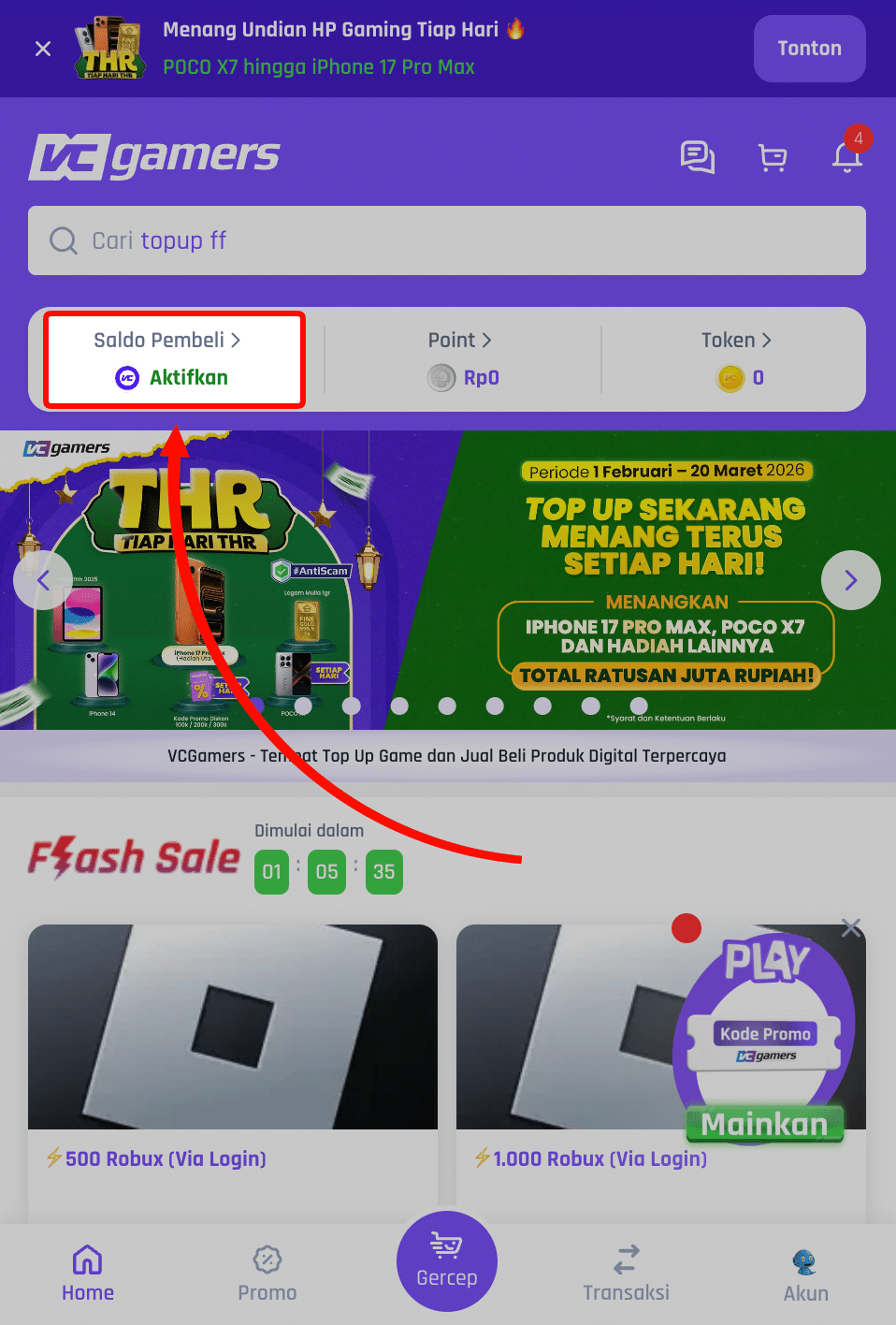
- Open the main page VCGamers with the login state, then click on the section Buyer's Balance
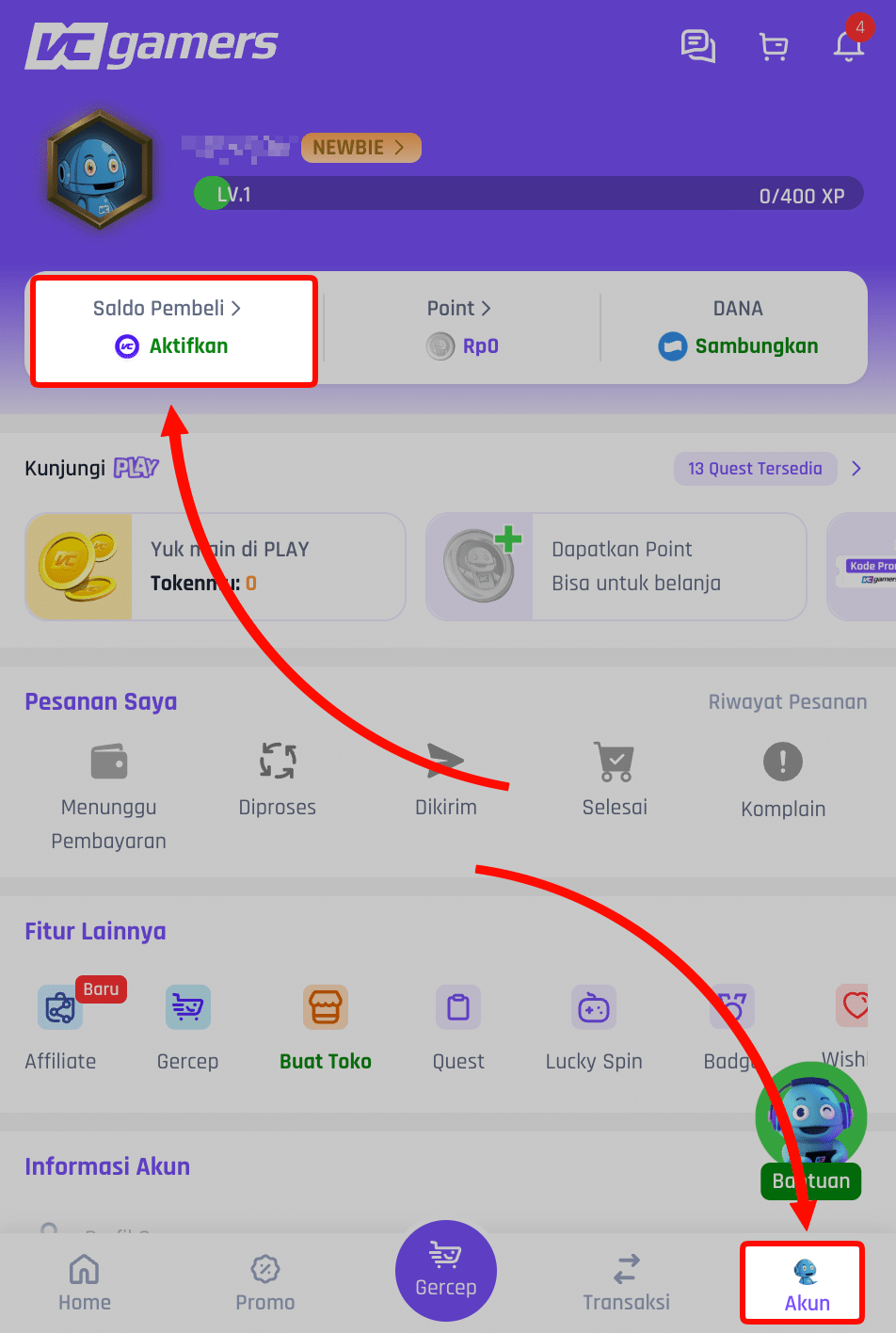
- Open the Account page while logged in, then click on the section Buyer's Balance
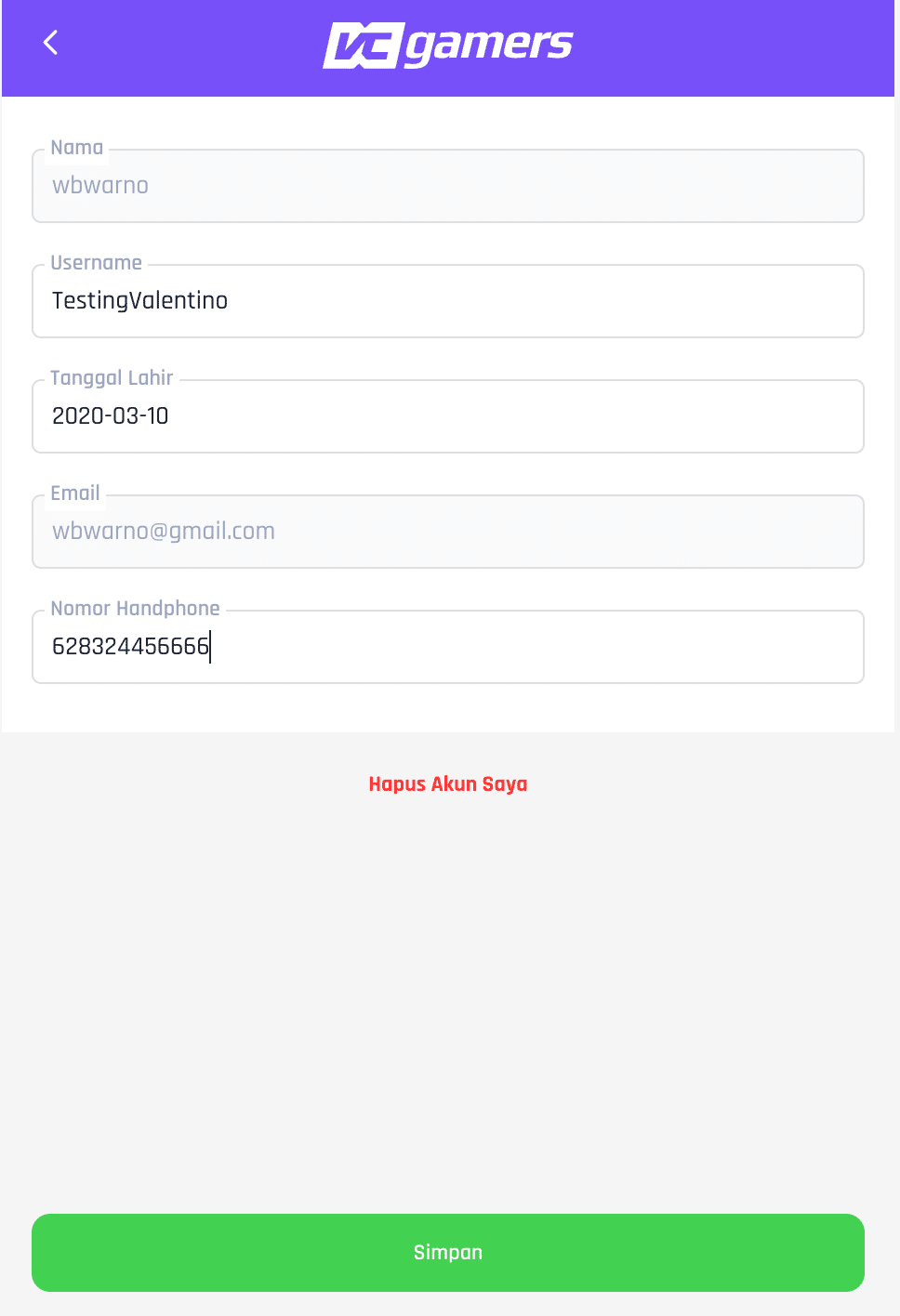
- Open the Account page while logged in > Settings > Edit Profile > Fill in the fields Mobile phone number > Click Save
- Open the main page VCGamers with the login state, then click on the section Buyer's Balance
- Enter your active mobile phone number on WhatsApp (don't enter the prefix 0 or 62)
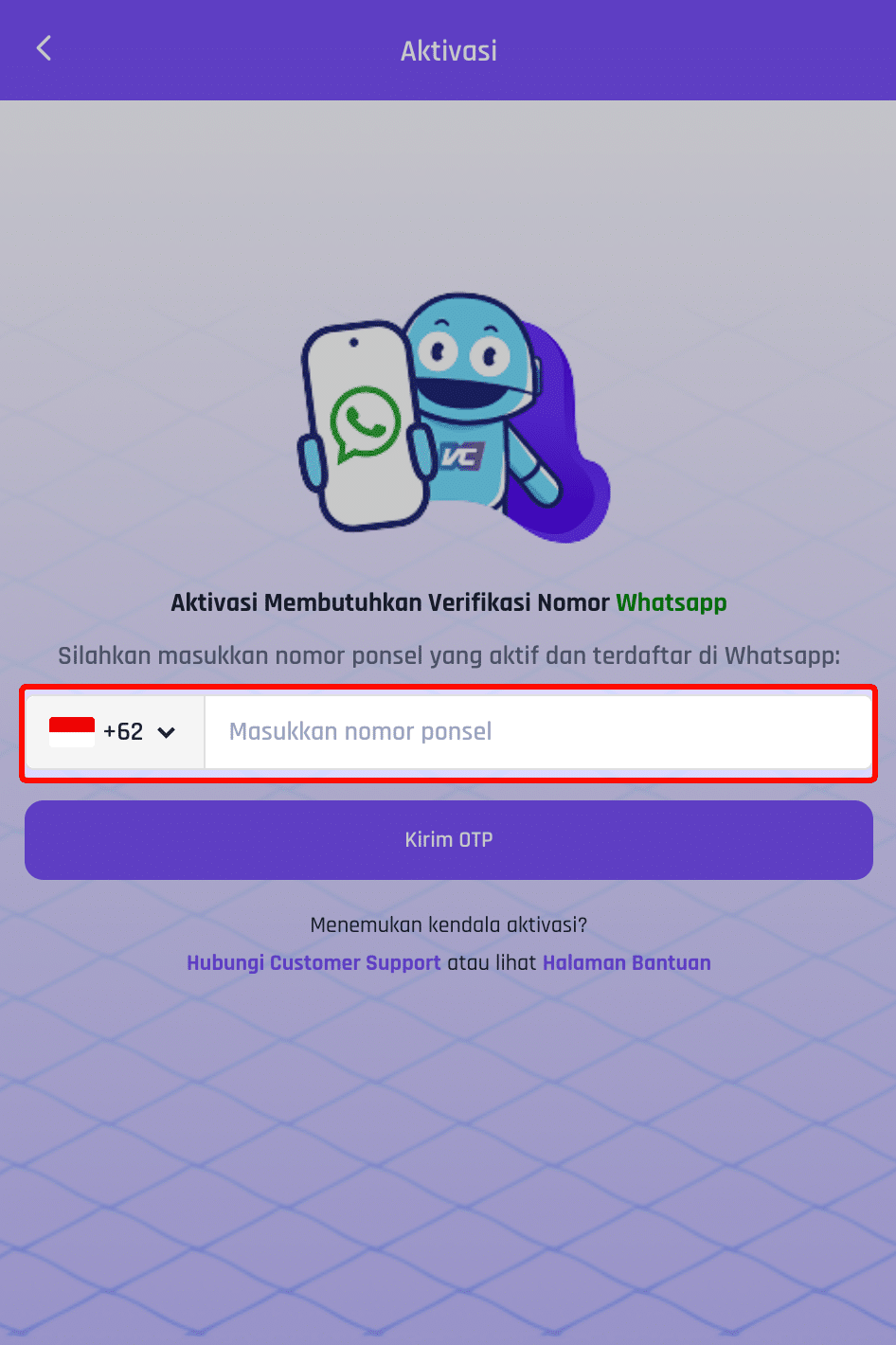
- Click the button Send OTP
- OTP will be sent to the number you wrote via WhatsApp
- Enter the OTP you received then click the button Verification
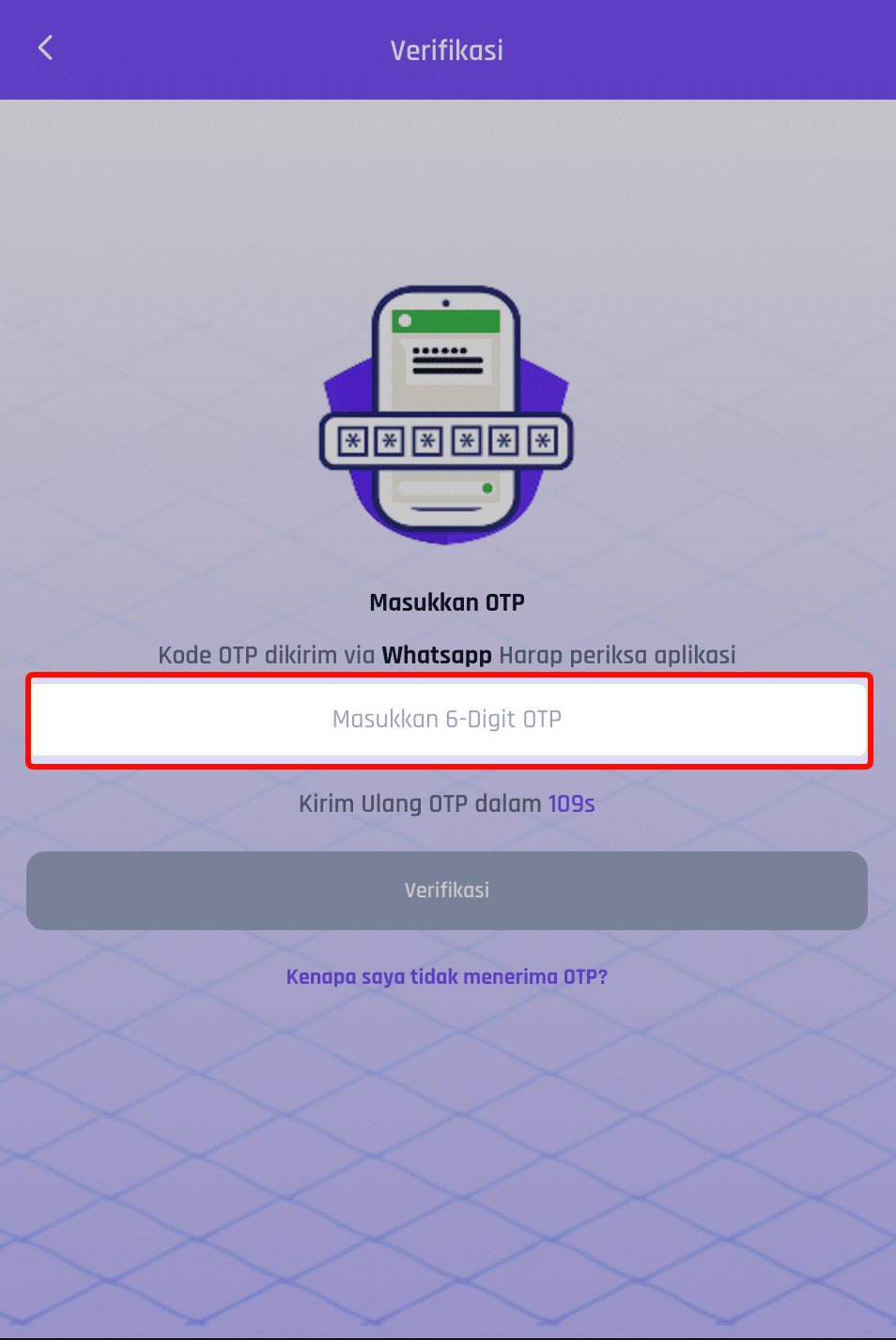
- You will be directed to create a PIN
- Follow the steps to create a PIN correctly
Notes:
- Please do not give your OTP and PIN to anyone for any reason, for account security.
- If you want to change the PIN you have created, you can refer to Change Account Security PIN.
- If you forget the PIN you have created, you can refer to Forgot Account Security PIN.
- If the number has been successfully verified, then Change of Registered Mobile Number can't be done.