



As a Seller, if you want to change the account number for disbursement purposes Store Balance, please read and understand the following Account Change Terms and Conditions:
- Account Status: This application is only available to seller accounts that have passed the verification process. Applications from unverified accounts will be automatically rejected.
- Submission Email: Applications using an email different from the one registered will be rejected.
- Account Holder Name Validation: The name of the new bank account holder must be the same as the name listed on the registered ID card.
- Supporting documents: The seller is required to attach a photo of the savings book or a screenshot of the account information on the mobile banking application that clearly displays the Owner's Name and Account Number.
- Processing Time: This process takes 2 working days (Saturday, Sunday and National Holidays are not included).
Next, you can immediately submit a request to change your account in the following way:
- Open the VCGamers Seller Dashboard
- Open submenu Store Profile under the menu Arrangement
- Click the button Change Account Number in the section Account Information
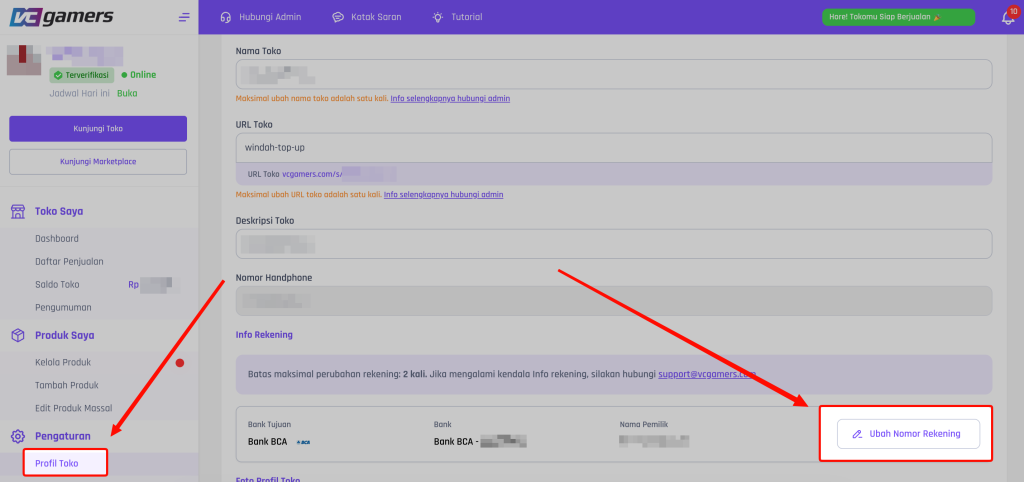
- Enter the security PIN correctly
- Fill in the data according to the Terms and Conditions, then click Validation
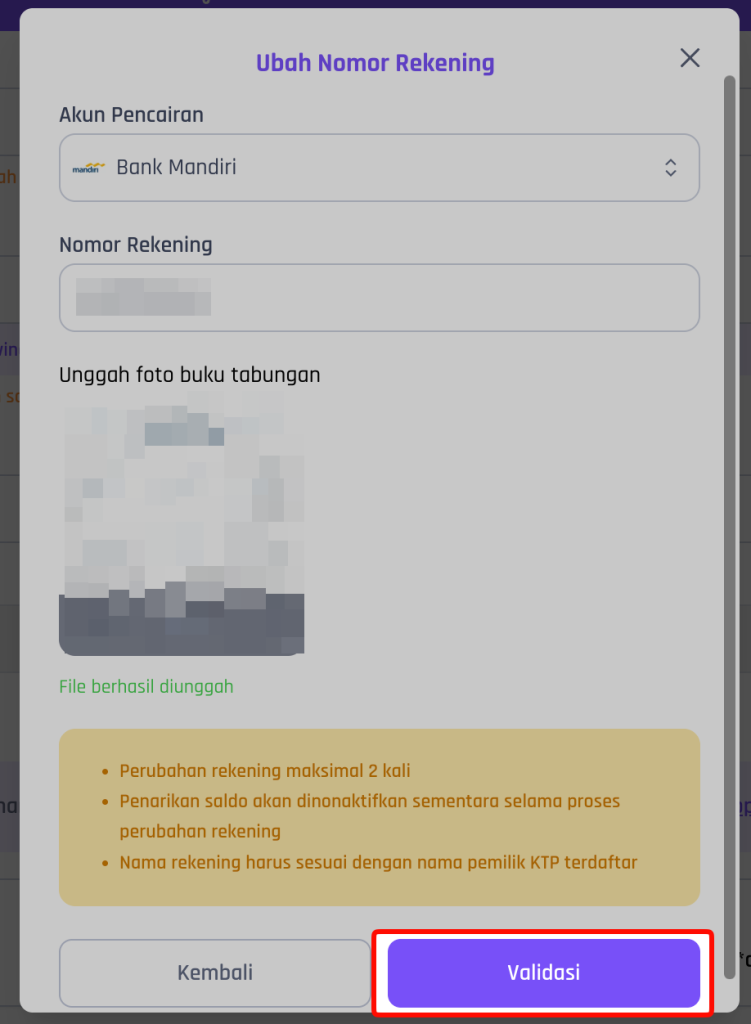
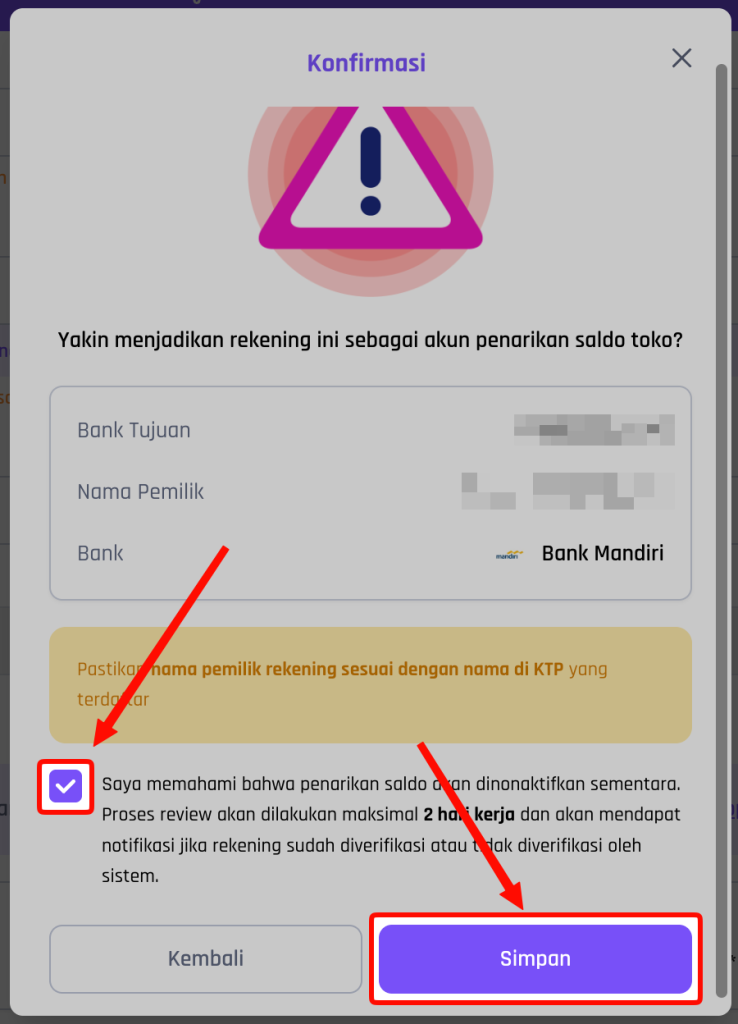
- A confirmation pop-up will appear, make sure the data you entered is correct.
- Check the box for the account change process description, then click Save
- If there is an update regarding changes to the account, it will be announced on the page. Store Balance.
*Notes :
- Make sure the new Bank is available in VCGamers. For more information, please check the submenu List of banks to which balance will be disbursed.
- If you experience any problems during the application process, please contact the Seller Support Team via email at [email protected]