



Avatar is a visual identity of a user on the VCGamers platform which functions as a digital representation as well as a collection-based asset. blockchain (NFT). In addition to being a profile display, avatars also have utility value through the system. Effect, which provides certain benefits (such as direct discounts, cashback, etc.) during the active period.
Apart from being used for yourself, Avatars can also be given or sold to other users.
What's that Effect on Avatar?
Effect are extra benefits available to each Avatar. These benefits can be used during the active period, starting from the moment you use them. Each effect has a different duration.
Types of Effects available:
- Direct discounts for transactions on the marketplace
- Bonus Points from every transaction of a particular brand
- Bonus XP from completing Quests and Badges
- Token bonuses from certain brand transactions
- Discounts on purchasing Avatars, Frames, and Banners
- Discount for playing the Lucky Spin feature
Where can I get Avatars?
Avatars can be obtained by exchanging a number of Tokens that have been deposited into the platform account (different from Tokens in Wallets-mu check in full here). You can exchange it in the following way:
- Login and open the page PLAY
- Open menu Property
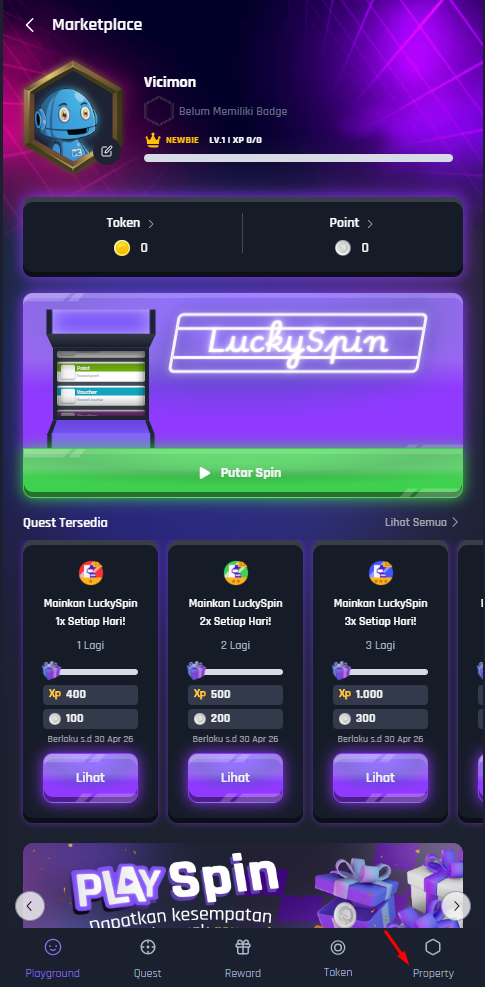
- Select an available Avatar collection. Scroll down to find the 'You don't have one yet' collection.‘
- Click on Avatar then click on the button containing the token icon and the nominal token required to have the avatar.
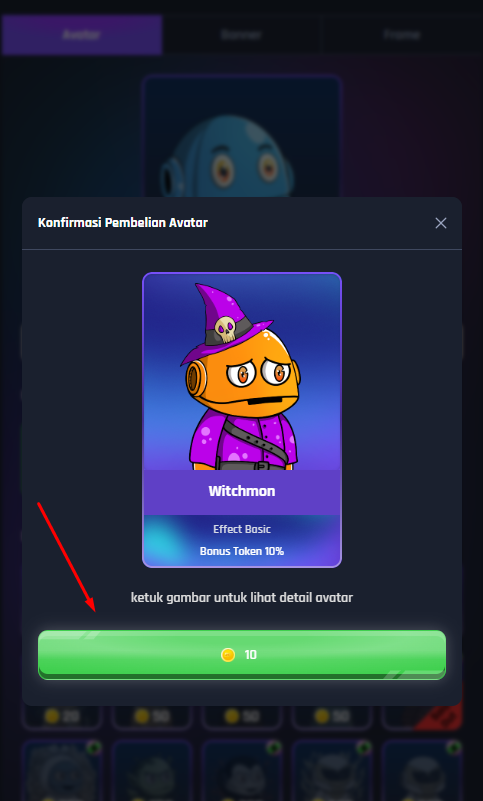
- You have successfully obtained your avatar
Note: Avatars sold on the Property page are limited in stock. If they run out, you can find Avatars for sale by other users on the Property page. Token. Read Here: How to Buy Avatars From Other Users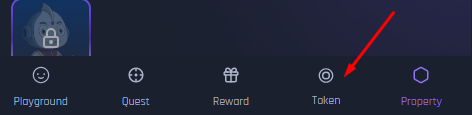
How to use Avatar
- Login and open the page PLAY
- Click on the image Avatar or click the menu Property
- Click on the avatar you want to use
- Click the confirmation button
Notes:
- If you change an avatar that still has effects, then The avatar effect automatically disappears/burns.
- You can only change your avatar within 14 days if the avatar effect you have is still active.
How to check Avatar activity
You can view all activity related to your avatar, from avatar purchases, avatar usage, avatar effects, and avatar sales. Here's how:
- Login and open the page PLAY
- Go to the Token menu
- Scroll down
You will find all Avatar activities in the section My Avatar Activity.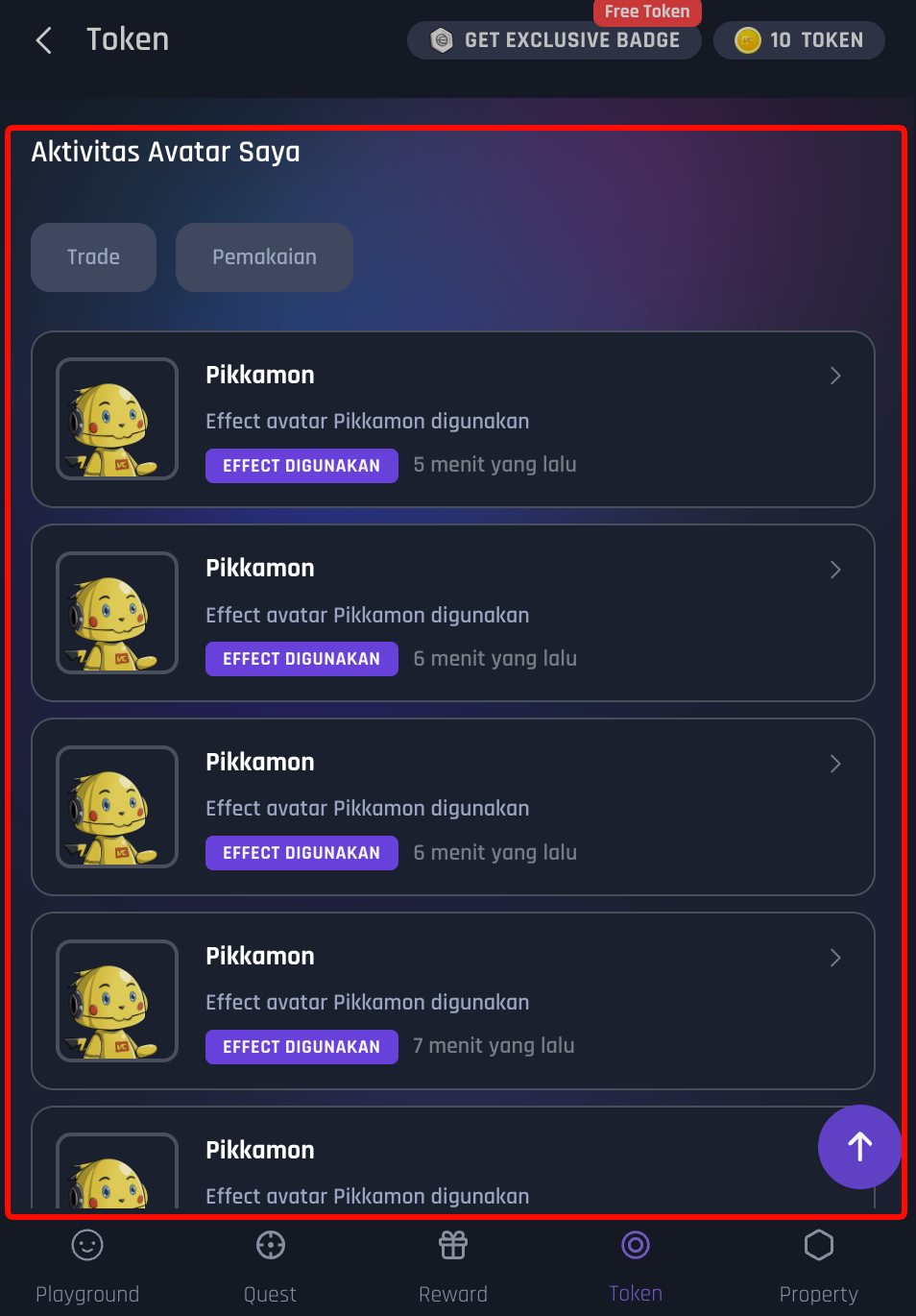
How to buy Avatars from other users
If the Avatars on the Property page are out of stock, you can still get Avatars from other users selling avatars. Here's how:
- Login and open the page PLAY
- Open menu Token, scroll down to the Avatar Collection section
- Select an Avatar or click “See All” to see all Avatars sold by other users
- Click “Make an Offer” and enter the number of Tokens you want to offer to the user selling the Avatar.
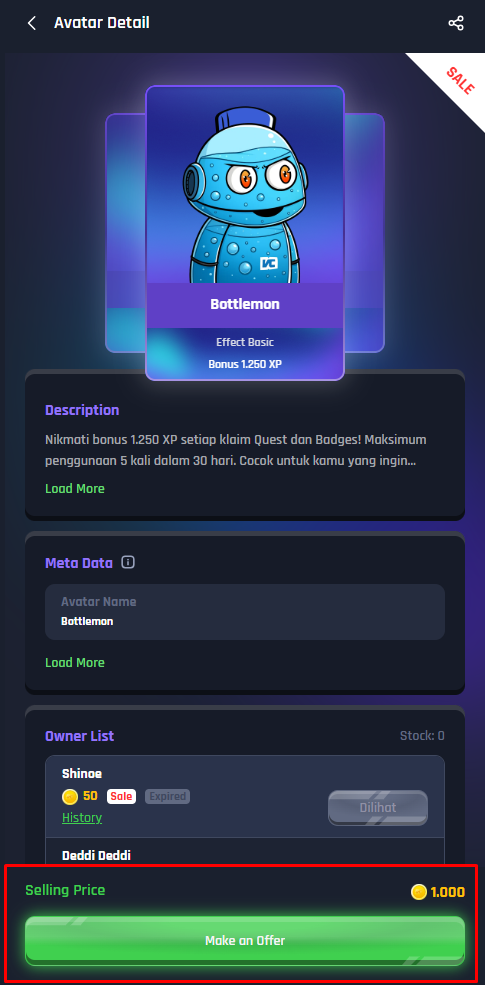
- If you offer below the selling price, you can have the Avatar after the Avatar owner accepts the offer.
- If you offer a value equal to the selling price, the Avatar will automatically be yours.
- Wait for the Avatar owner to approve your offer
- If approved, the Avatar will immediately move to your account.
Note: Please pay attention to the information on the details page of the Avatar being sold. Avatars that no longer have Effects have special information.. You cannot use effects on an avatar that has already been used.
How to Check the Status of My Avatar Purchase Offer
You can check the status of offers you've submitted manually. Here's how:
- Login and open the page PLAY
- Open menu Token, then go to the page Offering
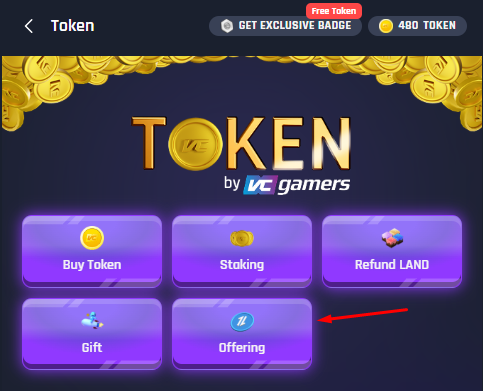
- There you can see all the offers you have ever sent along with their status.
Note: Automatic notifications for when your offer is approved or rejected are currently under development. Be sure to check the Offers page regularly to monitor its status.
How to Sell Avatars
You can sell both unused and used avatars (whose effects have expired). Here's how:
- Login and open the PLAY page
- Open page Property
- Select the Avatar you want to sell then click the 'Avatar Details' button.‘
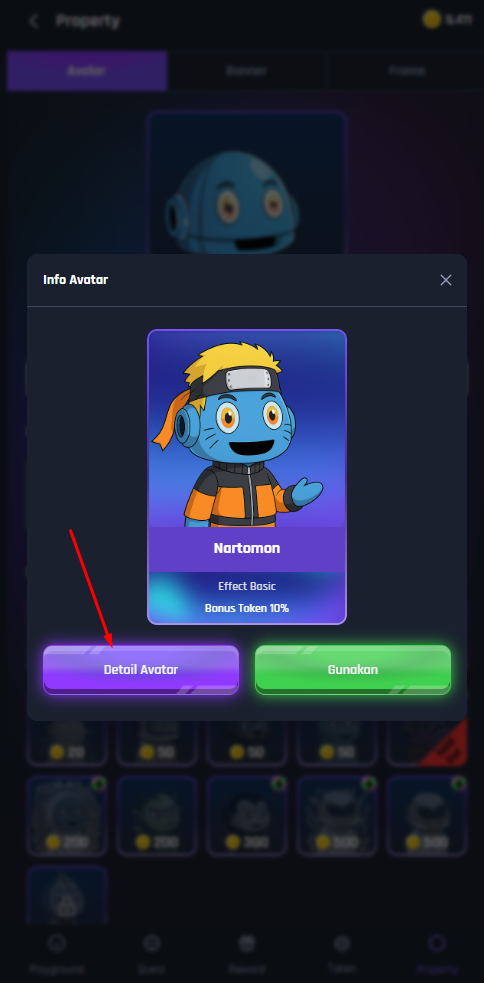
- Make sure the Avatar you want to sell not currently active or in use. Avatars that are currently in use cannot be sold.
- Click the 'Sell Avatar' button and determine the selling price (in token nominal)
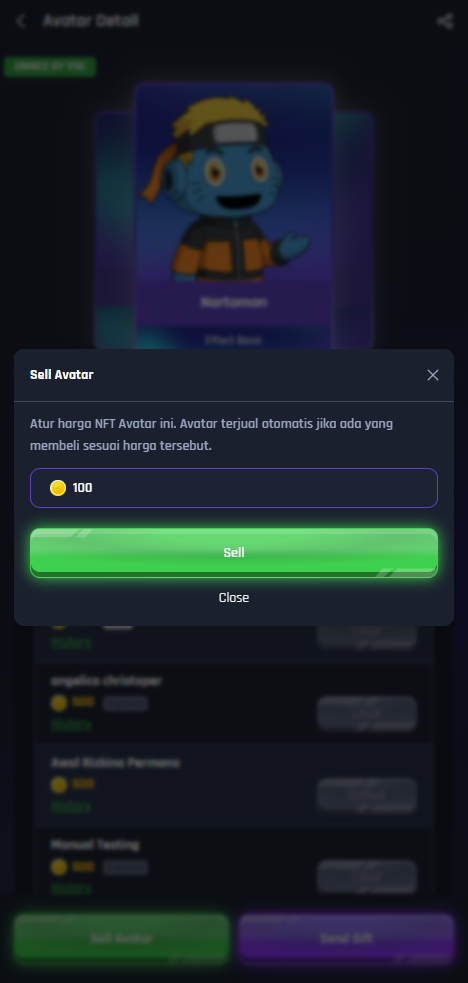
- Click the 'Sell' button to confirm the sale.
- Avatars are officially on sale. Check out the page Token to see data on Avatars for sale
- Other users can buy directly, or submit an offer that you can accept. approve or decline
Note: You can cancel the sale of an Avatar if the Avatar has not been purchased by another user by clicking the 'Cancel Selling' button on the details page of the Avatar you are selling.
How to Check the Offer Status of the Avatar I'm Selling
Offer notifications aren't currently available automatically, so you'll need to check manually. Here's how:
- Login and open the page PLAY
- Open menu Token, then go to the page Offering
- There you can see all the lists of offers (Offers) that have come in from other users for the Avatar you are selling.
- Choose ‘'Approve'’ to accept the offer — the Avatar will automatically move to the buyer and the Token will go directly to your account
- Choose ‘'Decline'’ if you refuse the offer
Note: Be sure to check the Offers page regularly, especially if your Avatar is currently for sale. An automatic notification feature for incoming offers is currently under development.
Avatar Purchase Rules
Each account can only have one 1 Avatar with the same visuals in your Avatar collection. If you want to get the same Avatar again, you need to buy it from another user on the page Token. But first, make sure you've released or sold your Avatar.
What Happens After Time Effect Avatar Ending?
Don't worry, your avatar won't disappear! Here's what happens after the effect expires:
- The avatar remains saved in your account as collectible
- Avatar cannot provide benefits/effects anything else
- Avatar can for sale (Sell) or sent (Gift) to another user but the effect can no longer be used by the new owner
How to Know the Remaining Duration Effect On the Avatar Used
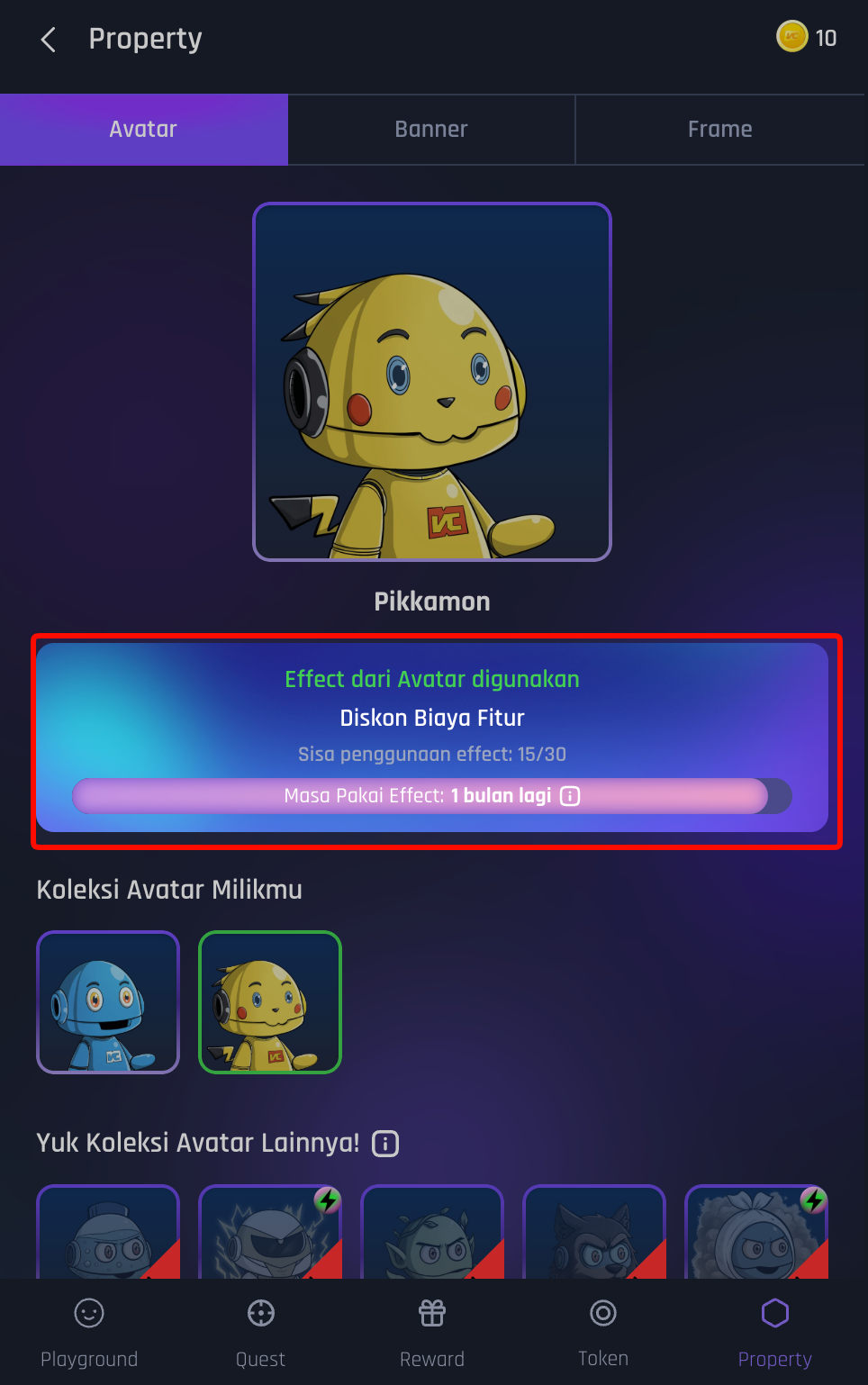
To find out the remaining duration of the Avatar effect, you must use the Avatar and then follow these steps:
- Open the Property page
- Information on the remaining duration of effect usage will appear on the Property page.
How to Send Avatars to Other Users as Gifts (Gift)
You can send Avatars directly to other users without having to buy or sell them. Here's how:
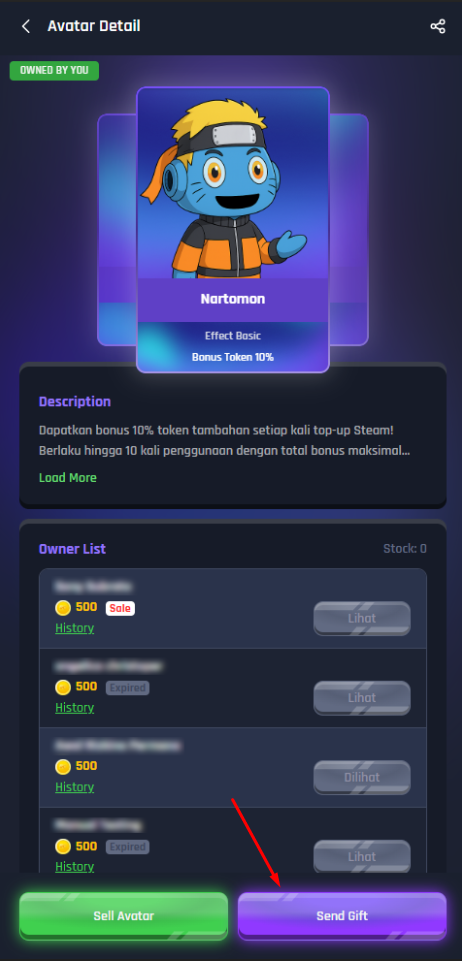
- Open the details of the Avatar you want to edit.gift
- Select the 'Send Gift' button‘
- Input email address user to whom Avatar will be sent (Email must be registered with VCGamers)
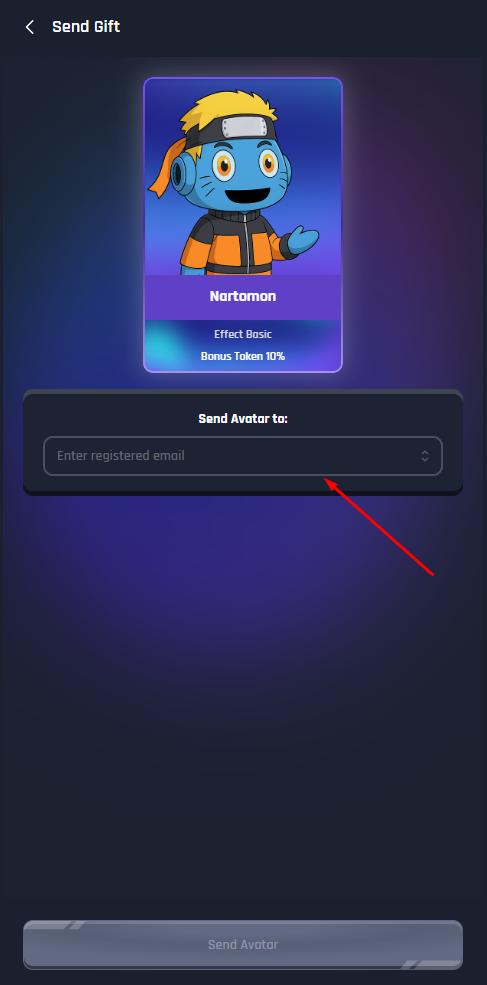
- Click 'Send Avatar' and confirm sending the gift.
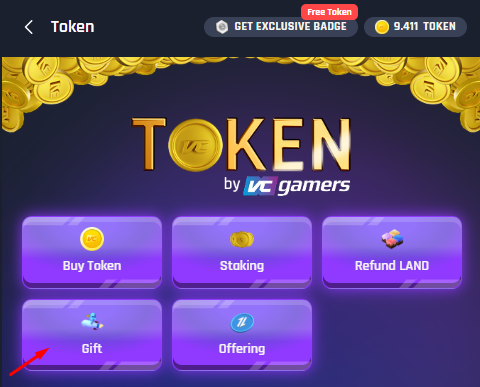
- The avatar is immediately transferred to the recipient's account. You can access your gift sending and receiving history from the page. Token and enter the page Gift
Note: Avatar that currently in active use cannot be gifted