



Difference between Deposit vs Top Up Token
Currently, there are two types of tokens in the VCGamers ecosystem. Please note the differences in acquisition methods and properties below:
- Token Deposit: The process of moving (transfer) $VCG Tokens from your personal blockchain wallet (such as Trust Wallet or Metamask) to your VCGamers account.
- Important: Once tokens are deposited into the play.vcgamers.com platform, they will become Off-chain assets and CANNOT be withdrawn to the original wallet or any other blockchain wallet.
- Top Up Token: The process of purchasing Tokens directly through the Top Up menu available in the PLAY feature using available payment methods (E-wallet, VA, etc.).
- ImportantTokens purchased through this menu can only be used within the play.vcgamers.com platform, and their balance will only be available in your VCGamers account wallet. These tokens do not exist on the blockchain (off-chain).
Terms of Use (Off-chain)
All Tokens obtained through Deposits and Top Ups are Off-chain, which means:
- For Features Only PLAY: Used to Play Lucky Spin, buy Avatars, Frames, and Banners.
- One Way: Cannot be transferred to any on-chain wallet.
3. Not an Investment Asset: Tokens on the Play platform serve as entertainment tools within the VCGamers ecosystem, not as crypto assets that can be traded on exchanges.
Token Uses
Tokens can be used for activities in Play features such as:
- Playing Lucky Spin
- Buying Avatars
- Buying a Frame
- Buying a Banner
How to Top Up / Deposit Tokens
How to top up Tokens:
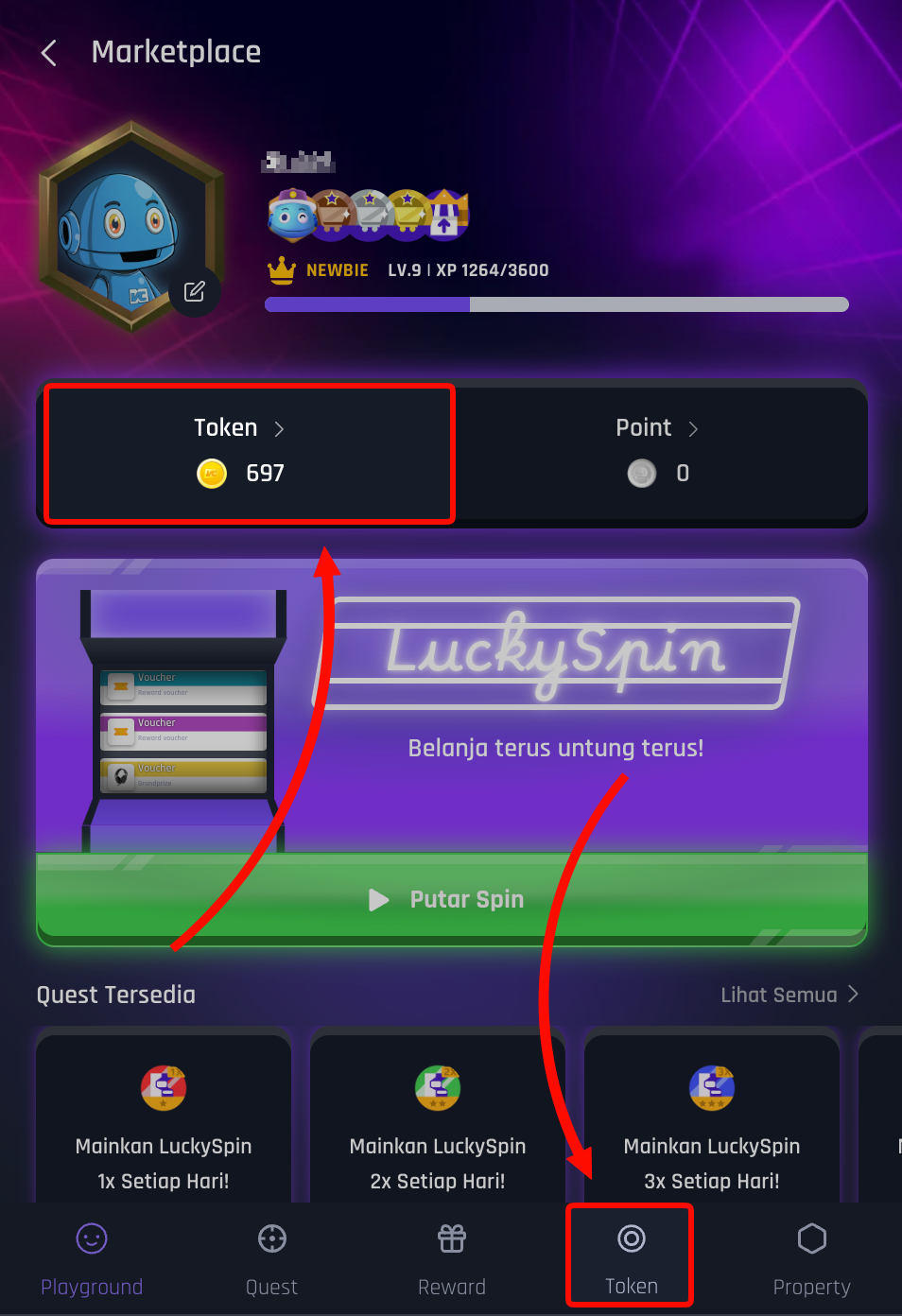
- Open menu Token
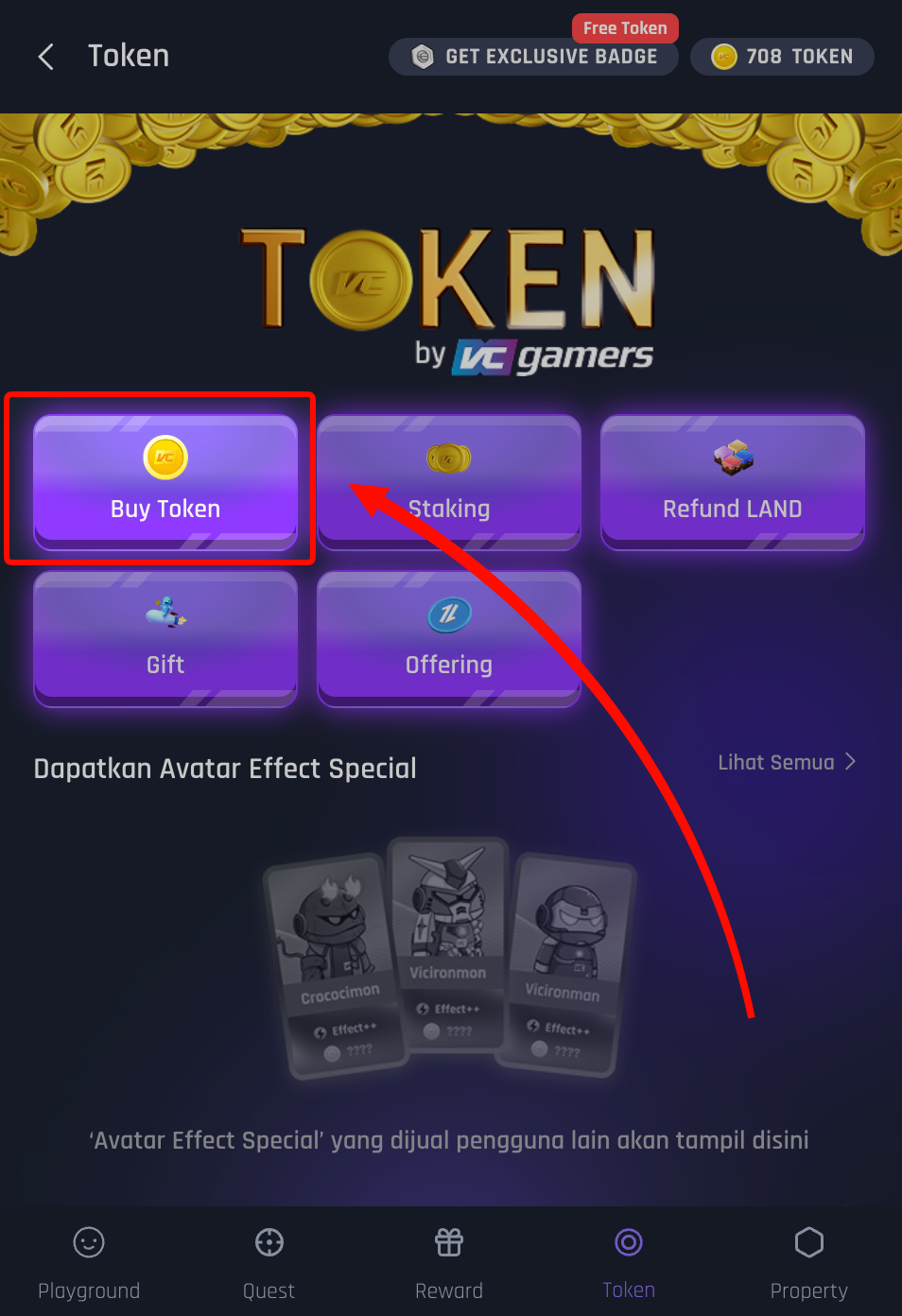
- Click menu Buy Token
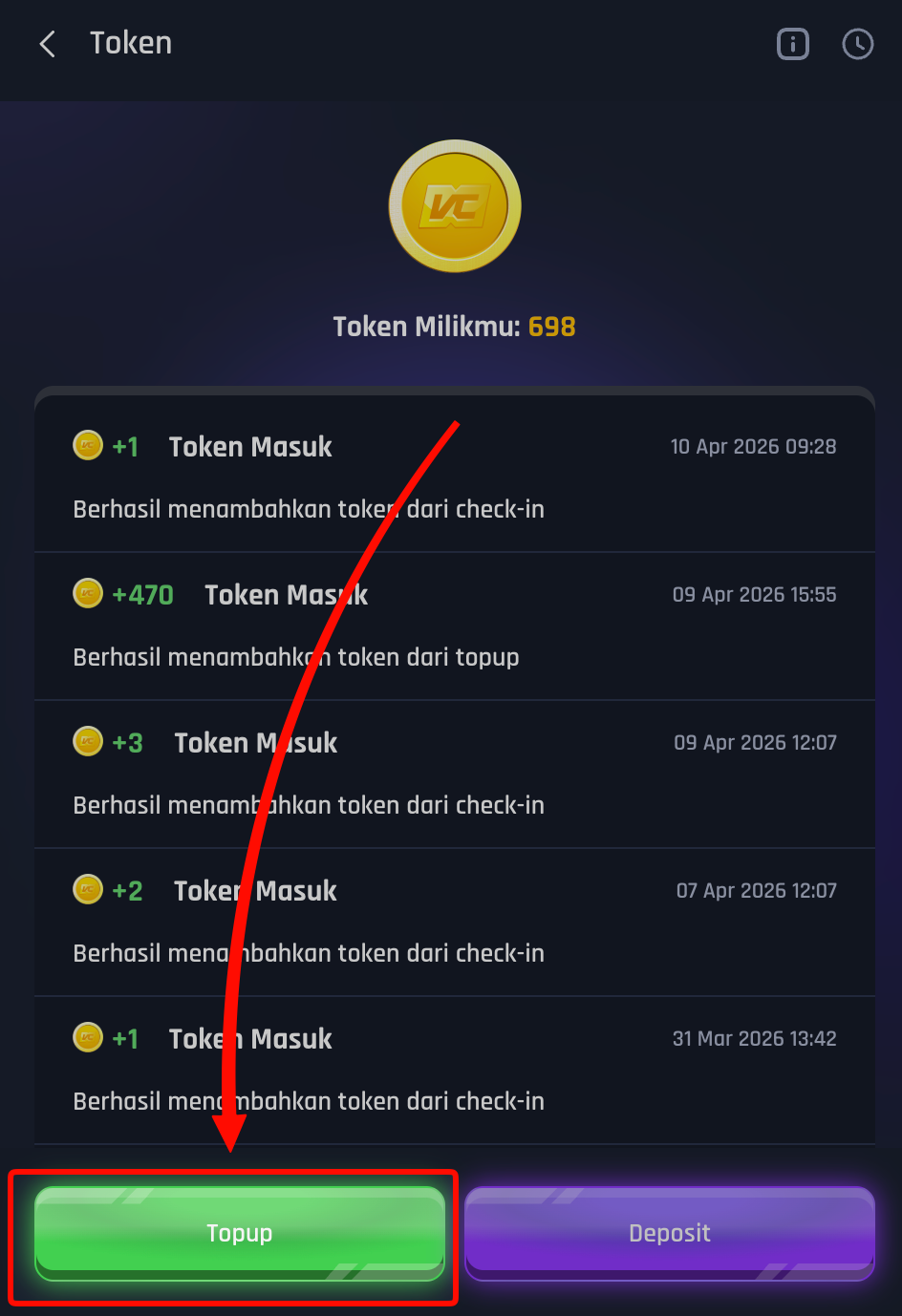
- Click the button Topup
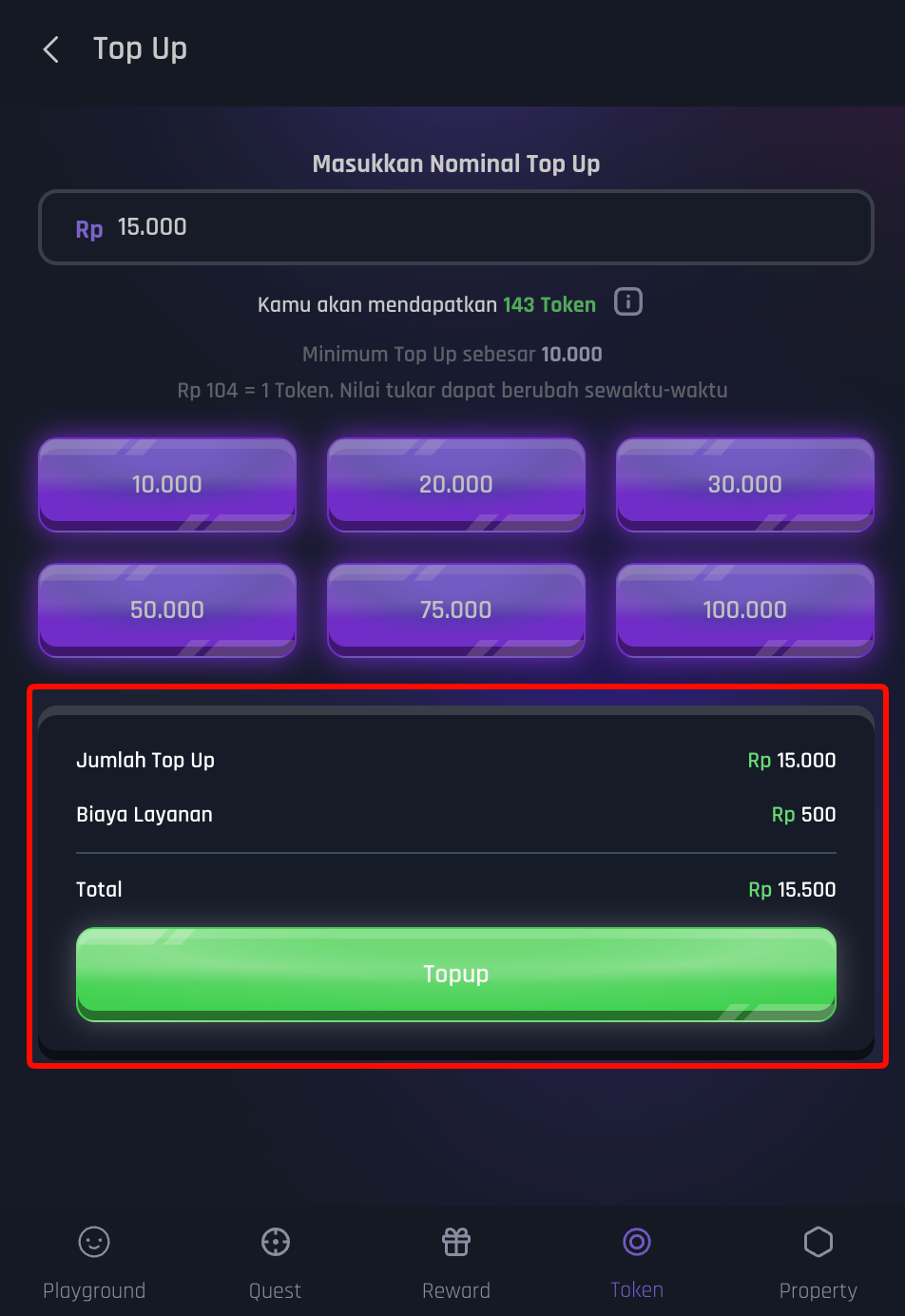
- Manual input or select the nominal rupiah you want to top up.
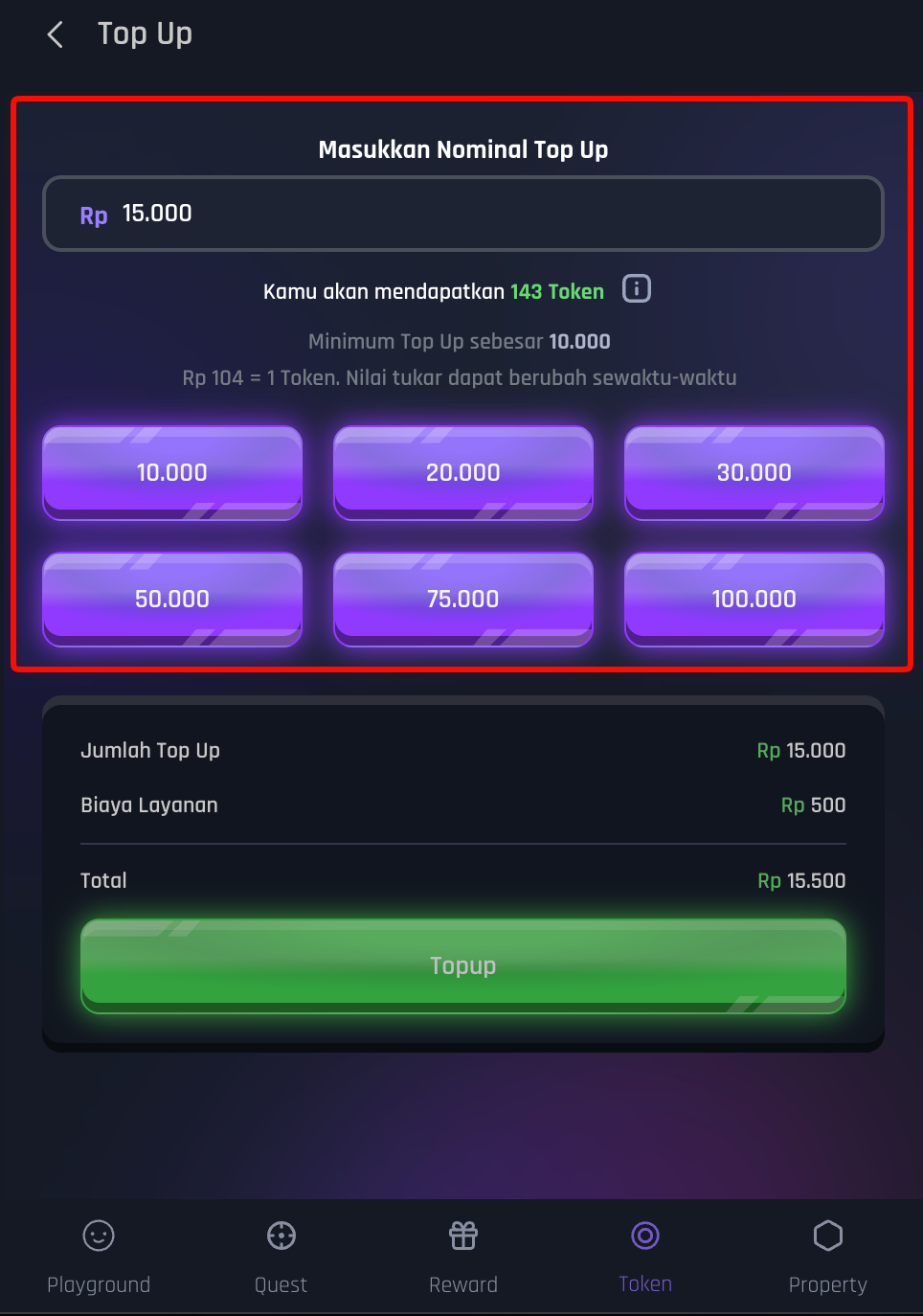
- Double check the amount you want to top up, then click the button Topup
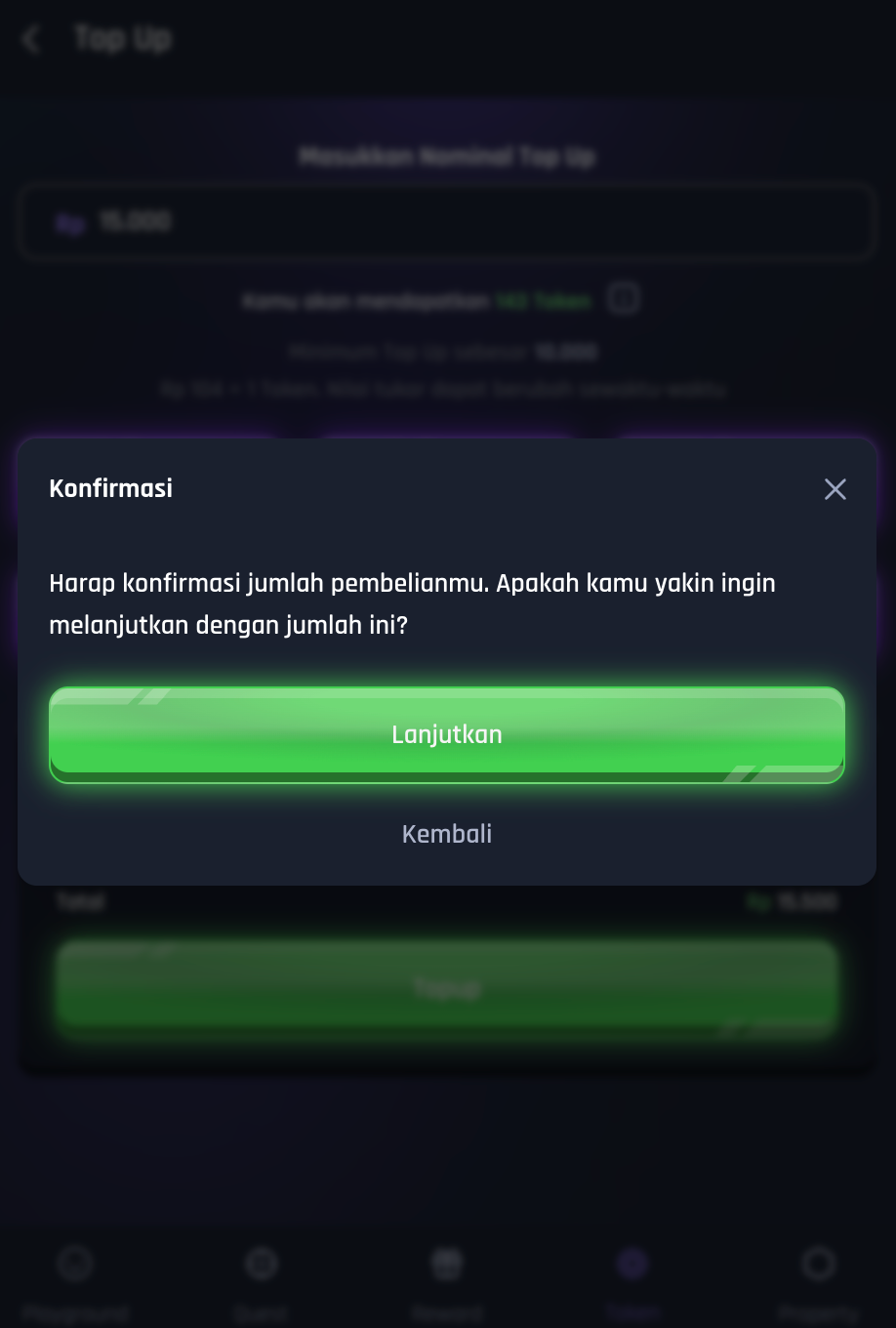
- Click the button Continue
- Select the available payment method
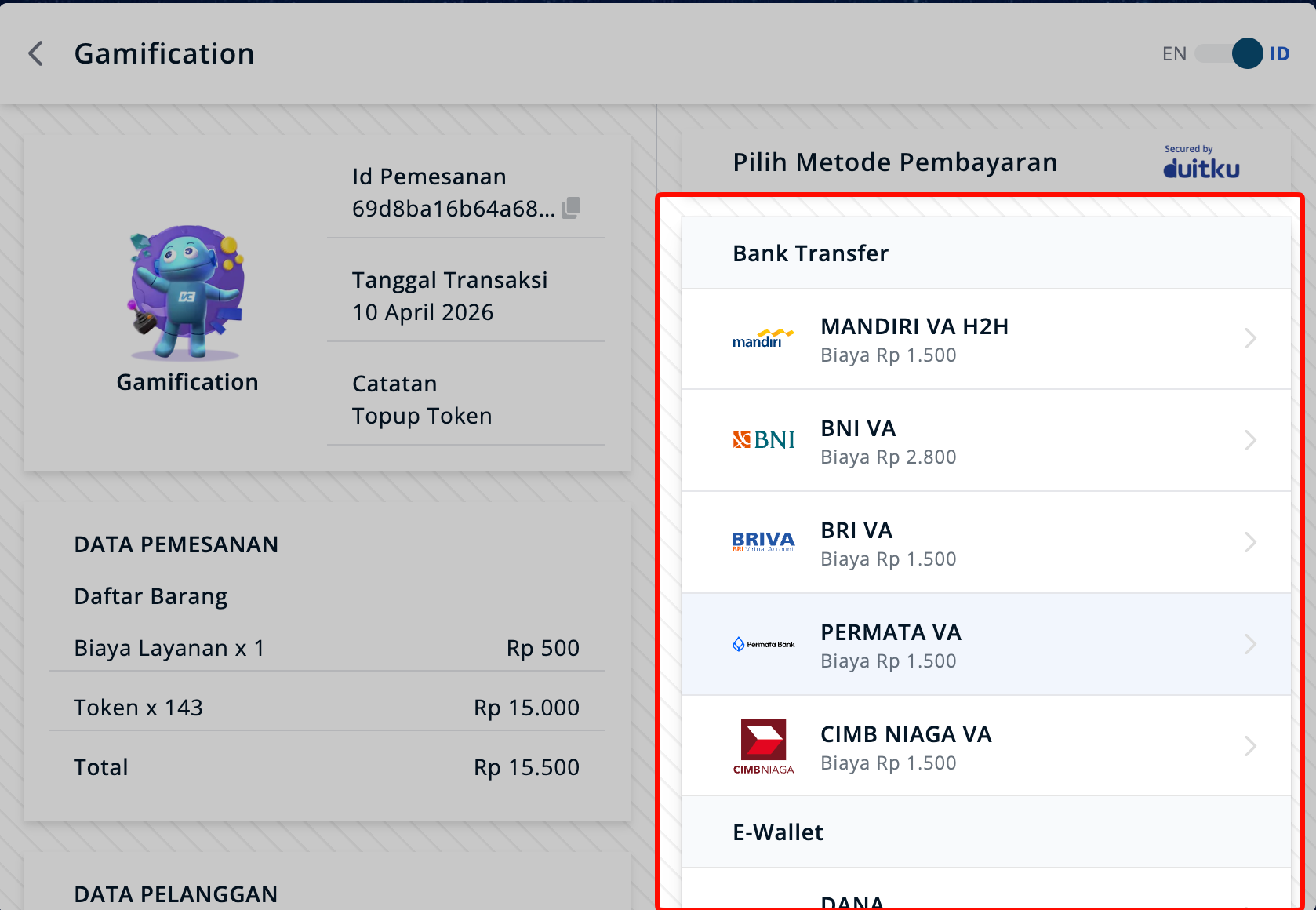
- Continue payment according to the payment method you choose.
- Congratulations, you have successfully topped up your token.
How to deposit Tokens
- Open menu Token
- Click menu Buy Token
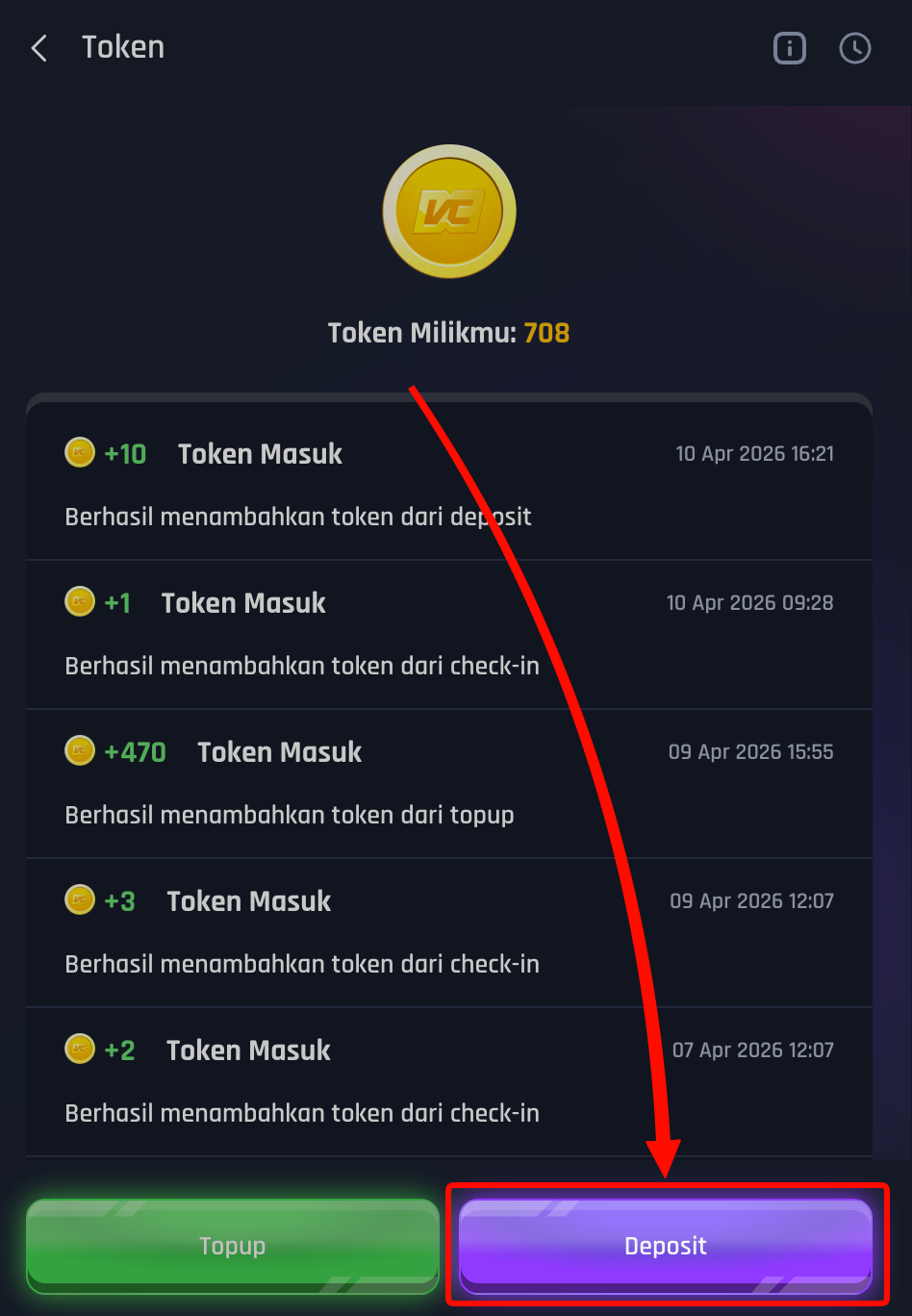
- Click the button Deposits
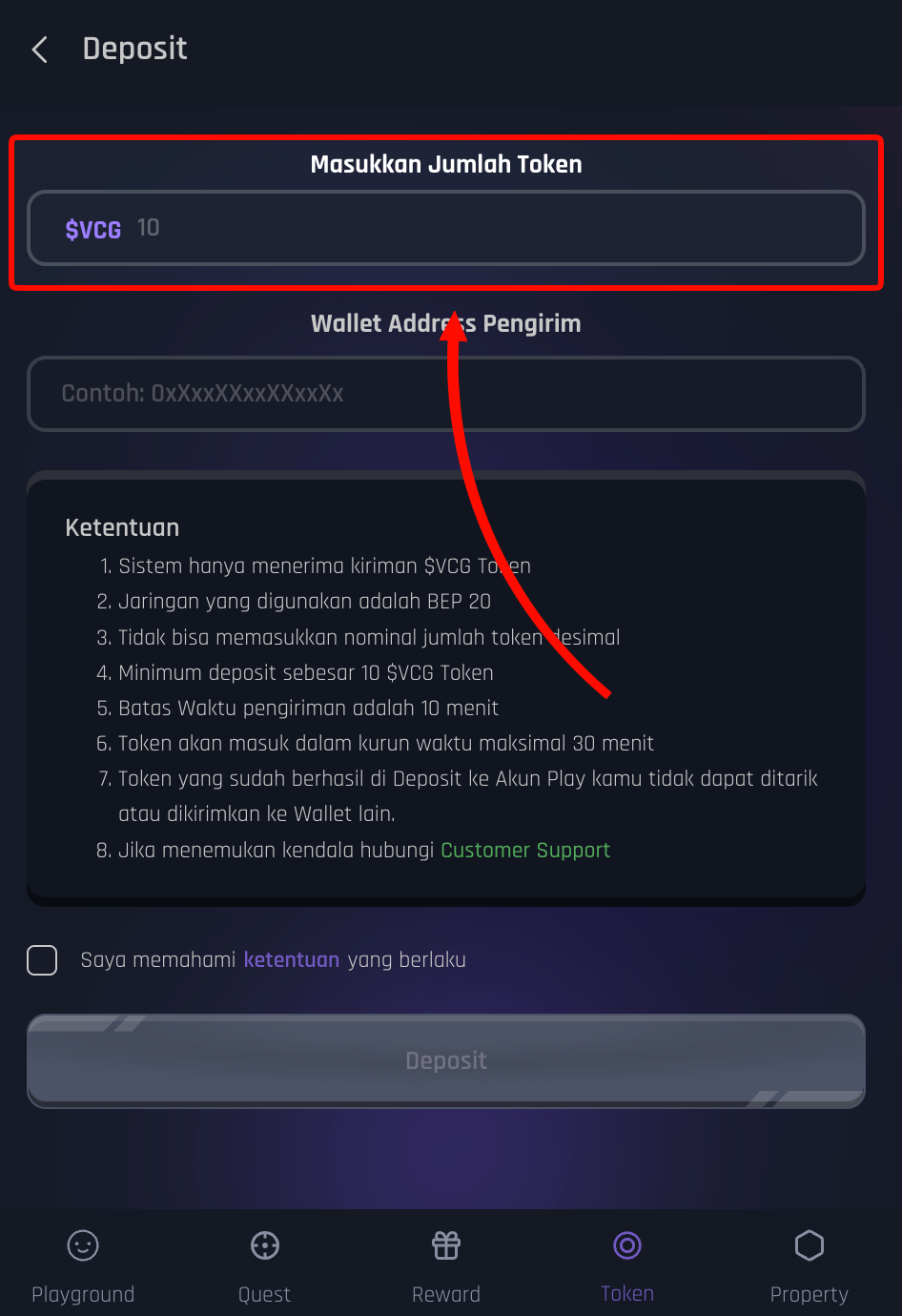
- Enter the number of $VCG Tokens you want to convert to Tokens
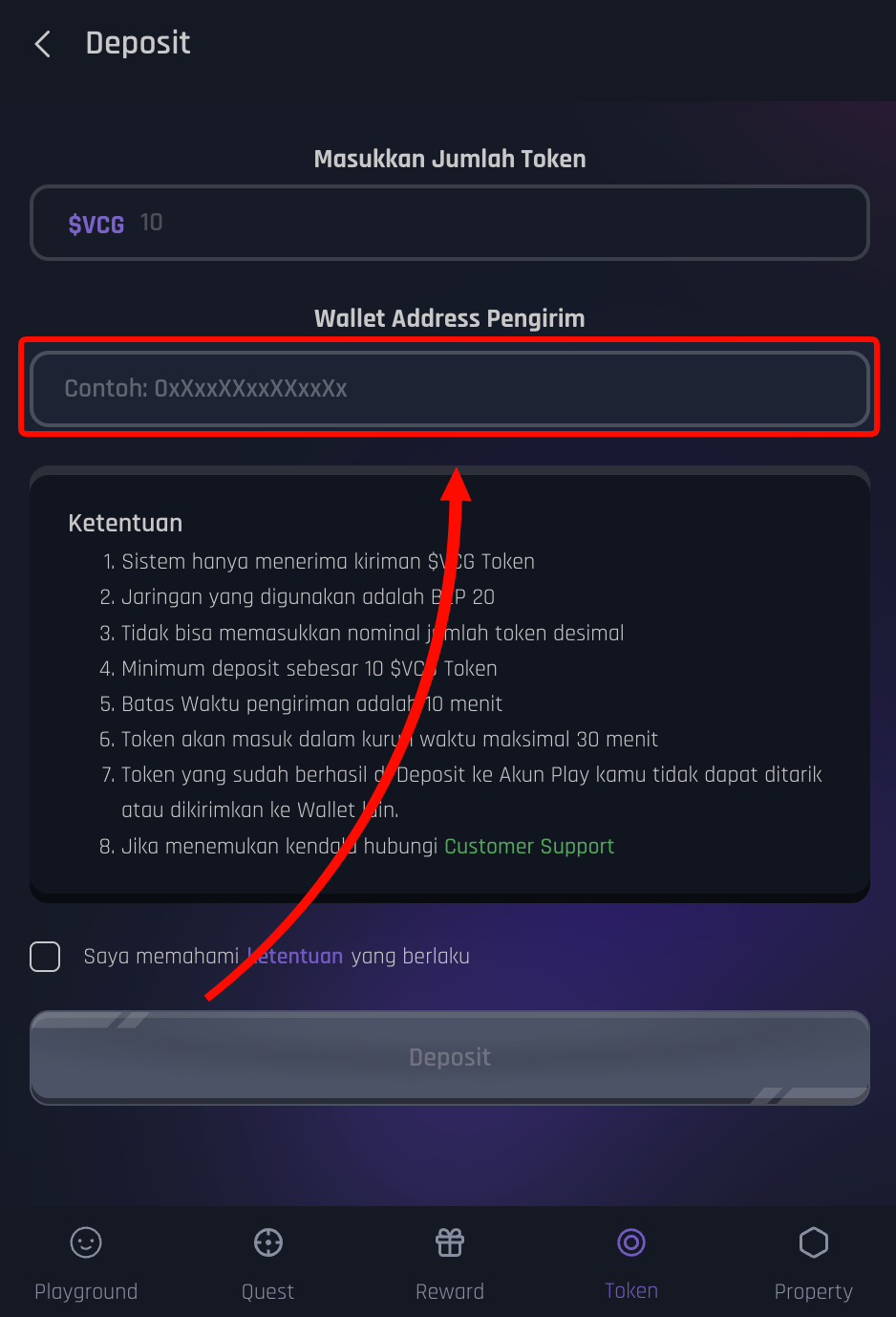
- Enter the Sender's Wallet Address for $VCG Token
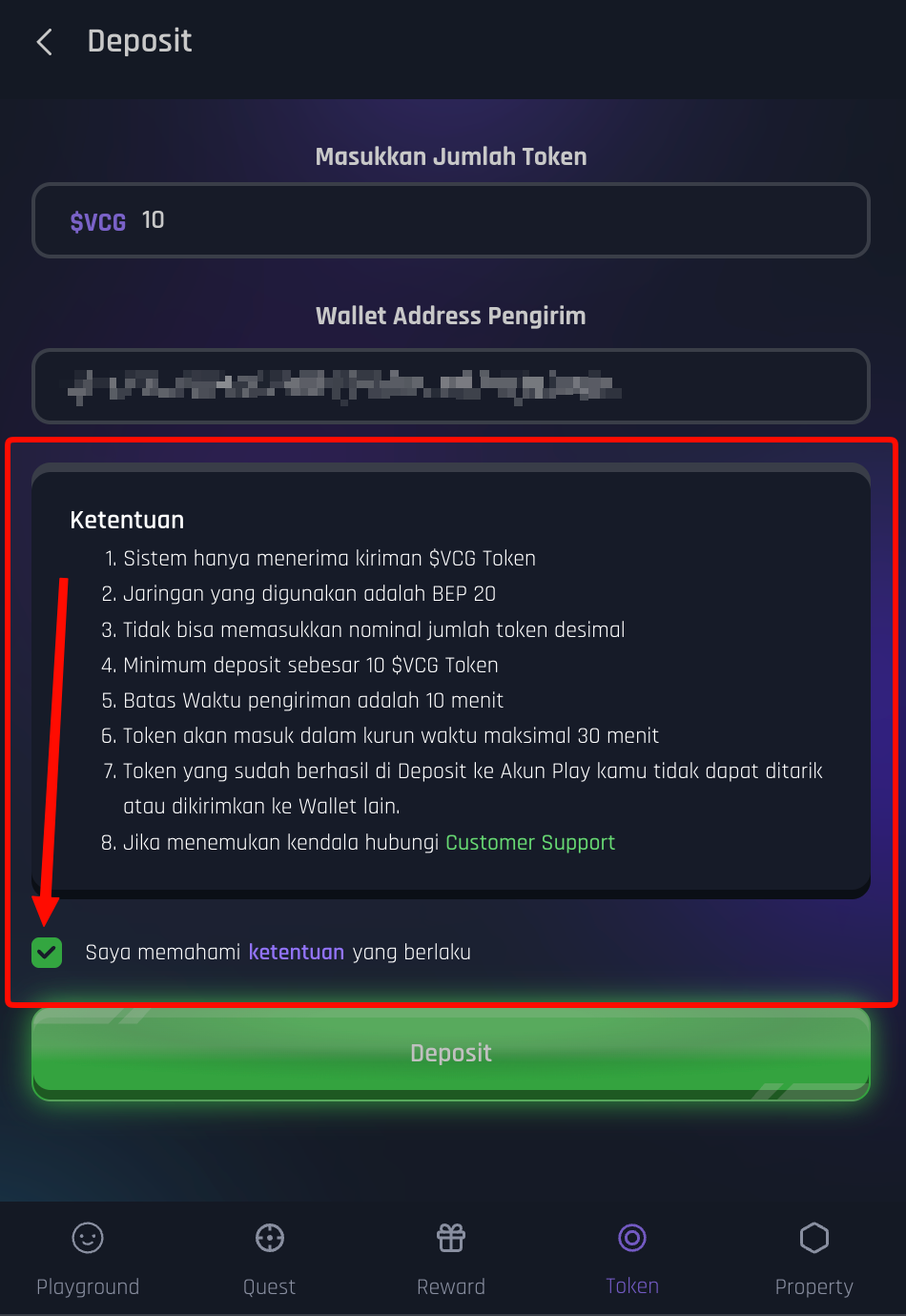
- Make sure to read, understand and click the Terms and Conditions checkbox.
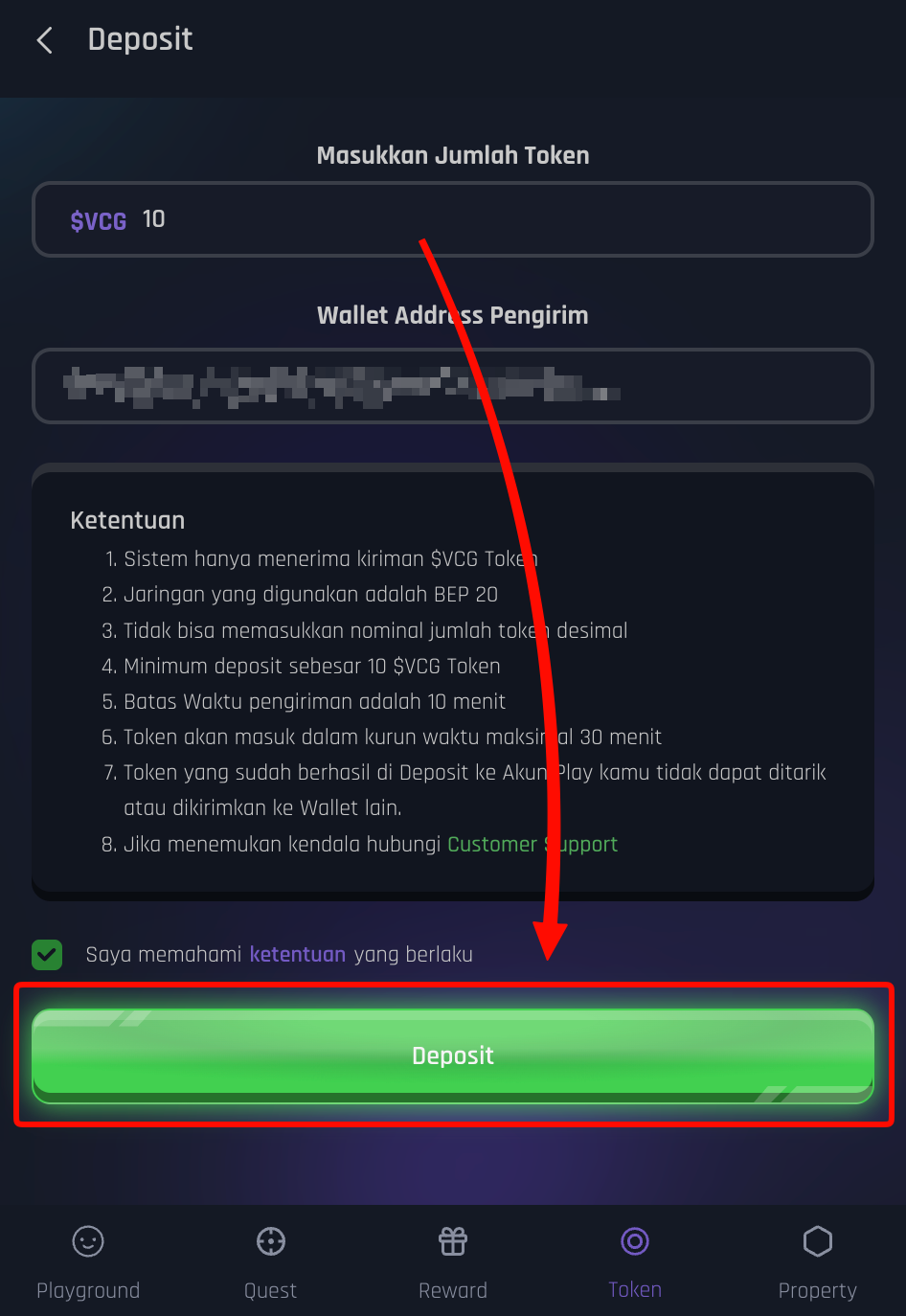
- Click the button Deposits
- Send $VCG Token with the amount and address shown, via your Wallet
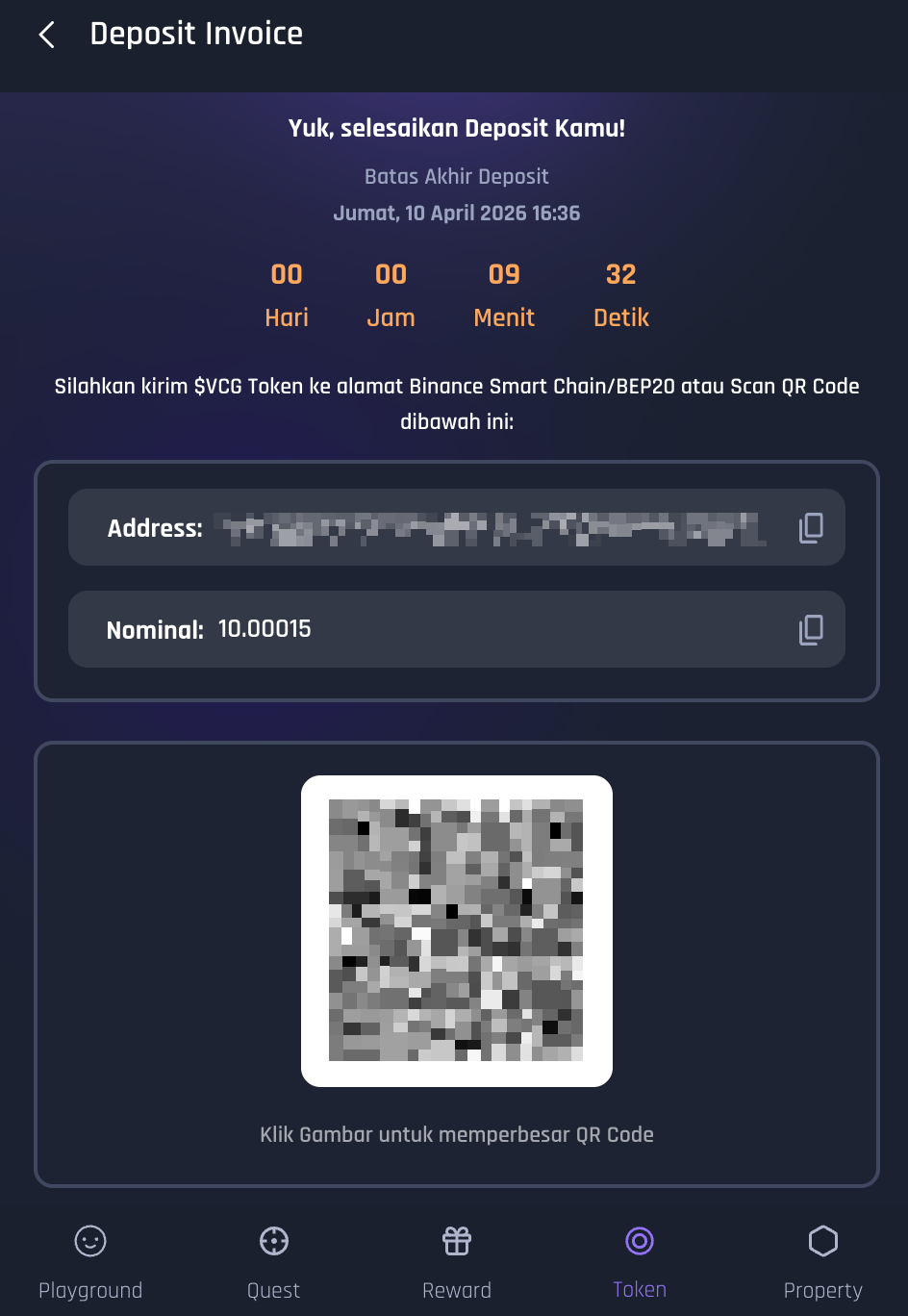
- Please wait a moment because the deposit process takes a maximum of 30 minutes.
- Congratulations, you have successfully deposited Tokens.
Notes:
- The number of Tokens that appear on the PLAY page is Token No $VCG Tokens, so it is very likely that the number of tokens in your Play account and Wallet are different.
- Tokens cannot be cashed or converted into $VCG Tokens.
- Make sure to use the BNB network