



Now, you can easily create a store on VCGamers. Here are the steps to create a store:
- Login to your VCGamers account
- Click the Account Menu
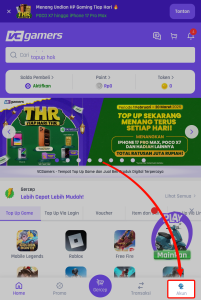
- Click menu Create a Store in the Other Features section
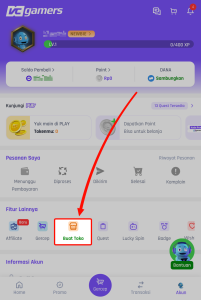
- After that, you will be directed to the benefits menu for being a Seller at VCGamers.
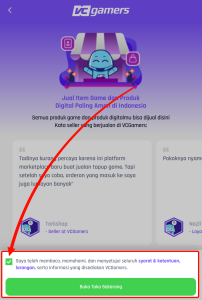
- Click the checkbox in the agreement section (make sure you have read the Terms and Conditions), then click the button Open Store Now
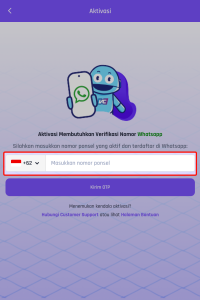
- Enter number cellphone which is active on WhatsApp (especially for accounts that have never verified their number cellphone), then click the button Send OTP
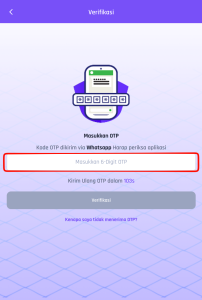
- Input Code OTP then click the button Verification
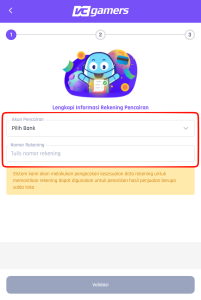
- Select the destination bank for the disbursement and enter the disbursement account number.
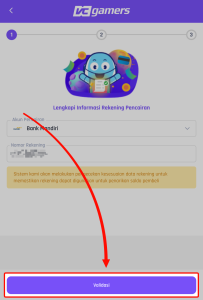
- Then click the button Validation
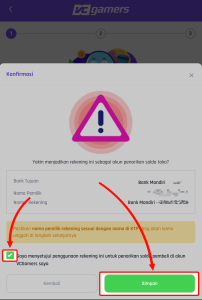
- Click checkbox agreement then click the button Save
- Click the button Continue to KTP Verification
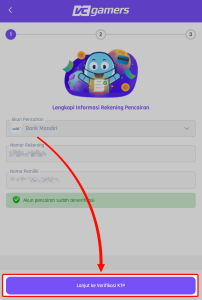
- Click the upload column in the section upload a photo of your ID card
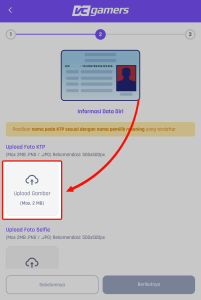
- Select your active and valid KTP photo
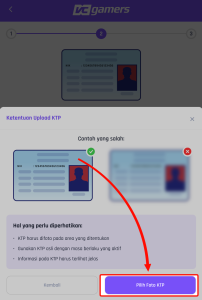
- Click the upload column in the section upload a selfie photo
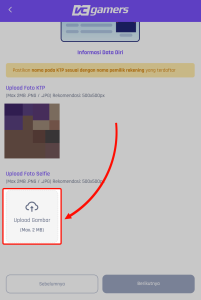
- Select a selfie photo according to the existing example
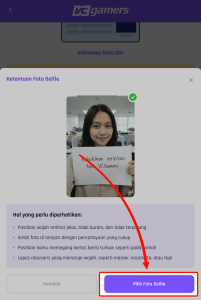
- Click the button Next
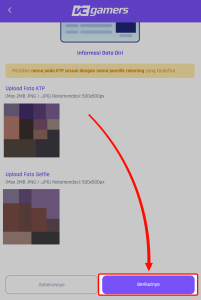
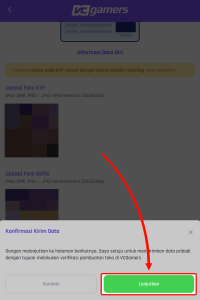
- the file you uploaded is correct, click the button Continue
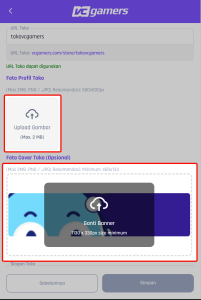
- Enter the store name and store URL that will appear.
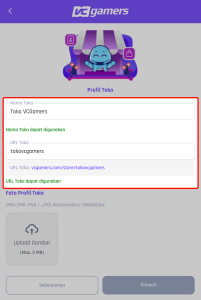
- Upload your profile photo and shop cover
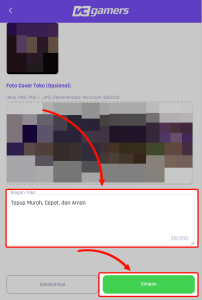
- Enter the shop slogan then click the button Save
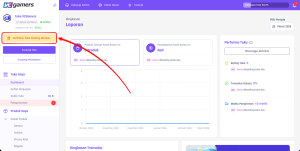
- Congratulations, you've successfully created a store on VCGamers. You can start selling once the VCGamers team receives your store verification.
Notes :
- Make sure you finish creating your store right away to avoid any store creation issues.
- Store verification takes a maximum of 2 working days (excluding Saturdays, Sundays and National Holidays).
- While waiting for the verification process, you can immediately click on the menu Add Product to create the product you want to sell.