



Before Sellers can perform API Integration, ensure the features VIP Seller is active. After that, sellers can find the menu for API integration by:
- Open the Store page
- Go to the Features > VIP Seller menu
- Open the API Integration tab
- Click the API Access Key list
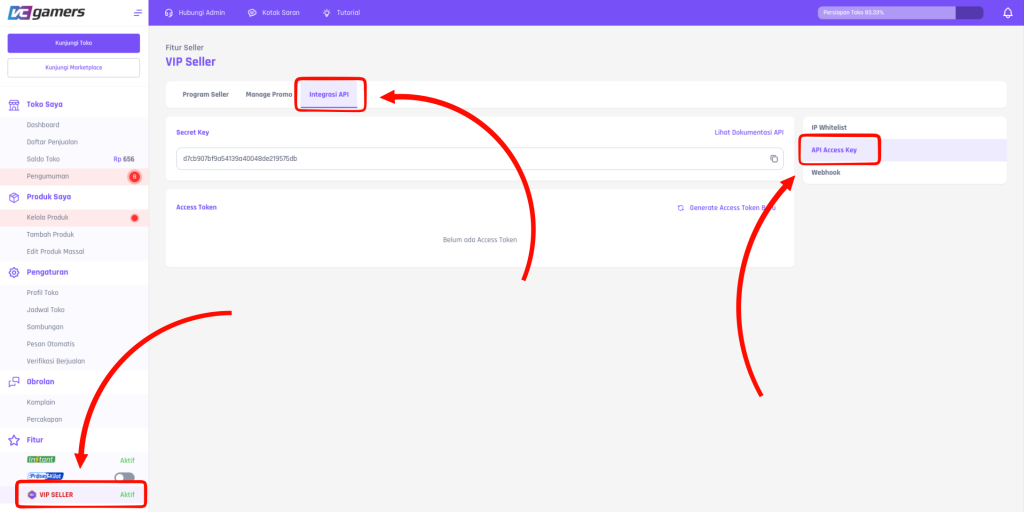
Sellers can find Secret Key And Generate Token required for the API Integration process. To view the API Documentation, Sellers can click on the text “View API Documentation” on the menu above, or click this link.
Note: VCGamers enforces rate limit of 300 hits per minute For all endpoints. If a Seller exceeds the rate limit, all endpoints will be temporarily blocked for 10 minutes. They will then automatically resume after the blocking period ends.