



What is Store Data Verification (KYC)?
Store Data Verification is a crucial process for building trust between you and your buyers. By completing this process, you not only prove your store's legitimacy but also unlock the add-product feature to start selling.
Why Does Your Store Need to Be Verified?
Verification is key to your success at VCGamers. With a verified store, you'll receive the following benefits:
✅ Increase Credibility & Trust Buyers will be more confident in making transactions at your store if it has verified status.
🔓 Opening Full Access to Selling Only verified stores can display and sell products to millions of VCGamers users.
🛡️ Ensuring Transaction Security This process helps us protect the ecosystem from irresponsible sellers.
⭐ Get the Potential “Verified Store” Mark” Show everyone that you are a legitimate and trusted seller.
Verification Preparation Checklist
To ensure the verification process runs smoothly and quickly, please ensure you have prepared all the following information and documents.
Mandatory Documents (Personal Data Information)
Prepare digital files with high quality (maximum 2 MB per file):
- Photo of shop owner's ID card :
- Use an original ID card with an active validity period.
- Information on the ID card must be clearly visible
- It must be clear, not blurry, and all writing must be legible.
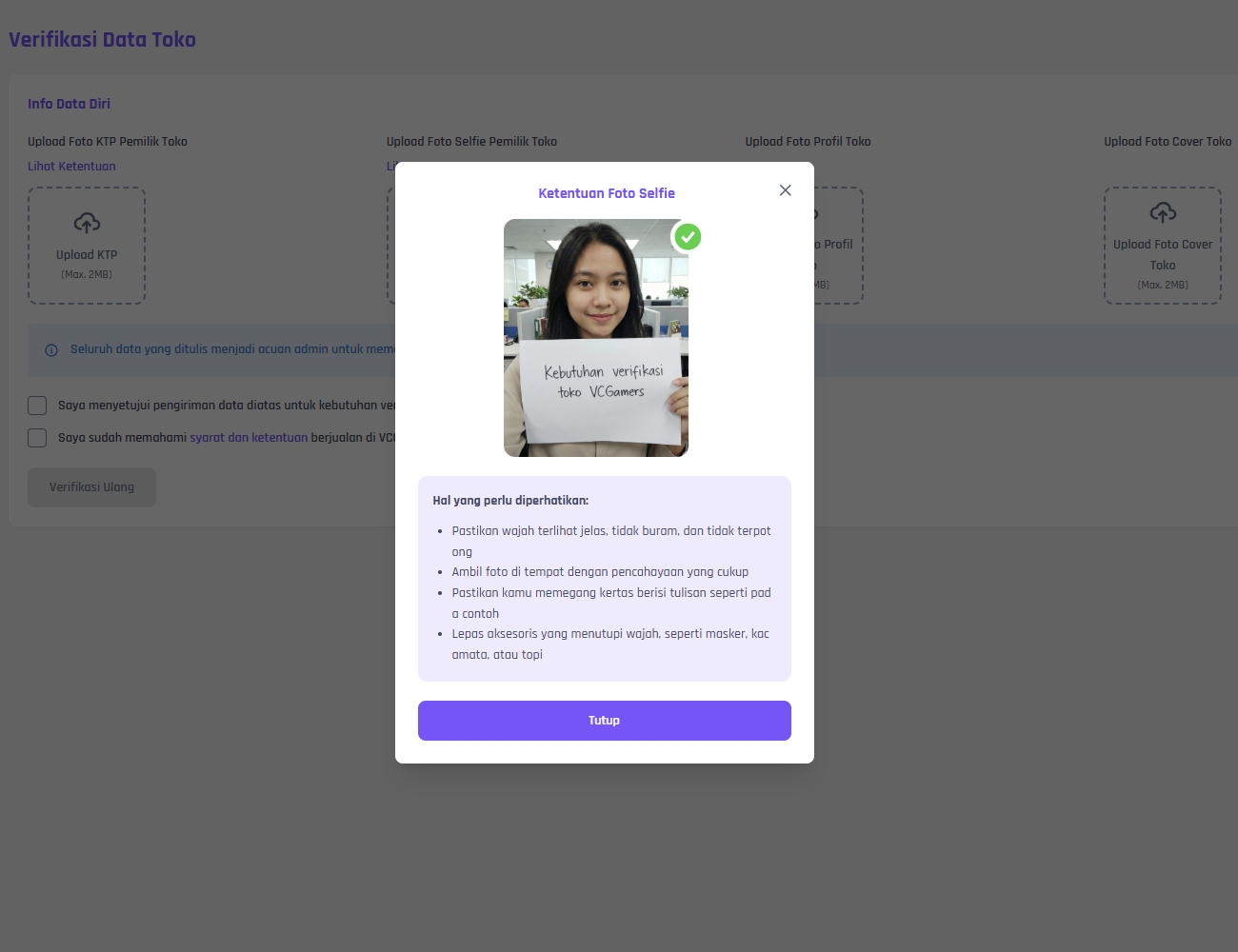
- Shop Owner Selfie Photo :
- Make sure the face is clearly visible, not blurry, and not cut off.
- Take photos in a place with sufficient lighting.
- Make sure you hold the paper containing the writing as in the guide.
- Remove accessories that cover your face, such as masks, glasses, or hats.
- Store Profile Photo – The image that will be used as your shop profile photo.
- Shop Cover Photo – Your shop banner/cover image.
Vital Records: All data written becomes a reference for the admin to moderate your shop verification and 100% guarantees confidentiality.
Step-by-Step Guide to Filling Out the Store Verification Form
Here is a complete guide on how to fill out pages Store Verification :
- Open the Verification page Visit the link: ➡️ https://seller.vcgamers.com/seller/toko/verification
- Prepare the 4 photos that you have prepared Make sure the size of each file maximum 2 MB and according to the quality guidelines in the Tips below.
- Upload a photo of the shop owner's ID card
- Upload a Selfie Photo of the Shop Owner
- Upload Store Profile Photo
- Upload Store Cover Photo
- Read Important Notes Make sure you have read the blue box: “All data written will be used as a reference by the admin to moderate your shop verification and 100% guarantees its confidentiality.”
- Check two agreement statements
- ✅ I agree to send the above data for store verification purposes
- ✅ I have understood the terms and conditions for selling on VCGamers
- Click the Verify / Re-Verify button After all photos are uploaded and both checkmarks are active, click the button “"Verification"” (or “Re-Verification” if the initial application was rejected).
- Wait for confirmation The review process will be carried out by the admin team. You will receive a notification via the update menu in your seller account.
Important Tips to Avoid Verification Rejection
Avoid these common mistakes to get your application approved on the first try:
- Make sure ID card photo and selfie show the same person and clearly make sure to hold the writing correctly.
- Use bright lighting, no shadows, and photos that are not blurry/cropped.
- Your profile photo and shop cover should be representative of your brand (clean and professional).
- Fill in all the data with honest and appropriate with the uploaded documents.
- Synchronize the name on your ID card with your store data.
Frequently Asked Questions (FAQ)
How long does this verification process take?
The review process takes time minimum 2 working days. We'll notify you via the update menu in your seller account if there are any issues or if verification is successful.
What should I do if my application is rejected?
Don't worry! You can re-apply directly on the same page with the button Re-Verification. Correct the problematic data/photos, then resubmit.
What are the next steps after the store is verified?
Congratulations! You can now start verifying your sales and adding products to your store, officially starting your journey as a seller on VCGamers.
Last updated: April 15, 2026