You can delete your VCGamers account. However, there are several important things you need to know. Before proceeding with account deletion, you are required to read and understand the following: Consequences of Account Deletion & Remaining BalanceIf you have successfully deleted your account, we assume you understand all the information contained herein.
Here's how to delete a VCGamers account:
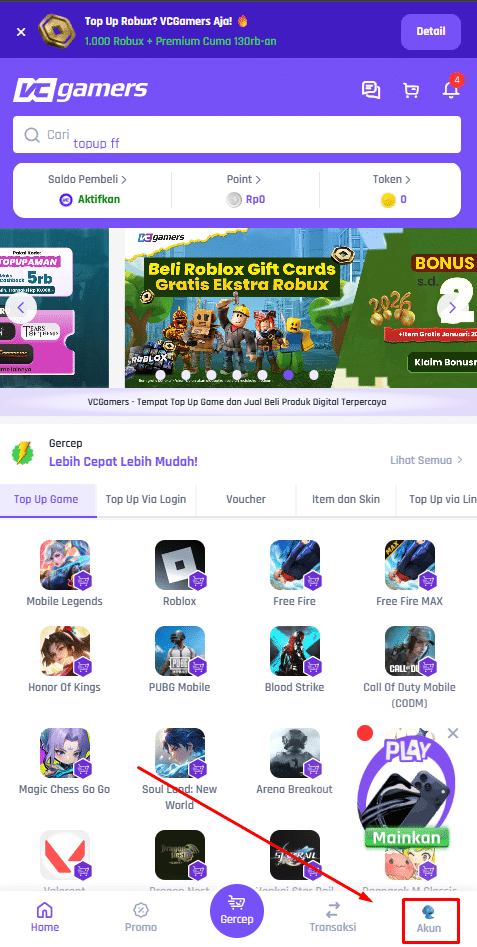
- Enter the menu Account which is at the bottom right of the VCGamers page
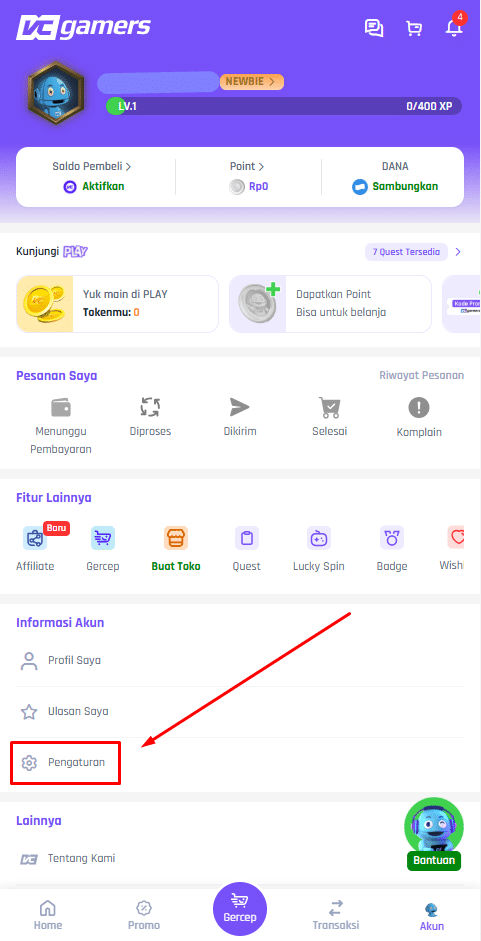
- Click menu Arrangement
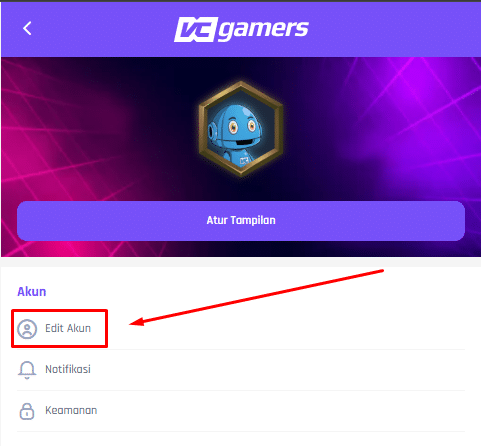
- Click menu Edit Account
- Click on the text Delete My Account
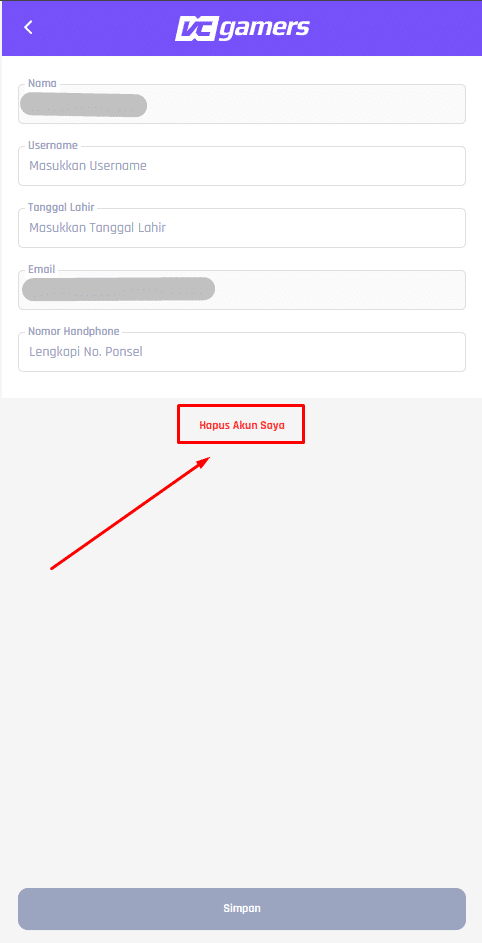
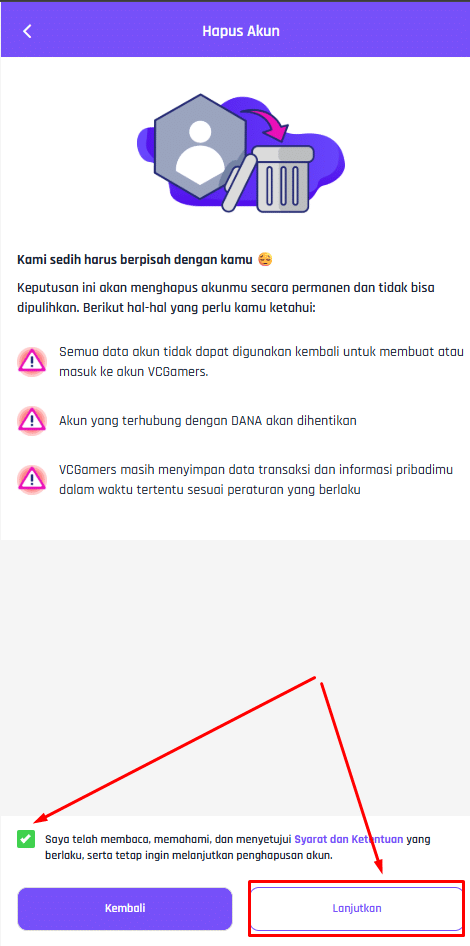
- Read and understand the information that appears
- Checklist Terms and Conditions agreement box, then click the button Continue
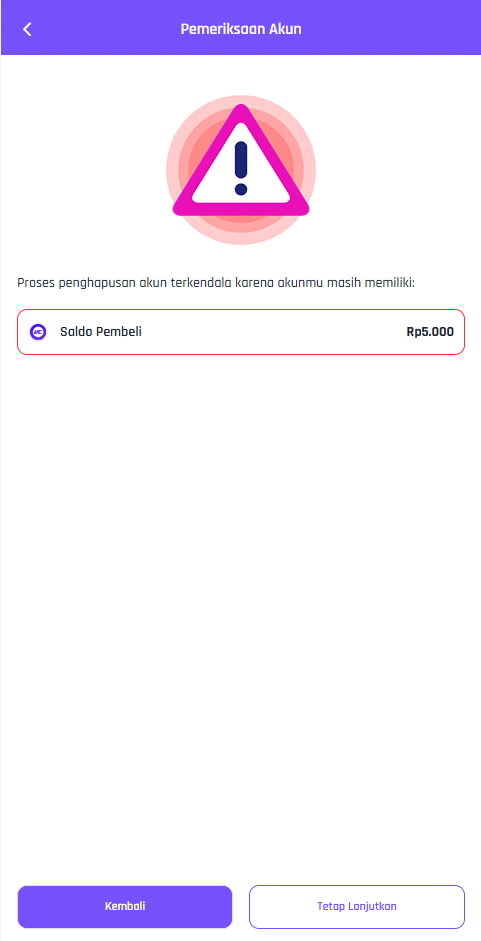
- If you have remaining Buyer Balance, Point Balance and/or Tokens but still want to delete your account, click the button Keep Going
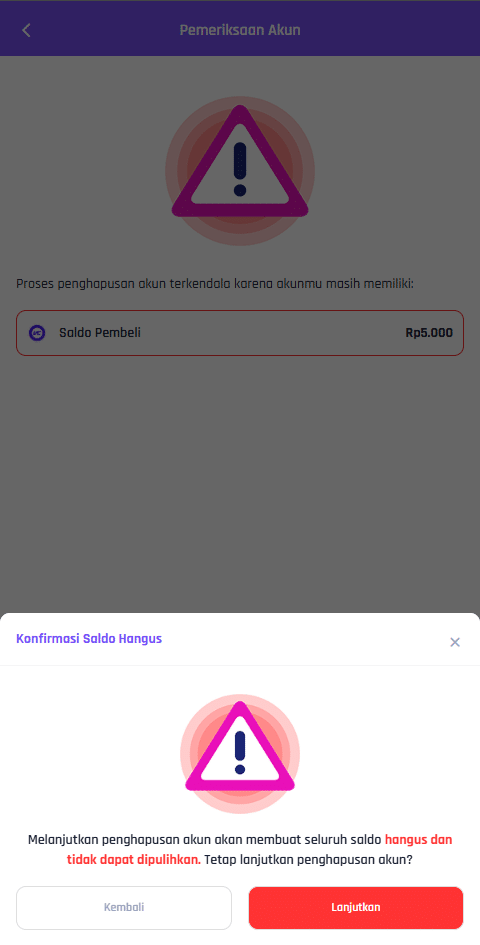
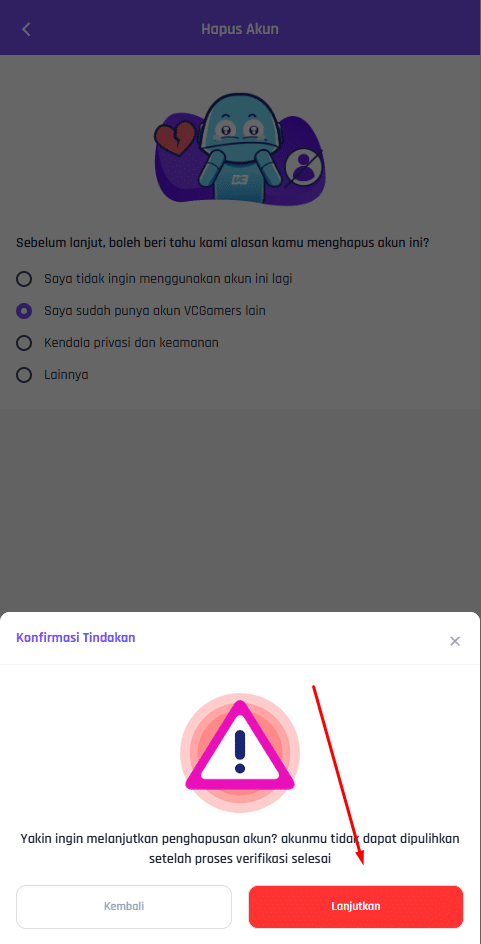
- Then a warning popup will appear, if you are still sure about deleting the account, click the button Continue
- If you have remaining Buyer Balance, Point Balance and/or Tokens but still want to delete your account, click the button Keep Going
- Select one of the available reasons for deleting the account then click the button Continue
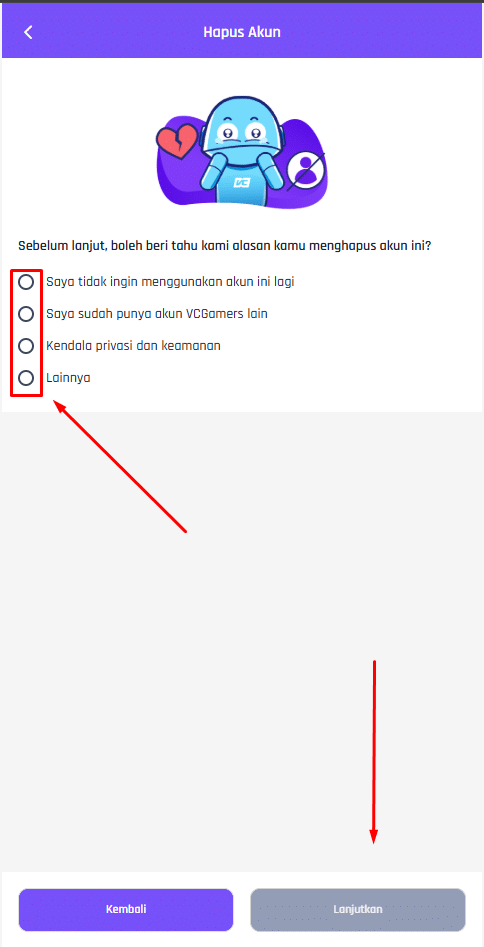
- A warning will appear to confirm account deletion. If you are still sure you want to delete your account, click the "Delete" button. Continue
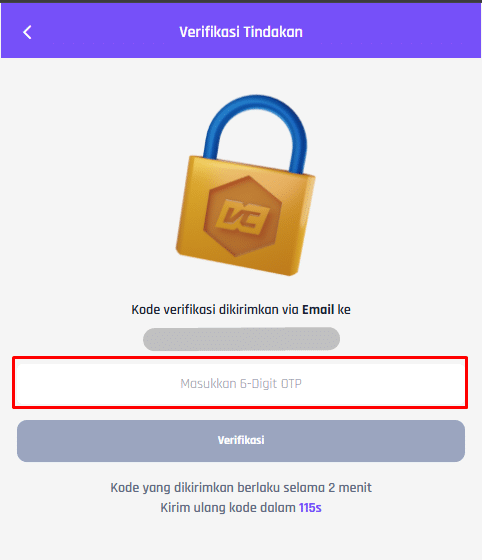
- An OTP will be sent to the email used on the account you wish to delete.
- Enter the OTP in the column provided, then click the button Verification
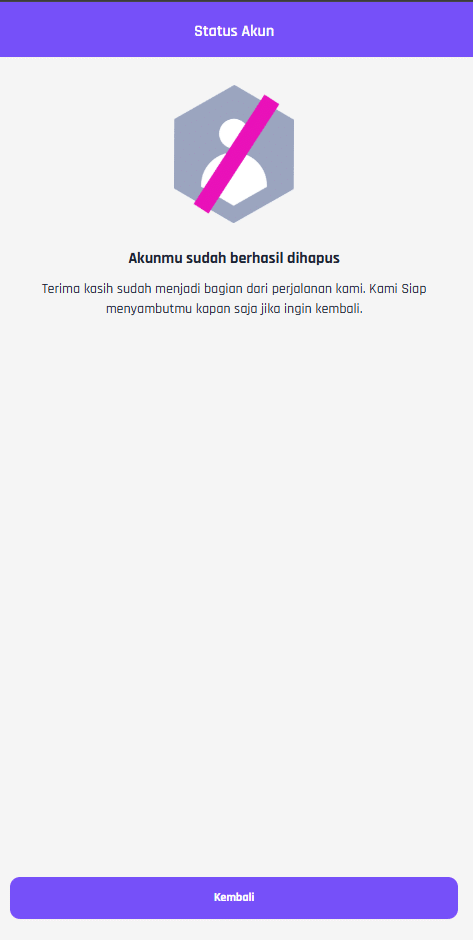
- You will be directed directly to a confirmation page that your account has been successfully deleted.