
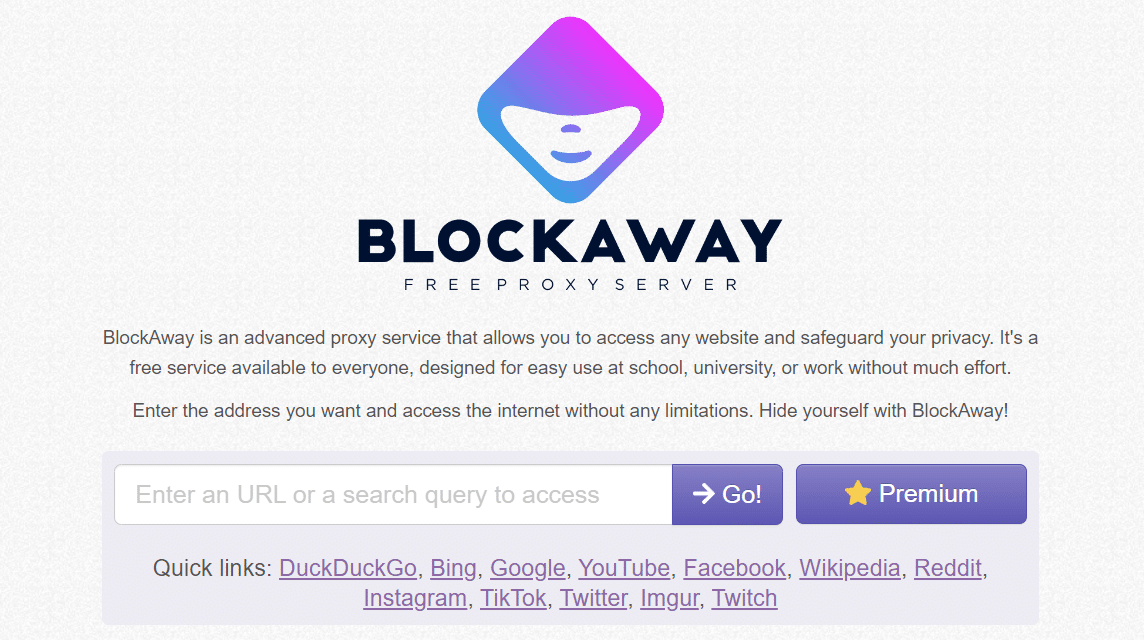
- BlockAway is a site proxy free that allows you to access blocked sites through a browser on your PC or mobile phone with a simple interface.
- Use with caution: there is a risk security, malware, and potential legal violations; consider privacy before relying on this service.
BlockAway Proxy: How to Use It and Recommendations for Similar Proxy Sites
BlockAway Proxy is an easy solution to overcome the problem of blocking sites on Internet from a number of places such as school, campus, workplace, or at the cafe where you hang out.
This website allows you to access blocked sites conveniently just by browsers just.
Wondering how to use it? Come on, see the complete discussion below!
Also read:
What is BlockAway?
BlockAway is a free proxy server website that allows you to access blocked sites easily.
This website works as a proxy which takes you through another server that doesn't block the destination site.
This type of service is available for free, but there are also paid options. You can purchase the premium service for $3.5, or around Rp57,000.
When using the premium version you can access the server faster, ad-free, free access to file sizes, videos and other services.
According to several sources, this service is reportedly available as an app for Android and iOS. However, when we checked the official website, there was no information or link to download the BlockAway app.
So we will explain how to use this website using a browser on a computer or laptops.
Blockaway's Featured Features
Here are some of the features that you can enjoy from this platform:
Accessing Blocked Sites
The main feature of this platform aims to make it easier for users to access sites that are blocked in a particular region or on a particular network.
Anonymity
You can maintain your privacy and anonymity when using this service, because BlockAway basically hides your IP address.
Speed
If you use this free service and happen to have a good server selection, you'll enjoy a stable internet browsing experience when accessing blocked websites. It'll almost be impossible to tell if you're browsing websites using a free proxy server!
Security
BlockAway Proxy uses encryption to protect your data while you are on their network. However, don't be lulled by all that, because this security will be useless if you are not smart in choosing the website you want to open.
User Friendly Interface
Although some claim that accessing a site with BlockAway can change the appearance of the website. However, based on personal experience, the appearance of the site does not experience any disturbing changes.
The writing is still legible even if it is accessed via PC or smartphone. In addition, users can still translate pages written in foreign languages.
European and US servers
At least, it is very rare for free proxy servers to provide European and US servers. However, BlockAway Proxy pampers you by providing a choice of servers so you can connect to the internet.
Unlimited Video Access
BlockAway allows you to access blocked video sites so that they can be accessed. You can use this platform not only to access news sites.
This website allows users to access free video sites using just a URL.
For a faster access experience, you can use the premium feature. Because if you don't use the premium feature there are many ads scattered around, this makes the device's performance a little slower.
How to Use BlockAway on a PC or Laptop
Are you impatient to know how to use this free proxy server service?
Here are some easy steps to use BlockAway that you can use to open blocked websites:
- Turn off anti-virus on PC
- If there isn't one, you can visit directly Blockaway official website
- Enter the URL of the website you want to access in the field provided.
- Click “Go” or “Enter” to access the destination site.
- In a matter of seconds you will have arrived at the blocked destination site.
In addition to a PC or laptop, you can also access BlockAway via a browser on your mobile phone, here's how:
- Visit the BlockAway website
- Enter the URL of the blocked site in the field provided.
- Click “Go” to access the website.
- In less than a minute you will arrive at the blocked destination site.
How to Use Blockaway on Mobile
As explained earlier, Blockaway has a simple and user-friendly interface. So you can use it on your smartphone easily.
For more information on how to use it, you can see a complete explanation below:
- Open the browser on your cellphone
- First, look for a website that cannot be accessed with a browser, then copy the URL.
- Then visit the Blockaway page using your mobile browser.
- On the main page, paste the URL you copied earlier in the column provided.
- Press the “Go” button to the right of the URL field.
- Done
It's so easy, isn't it? Accessing blocked sites doesn't require the hassle of downloading a VPN anymore now.
Comparison of Blockaway Proxies to VPNs

Functionally, blockaway web proxies and VPNs have the same function. Both can help people access content that cannot be accessed using the internet network in their country. Examples include Reddit, Game Rant, Coomic Book, and several manga sites.
The first advantage of Proxy Blockaway allows users to access blocked pages more quickly.
You only need to use a browser, enter the Blockaway Proxy page, and enter the URL of the site you want to visit. However, to make the explanation easier, you can read a complete explanation of the Blockaway Proxy comparison in the following table:
| Blockaway Proxy | VPNs |
| It can be accessed via a browser and simply by entering the website URL. | It requires an installation process and setting up the cellphone before it can be used |
| Faster because it only focuses on processing one website traffic | The process of accessing pages takes longer because it encrypts all internet traffic on the device. |
| Focus on unblocking geo-restricted websites | VPN focuses on protecting user privacy and security as a whole |
| Can maintain privacy by hiding the original IP but not as strict as a VPN | Stronger privacy protection as it can hide users' online activities |
If understood, both of these tools promise the same function. However, it all comes back to the purpose of further use.
When you want an instant process in unblock website and don't care about privacy then the blcokaway proxy is the best choice.
Meanwhile, if you need privacy and security because you are accessing the site using... WiFi public, it is better to use VPNs.
Although slightly slower than Blockaway Proxy, VPN still promises stronger protection.
Risks of Using BlockAway Proxy
While this site offers a solution for accessing blocked websites, there are some risks to consider before using it.
Security and Privacy
When you read the benefits section of using this service, you are not wrong when you read that surfing the internet using BlockAway makes you safer because the network you use is encrypted.
BlockAway Proxy uses a proxy server to divert your internet traffic. This allows third parties to view and manipulate your data, including personal and sensitive information. So be wise and careful when using it.
Malware and Viruses
Blocked websites often contain malware and viruses that can harm your device.
This platform cannot detect and prevent this, leaving your device at risk of infection.
It's best if you pay attention to security while surfing the internet using this service, because no one knows when an unlucky day will happen.
However, to anticipate this, you can use a new browser profile or incognito profile so that your data is at least safer. Avoid websites that ask for suspicious access permissions, such as access to files, location, audio, and others.
Legality
Using BlockAway to access blocked websites may violate internet policies in some countries.
This may result in legal sanctions, such as fines or internet blocking. Make sure you only use this service for useful things, such as looking for leak information about various games on external forums such as Reddit or so on.
Dependency
Continuous use of BlockAway Proxy can make you habitually access blocked websites, which can have a negative impact on productivity and mental health.
If you still have questions about how to use this platform or want to know more about this service, you can visit their official website and contact their support team.
Alternative Sites Similar to BlockAway

There are alternative proxy sites that can work the same, here are some recommendations:
CroxyProxy
CroxyProxy is the first site that can be an alternative. This site allows users to access videos, search engines, social networks, email services, and much more.
Users can use CroxyProxy for free to access blocked YouTube, Google and Facebook content.
VPNBook
The next site that could be an alternative is VPNBook. You can surf safely from hacking when using VPNBook.
This is because VPNBook is designed with the latest technology and sophisticated cryptographic techniques so it is very safe.
WebOProxy
WebOProxy is a free web proxy service that has advanced features and is supported by the Tor network.
The Tor network is an anonymous network that allows users to browse sites safely and hidden.
When using the service users can bypass filters so they can penetrate blocked sites anonymously.
Zalmos Web Proxy
Zalmos Web Proxy is a web-based proxy site that can be accessed for free without having to install third-party applications.
Using Zalmos will make it easier for you to access websites that are blocked by your school or country.
Disclaimer: We do not recommend that you access blocked sites. This article is just to inform you if you really need it. Keep using the internet wisely.
Are DuckDuckGo and Blockaway the same?
Although conceptually both offer increased privacy, Blockaway and DuckDuckGo have different focuses and functions.
DuckDuckGo is a privacy-focused search engine. Its main goal is to provide a private search experience by tracking the user's search history, not displaying personalized search results, and blocking third-party trackers.
While Blockaway is a web that focuses on blocking ads and trackers. The main goal of this service is to provide a faster, safer, and more private browsing experience by blocking ads, trackers, and malicious content.

Although both serve the same purpose and are often used for the same purpose, Blockaway and DuckDuckGo are different tools.
Is It Possible to Access Reddit with Blockaway?

Reddit is one of the largest social media platforms and online forums with an international user base. Many users utilize the platform as a social news aggregator and a forum for discussion.
Unfortunately, the Ministry of Communication and Information (Kominfo) blocked this platform. The government's reason for blocking it was because it was considered to contain a lot of negative content that violated Indonesian law.
However, outside of the negative context, Reddit has a number of benefits that actually help some groups of people to earn income there.
Blocking by Kominfo typically works by identifying and blocking Reddit's IP address or URL. With this site, Kominfo's blocking system detects only connections to the Blockaway server.
This server, which is outside Indonesia's blocking jurisdiction, will then fetch content from Reddit and send it back to users.
As a result, you can view and interact with Reddit as if you were accessing it from a BlockAway server location.
How to use it is certainly not difficult, you just need to follow the steps to use it according to the following guide:
- Turn off antivirus
Make sure your antivirus on your device or browser is disabled, as it may detect BlockAway as a threat and block access. - Visit BlockAway Website
Open the browser and access the site at https://www.blockaway.net/. This page is easy to understand, with comprehensive information about BlockAway's features and benefits. - Enter URL
Type or copy the URL of the site you want to access, make sure it is complete with “https://” or “http://”. - Click “Go”
After entering the URL, click “Go.” Wait a few seconds for the page redirection process to complete. - Select Server
Choose a stable and fast server according to your needs to access the site. - Site Access
After selecting a server, your IP address will change, allowing you to access blocked sites immediately. Blocked sites can now be accessed without detection.
Also read:
That concludes our discussion for today. We hope it was helpful!
BlockAway FAQ
BlockAway is a free proxy server website that allows you to access blocked sites easily.
Yes, this service is available for free, but there are also paid options. You can purchase the premium service for $3.5, or around Rp57,000.
1. Turn off the anti-virus on your PC
2. If there isn't one, you can visit directly Blockaway official website
3. Enter the URL of the website you want to access in the column provided.
4. Click “Go” or “Enter” to access the destination site.
5. In a matter of seconds you will have arrived at the blocked destination site.
As a proxy service, BlockAway processes user requests, but in general, VPNs are considered more secure in protecting all internet traffic than proxies, which often only protect the browser.
BlockAway acts as a web proxy (focused on the browser), while the VPN (Virtual Private Network) protects all online activity and application traffic.
MLBB Product Recommendations


 BV2SHOPBV2SHOP
 BANGJEFF
 TopMurBV2SHOP
 KING OF DIAMONDSKING OF DIAMONDSBV2SHOP
 RudyStorezTopMur



 News
News




