

- WhatsApp now supports login using e-mail, send a 6-digit verification code to the registered email address.
- Add e-mail in Settings > Account > E-mail Address, then verify with the code from the email.
- Backup chat before reinstall, then during setup enter the number; a verification code will be sent to e-mail registered.
- This feature is useful if you lose your number; however, WhatsApp still requires mobile phone number for initial account creation.
The Easiest Way to Login to WhatsApp with Email!
Now our WhatsApp account can be added e-mail so we can log in to WhatsApp using email.
By using email, we no longer need to get a verification code sent to our number and this is a plus point for users who lose their number.
In order to get OTP code via email, you must link your email account to WhatsApp and of course it must be active because the verification code will be sent to your email.
For those of you who are confused about how to log in to WhatsApp using email, you can follow the steps in this article!
Also read:
How to Login WhatsApp With Email
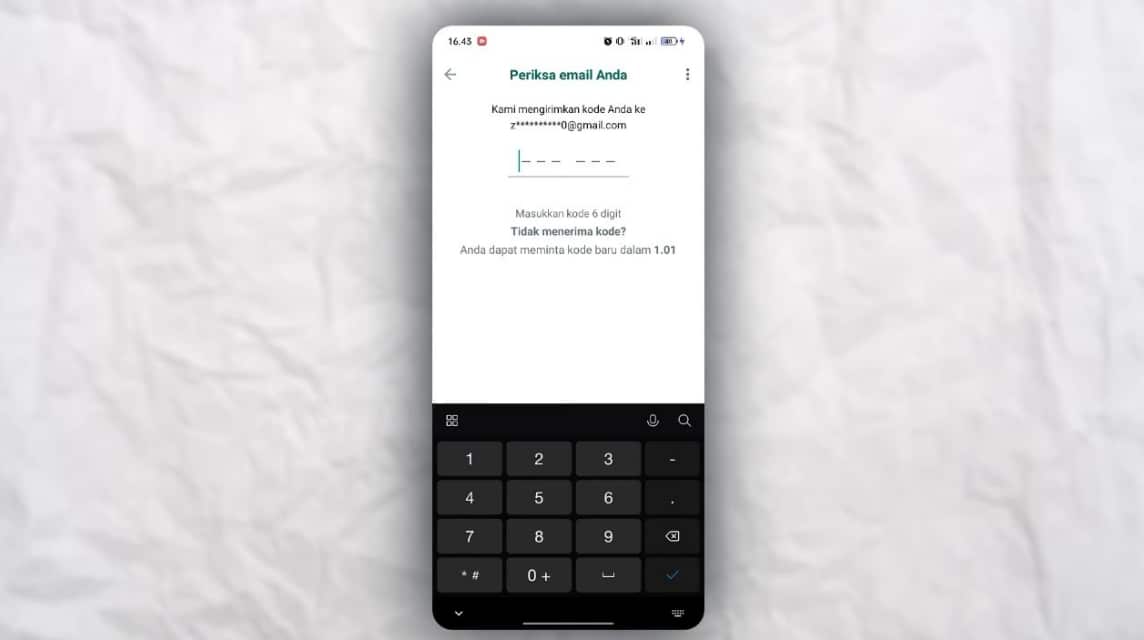
For users who have lost their number, there is a login feature WhatsApp with e-mail become a pleasure in itself.
Because you cannot access the number or get a verification code from the number, you can use email to log into WhatsApp instead.
Later, for users who log in to WhatsApp using email, WhatsApp will send a 6-digit verification code.
WhatsApp will guarantee privacy during the process of connecting email to WhatsApp. Of course, the email address remains private and will not be seen by anyone.
In addition, you are free to use any email address and may use the same account as the WhatsApp chat backup account.
Add Email to WhatsApp
Before logging into WhatsApp using an email account, you must first add the email account as shown below:
- Open the WhatsApp application on your smartphone.
- Select the 'Three Dots' located in the top right corner.
- Select the 'Settings' menu.
- Click 'Account'.
- Click 'Email Address'.
- Then click 'Add Email'.
- Enter your email address.
- Click 'Next'.
- Enter the verification code sent to your email address.
- Click 'Verify'.
- Done.
WhatsApp Login with Email
So, here's how to log in to WhatsApp with email. You can follow the steps below:
- Backup WhatsApp messages first by:
- Click 'Three Dots' in the top right corner.
- Click the 'Chat' menu.
- Scroll down until you find 'Chat Backup'.
- Click 'Backup'.
- You can also choose Frequency:
- Daily: Every day.
- Weekly: Every week.
- Monthly: Every month.
- Only When I Tap 'Backup': Only When I Click 'Backup'.
- Disabled: Inactive.
- Include Videos: to back up with videos by sliding the Toggle to the right.
- Back up using cellular: Backup using the internet.
- After that uninstall WhatsApp.
- Go to Google PlayStore for Android or App Store for iOS.
- Search for 'WhatsApp'.
- Click 'Install'.
- Wait for the installation process to complete.
- Once installed, open the WhatsApp application.
- Select Language.
- Click 'Agree and Continue'.
- Enter your mobile number.
- Click 'Yes' if the number is correct.
- Later, the verification code will be sent to the email address previously registered on WhatsApp.
- Enter the verification code that WhatsApp sent to your email.
- Verification Completed.
- Allow WhatsApp contacts and media by clicking 'Next'.
- Then a pop-up will appear and click 'Allow'.
- Click 'Continue'.
- Click 'Restore' to restore the chat that was backed up.
- Click 'Continue'.
- Wait for the Initialization process to complete.
- Done and you can now log in to WhatsApp.
Email Verification Function on WhatsApp
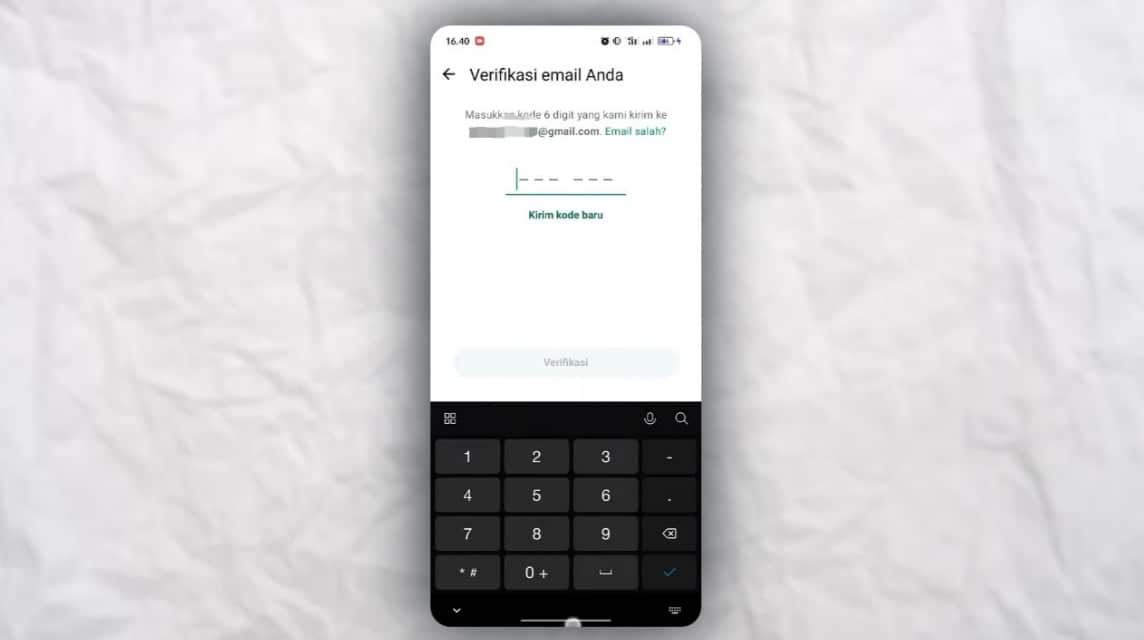
WhatsApp developed by Meta has released an email verification feature with the aim of strengthening the security of its users' accounts.
This email address feature is quite useful, especially for users who do not have access to a telephone number or have lost it.
After the user enters the WhatsApp number, the user can log in to the application using the email address registered earlier.
WhatsApp itself still uses a login method that requires users to enter a verification code to the registered number.
This email feature is intended for users who do not have access to their number or cannot access chat or messages.
Even though you still connect your email address to your WhatsApp account, it will certainly provide a different login method than before.
Where users no longer receive verification codes sent via SMS by WhatsApp, but sent to the linked email.
Therefore, WhatsApp users still need a telephone number to create a new account or log in to WhatsApp with a telephone number as usual.

Can I Login to WhatsApp Without a Mobile Number?

Officially, WhatsApp cannot be used without a mobile phone number because OTP code verification is a primary requirement for creating or logging into an account. This number serves as the WhatsApp account's identity.
However, you can use another phone number, such as a backup number or a VoIP service number that still supports OTP reception. As long as the verification code is received, the account can still be created.
WhatsApp doesn't offer a login option using just your email or username. So, there's no way to log in without the number verification process.
If you lose access to your old number, you will need to change it via the Change Number feature or ask your operator for help reactivating the card.
Also read:
That way, you can still recover your WhatsApp account safely.
MLBB Product Recommendations


 BV2SHOP
 BANGJEFFBV2SHOPBV2SHOP
 TopMurBV2SHOP
 RudyStorezBV2SHOPRudyStorezTopMur



 News
News




