

- Auto headshot does not exist; headshots depend on sensitivity, aim mastery, and consistent practice (reference) Ruok).
- Try the sensitivity of the style Ruok: general 195-200, Red Dot 190, set DPI 520-620, 43-48% firing button.
- J-Drag and Straight Drag: aim for the chest/slightly below the neck then drag to the head; practice 15-20 minutes every day.
- Do not use third-party applications; risk suspension or banned permanent and data leaks. Improve your skills through practice.
Ruok FF Sensitivity Settings & Tricks for Auto Headshot
Ruok auto headshot is one of the third-party applications that many players are looking for. Free Fire. In fact, there is no arrangement that can make headshot Headshots still depend on a combination of sensitivity, aiming mastery, and consistent practice.
If you want to improve accuracy in Free Fire, Focus on a comfortable setup, proper drag shot technique, and daily practice. Here's a comprehensive guide you can use as a reference.
Also read:
- SG Mamba Free Fire: Advantages and How to Get It
- Recommended 50 Unused Free Fire Guild Names
- Legality and Security of Raden.pw Server Kipas Server FF
Latest Original Ruok FF Sensitivity Settings
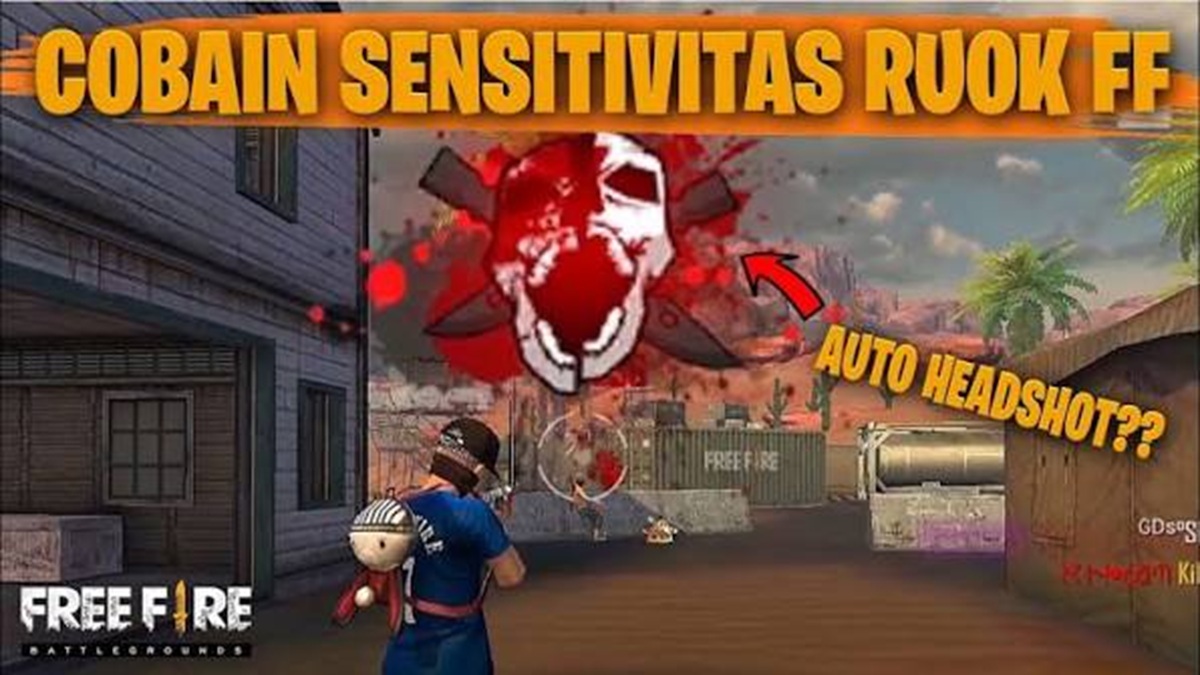
Sensitivity is one of the factors that most significantly impacts shooting accuracy in Free Fire. While every phone has different screen characteristics, Ruok's settings are often used as a reference because they feel responsive when performing drag shots.
Here are some sensitivity recommendations you can try:
| Arrangement | Sensitivity Number |
|---|---|
| general | 195–200 |
| Red Dot | 190 |
| 2x Scopes | 180 |
| 4x Scopes | 165 |
| SniperScopes | 100 |
The settings above aren't mandatory. If your phone screen feels too slippery, you can lower the General sensitivity by about 5–10 points until you achieve the most comfortable control.
Besides sensitivity, the size of the fire button also has a significant impact on the success of a drag shot. Many professional players use a fire button around 43–48 percent. This size is large enough to allow the finger to easily press upward, but not so large that it obstructs vision.
The fire button should also be positioned slightly higher than the default. This placement shortens the drag motion towards the head, resulting in faster headshots. You can experiment with several positions in the Custom HUD until you find the one that best suits your finger size.
Another factor that is often discussed is the DPI (Dots Per Inch) setting on the Android phones. DPI functions to adjust the touch sensitivity of the screen so that drag movements feel lighter.
Here are the DPI ranges that pro players often use:
- 520–560 DPI for mid-range phones.
- 560–620 DPI for high refresh rate phones.
- 450–500 DPI if the screen feels too sensitive.
Keep in mind that not all phones perform the same. Therefore, don't simply copy another player's settings without making adjustments.
Guide to J-Drag Shot Tricks and Ruok FF Style Aim Placement

Many players believe Ruok has an auto-headshot cheat. However, much of his success stems from his aiming techniques, practiced over thousands of matches. One of his most famous techniques is the J-Drag Shot, a combination of rapid finger movements while pressing the fire button.
Before pressing the fire button, the position of the crosshair determines your chances of getting a headshot. Avoid aiming directly at the head, as it will be difficult to hit the target when the opponent moves. Instead, aim the crosshair at the chest or slightly below the neck. This position provides enough space to lift the crosshair towards the head when dragging.
If your opponent is at a distance, you can also position the crosshair slightly above their body to reduce the drag. Avoid aiming below the feet, as this requires a longer range of motion and increases the risk of missing.
The Straight Drag is typically used for medium to long-range combat. The method is quite simple: press the fire button and then quickly pull your finger straight up. This movement directs the recoil toward your head, increasing your chance of a headshot.
Meanwhile, J-Drag is more effective for close-range duels. This technique involves pulling the fire button in a J-shape or slightly upward curve. This movement makes it easier for the crosshair to track an opponent's movement while performing a jump shot or moving sideways.
Both techniques require precise timing. Pulling too quickly will send the crosshair over your head, while pulling too slowly will only result in a body shot.
To improve your aiming, practice regularly on the Training Grounds. Start by targeting stationary bots using various weapons like the MP40, M1887, SCAR, and AK47.
Practice for about 15–20 minutes daily. Focus on one weapon at a time until the drag motion feels natural. Afterward, move on to practicing against moving targets to further develop muscle memory.
Muscle memory is the ability of your hand muscles to remember movement patterns without having to think too much. The more you practice with the same sensitivity, the more stable your drag shots will be when playing Ranked and Clash Squad modes.
Dangers of Using Third Party Applications
Many players are still searching for the Ruok FF auto-headshot app, hoping to get an instant headshot. However, such apps are generally illegal modifications that violate the game's rules.
Using third-party apps risks account suspension or even permanent banning. Furthermore, some apps request excessive access permissions, which can compromise personal data and device performance.
Instead of using cheats or scripts, it's much safer to improve your skills through regular practice. Proper sensitivity settings, a comfortable HUD position, and consistent drag shot technique are more than enough to increase your chances of getting a headshot.
Ultimately, no setting or app can truly auto-headshot in Free Fire. Ruok's sensitivity is simply a guideline you can adjust to your device and playing style.

Also read:
- 30 Free Fire Images List for Super Cool Avatars
- Understanding Aimlock and Its Risks in Free Fire
- The Most Complete FF Color Codes, Make Your Profile Full of Color
With consistent practice, strong muscle memory, and the correct J-Drag technique, your aiming ability will improve naturally without having to risk using illegal applications.
Ruok FF Auto Headshot FAQ
No. Sensitivity settings only help make aiming more responsive, while headshots still depend on skill and practice.
You can try the General sensitivity in the range of 195–200, then adjust it to the comfort of the cellphone you are using.
J-Drag is a technique of pulling the shooting button in a J-like pattern to make it easier to aim the crosshair at the opponent's head during close-range duels.
It can be helpful if it's adjusted to your device. However, too high a DPI can also make screen control unstable.
Free Fire Product Recommendations

 TopMurTopMur
 RudyStorez
 TopMurTopMur
 TopMur
 RudyStorez
 RudyStorez
 RudyStorezRudyStorez



 News
News




