

- Remaker AI is a platform AI A versatile web-based tool for creating, editing, and enhancing photos and videos quickly and easily even for beginners.
- Feature complete including AI Photo Generators, photo editor, enhancer, and video tools such as AI Video Generator and automatic background remover.
- Cons:: results are not always consistent, some features are paid and at risk of abuse such as Face Swap, as well as wasteful credit.
Meet Remaker AI, a Versatile Tool for Photos and Videos
In today's digital era, creating image content is getting easier and doesn't require editing skills.
There are already many artificial intelligence-based platforms (Artificial Intelligence/AI) such as Remaker AI which offers handy features to quickly produce attractive images or videos.
With the increasingly developing artificial intelligence (AI) technology, Remaker AI is used to make images cooler instantly.
So, this tool is quite popular because it has various features in one platform that is easy for beginners to use.
Also read:
- Gemini AI Prompt Ideas for Photos of Women in Various Styles
- PixVerse AI Free: An Easy Way to Create AI Videos Without Paying
- What is Flow AI? Here's How It Works and Its Advanced Features from Google
Getting to Know Remaker AI

Remaker AI is an artificial intelligence based site (Artificial Intelligence/AI) which is used to create, change or improve the quality of visual content faster.
Simply put, Remaker AI is a tool that turns ideas into visual content without requiring editing skills.
The AI will then analyze images, faces, objects, colors, and other visual elements to tailor them to the user's needs. The results will only take a matter of minutes.
In terms of usability, Remaker AI is very user-friendly because it's web-based and doesn't require additional applications. Its user interface (UI) is also very simple, making it easy for beginners to use.
Although very easy to use, the use of Remaker AI must be used wisely because it has the potential to be misused to create content that violates privacy.
So Remaker AI is perfect for anyone who wants to create engaging or professional visual content quickly.
Featured Features

Below are some features of Remaker AI that you should know before using it:
AI Photo Generators
- AI Image Generator: This feature allows you to create images based on text descriptions. Simply enter your desired idea or concept, and it will generate the image you want.
- AI Face Swap: To swap faces from photos or videos.
- AI Portrait Generator: Features for creating portrait photos in various styles.
- AI Headshot Generator: To create professional photos without having to do a photo shoot.
- LinkedIn Profile Picture: To create a professional and formal profile photo to use for your LinkedIn account.
- AI Avatar Generator: Turn a photo or description into a digital avatar with a theme or style.
- AI Meme Generator: Can create memes with a combination of suitable images or text.
- AI Baby Generator: A feature that can change into a baby face based on a combination of two people's photos.
- AI Sticker Generator: Create digital stickers for chatting or content on social media.
- AI Tattoo Generator: To produce tattoo designs based on themes, styles or ideas.
- AI Logo Generator: To create a logo concept for a business, brand or project.
- AI Emoji Generator: Can create emojis used for content.
AI Photo Editing
- Photo to Anime: Change ordinary photos into anime with various style options.
- AI Baby Filter: Gives a baby face effect to photos.
- Old Filter: To make photos look like they are from the past with vintage effects, old-fashioned or classic textures.
- Image Outpainting: Expanding the image area beyond its original boundaries using AI.
- Background Changer: Change photo background automatically.
- AI Image Inpaint: To delete or replace certain parts of an image with the result remaining unified.
- Sharpen Image: Improves the sharpness of details in blurry or out-of-focus photos.
- AI Passport Maker: To produce passport style photos according to general sizes and requirements.
- AI Photo Editor: A photo editor that combines various editing features and effects.
- Nano Banana AI: To produce or modify images creatively.
- AI Flux Context: FLUX model-based technology helps AI understand visual context and user commands to generate more accurate images.
AI Removal
- Background Remover: Remove image background automatically in seconds.
- AI Object Remover: Remove distracting objects in photos
- Magic Eraser: To quickly remove small elements.
AI Photo Enhancer
- AI Image Upscaler: Increase image resolution without blurring or breaking the image.
- Unblur Image: To clarify blurry, out of focus or low quality photos.
- AI Face Restore: Restore facial details in old or low-resolution photos to make them look clear.
- Batch Images Upscaler: Improve image quality at once.
AI Video Tools
- AI Music Generator: Create automatic music or background sound based on the desired theme.
- AI Video Generator: Generates new videos from commands or images.
- Online Video Editor: Editor feature that provides editing features for videos.
- Image to Video: Turn photos into short-videos with motion.
- AI Talking Photo: Make photos talk using voice synchronization and facial animation.
- AI Live Portrait: Bring photos to life with natural expressions and movements.
- AI Animate Photos: To add animation to old photos or regular images so they can move.
- AI Video Enhancer: To improve video quality by improving resolution, color and visual sharpness.
- Video Background Remover: Remove video background automatically.
- AI Voice Clone: Mimic certain voice characteristics with AI technology.
- AI Lip Sync Generator: Matching lip movements to audio makes the video more realistic.
Free Tools
- Crop Image: Crop the image to the desired size and composition.
- Image Converter: Change image format to PNG, JPG, JPEG and WEBP.
- Meme Maker: Create memes with customizable templates and text.
- Ugly Avatar Generator: Produce unique avatars with funny and quirky results.
- Extract Audio from Video: Separate audio from video files into separate formats.
- Webcam Tester: To check the device camera is working properly.
- Microphone Tester: To ensure the microphone can work normally before use.
So, this AI Remaker has many features to create, edit, enhance or change photos or videos using AI technology in one site.
Cons:

Below are some of the disadvantages of this AI that you need to know:
- Inconsistent Results: The text prompt feature can sometimes produce images that do not match expectations or desired results.
- Not All Features Are Free: There are some features that require Credits, but there are also some features that can be used for free.
- Credit Waste: Producing high quality graphics with certain models will quickly consume a lot of credits.
- Privacy Risks: The Face Swap feature can be misused for digital identity or privacy issues.
- Server Error: This platform is cloud-based so it is very dependent on an internet connection or site server.
How to Use Remaker AI

Below are the steps to use this AI:
- Open browsers on your device like Google Chrome, Mozilla Firefox, Opera, Microsoft Edge, Safari (iOS only) and others;
- Search for “Remaker AI” or click “remaker.ai”;
- After that, click “AI Tools” which is at the top of the page;
- Select one of the features you want to use;
- Use the tools there;
- Done.
Also read:
- Top 7 ChatGPT Prompts for Viral Photo Editing
- Humata AI: Definition, Features, and How to Use It
- Nightmare AI: A Sophisticated Tool for Improving Photo Quality
That's all the information about Remaker AI, which can be used to quickly create images. So, are you interested in using it?
FAQ About Remaker AI
An intelligent editing platform that utilizes AI to process, generate, or modify images and videos automatically, practically, and efficiently.

AI tracks and analyzes faces in target photos or videos, then overlays new faces while maintaining the original expressions, lighting, and angles for a natural look.
Yes, there is a free version available (often with daily credit or token sharing) for face swap photos. However, for advanced features such as face swap videos, usually require a Pro plan subscription.
Remaker AI complies with major security standards such as GDPR, SOC 2, and ISO 27001. However, you are solely responsible for using photos legally and ensuring that you do not violate anyone's privacy.
You can access it directly through their official website. www.remaker.ai using a browser such as Google Chrome.
MLBB Product Recommendations


 BV2SHOPBV2SHOPBV2SHOP
 DEMPET STORE
 TopMur
 RudyStorezBV2SHOPTopMurBV2SHOPBV2SHOP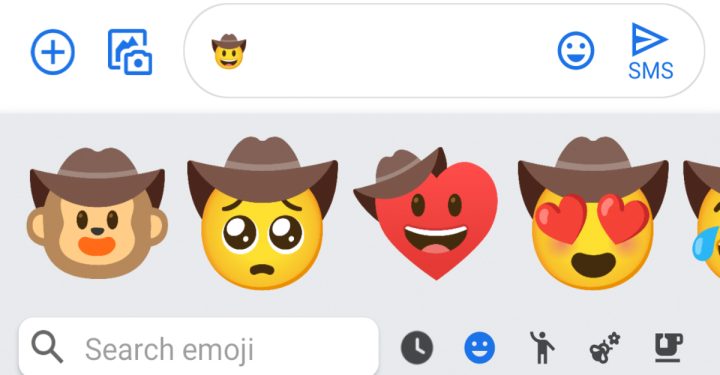


 News
News




