

- ML avatar on: Effect neon/glowing make Mobile Legends profile photo more eye-catching, aesthetics, and increase player confidence.
- How to change avatar: Follow the steps in the game — Avatars → Settings → Edit → Photo Album → crop → Confirm to replace.
30 List of Cool and Glowing ML Avatars
This article contains a list of 30 vibrant and cool Mobile Legends avatars to inspire your account's look. If you want to make your account even more impressive, just... top up diamonds at VCGamers.
Who wants to appear different from other players? Mobile Legends: Bang Bang with really eye-catching avatars, for example the ML avatar lights up.
This kind of avatar design has a neon or glowing light effect in the eye area and even around it which can make your profile photo stand out and be cooler.
Usually, with a glowing effect like this on your favorite profile picture, it can be more aesthetic and energetic too, you know!
Trends ML avatars This light is always hyped among Mobile Legends: Bang Bang because besides its stunning visuals, it also gives an interesting first impression before the match starts.
This glowing effect can intimidate enemies plus it can also make you appear more confident and stand out from other players.
For those of you who are looking for a glowing ML avatar, you can check this article and download the image that interests you!
Also read:
ML Avatar Lights Up

ML avatar lights up referring to the profile photo in Mobile Legends: Bang Bang which looks like it's lit up because of the neon light effect on the image, as if ML heroes-you give off a glowing aura.
This design uses anime characters and even the Mobile Legends: Bang Bang hero itself is accompanied by a neon effect that lights up so that it looks more eye-catching.
This kind of glowing effect is not only cool, but it can also underestimate them. In addition, this PP can make you appear more confident before the game starts and give a 'scary' impression to the player.
The uniqueness of this avatar can make your profile stand out more than other Mobile Legends: Bang Bang players and make you more recognizable.
When compared to regular PP, this neon aura will give a stronger impression to the player. Even more unique, when you use this glowing effect, it can be immediately recognized by other players because it is the most different from the others.
List of ML Avatars Light Up

If you want to try downloading and using the glowing ML avatar for your profile picture in Mobile Legends: Bang Bang with a super cool glow-glow effect. After you get the photo, you can use it right away.
For those of you who are looking for a glowing avatar for Mobile Legends: Bang Bang, you can get the best photo recommendations below!
https://id.pinterest.com/pin/892064638694099275/
https://id.pinterest.com/pin/615093261644477391/
How to Change Avatar in Mobile Legends: Bang Bang

For those of you who are still confused or even forgot about how to change your profile photo in Mobile Legends: Bang Bang, you can follow the steps below, including the following:
- Login to your Mobile Legends: Bang Bang account on your smartphone;
- After that, click 'Avatar' which is in the top left corner;
- Then, click the 'Settings' icon in the right corner;
- Select the 'Avatar' menu;
- Next, click 'Edit';
- After that, select 'Menu' to upload the photo such as Sync FB/VK Avatar, Take Photo, Photo Album;
- If you want to upload from the gallery, select the 'Photo Album' option and search for the photo;
- After the photo is uploaded, the photo will be 'cropped' first before being uploaded to Mobile Legends;
- 'Crop' the photo first before uploading or it will not even be cropped if it is the right size;
- Next, click 'Confirm';
- Click 'Replace' to replace it;
- Wait a moment;
- Done and your Mobile Legends: Bang Bang avatar has been successfully changed.
Also read:
Well, that's the information about the ML avatar that lights up and is cool. So, have you chosen your favorite image?

FAQ About ML Avatars on Fire
A glowing avatar border is a special profile frame that has an animation, light, or movement effect (special visual effect) that makes it stand out from the standard frame.
Special Events (Allstar/Limited): Participate in limited events such as Allstar, Anniversary, or special collaborations.
Reach the Highest Rank: Reach Mythic rank or higher by the end of the season.
Purchasing Starlight Member: Some Starlight borders have a glowing effect.
Creation Contest: Enter MLBB content contests and upload them to social media platforms.
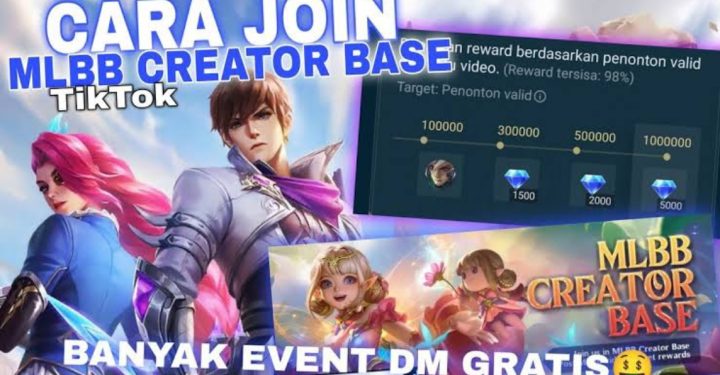
Yes. Some special events often award free borders through missions, such as short video creation contests (20-30 seconds) that include hashtags like #MLBBCreator and #MLBBAllstar.
It depends on how you obtain them. Borders from events marked "Limited" or Starlight purchases are usually permanent, but some borders have a time limit (e.g., 7 days or 30 days).
Players can change their avatar by clicking on the profile in the top left corner, then clicking on the profile photo, and selecting to change the photo from the gallery or using the hero's default avatar.
Failure to change your profile picture is usually caused by an unstable network connection, an excessively large photo size, or system restrictions. Ensure the image size is optimized and the format is supported.
No. As long as the avatar or profile picture you use doesn't contain pornography, hate speech, or violate Moonton's community guidelines, your account will remain secure.
By default, Mobile Legends uses photo formats (JPG/PNG). However, you can use borders with animated animations.
Some borders are trial or temporary only.
Yes, if you get it from purchasing a permanent event, rank reward, or permanent skin collection.
MLBB Product Recommendations


 BV2SHOP
 DEMPET STOREBV2SHOPBV2SHOP
 TopMur
 RudyStorezBV2SHOPBV2SHOPTopMurBV2SHOP



 News
News




