

- Core: Humata AI analyze documents, create automatic summaries, and answer questions from files like PDFs in seconds.
- Easy to use: open account, upload PDF, wait for analysis then ask questions; suitable for studying, research, and work.
Humata AI: Definition, Features, and How to Use It
Reading long documents such as journals, reports, or PDF file This can often take quite a long time, especially if you're just looking for key points or specific answers within the document.
One of the most popular platforms today is Humata AI. This technology can analyze documents, generate automatic summaries, and even answer questions based on file contents in just seconds. It's no surprise that this AI is increasingly being used by students, researchers, and even office workers.
Getting to know Humata AI

Humata AI is an artificial intelligence based platform or Artificial Intelligence (AI) designed to help users understand long documents more easily.
This platform utilizes Natural Language Processing (NLP) technology to read, understand, and then provide answers based on the contents of documents uploaded by users.
In other words, this AI platform works like a digital smart assistant. You don't need to read an entire PDF from start to finish to find specific information. Simply upload the document and ask questions as needed.
This platform is suitable for various types of documents such as:
- Scientific journal
- Research paper
- Ebook
- Proposal
- Work report
- Academic PDF files
AI's ability to understand the context of documents makes learning and working processes more efficient. In fact, many users are leveraging this AI platform to speed up research and search for important data.
In addition, the platform's appearance is also quite simple so it is easy to use, even for beginners who are just trying out AI technology.
Also read:
- Will be Released! WhatsApp Presents New AI Chatbot Feature
- iPhone 18 Series Leaks: Specs, Release Schedule, and Price
- Gemini AI Prompt Ideas for Photos of Women in Various Styles
Main Features and Uses

This AI platform has several interesting features that set it apart from ordinary PDF readers. Here are some of the key features you should know about.
1. Instant Document Analysis
Its main feature is the ability to automatically analyze documents. You simply upload a PDF file, and the AI will process its contents in no time.
Once the process is complete, you can immediately inquire about the file's contents. For example:
- What is the main topic of this journal?
- Who is the author of the research?
- What is the conclusion of the document?
- What data is most important?
This feature is very helpful when you are in a hurry to understand a long document.
2. Automatically Summarize Files
Reading hundreds of pages can be tiring. Fortunately, this AI platform can automatically generate summaries from uploaded files.
This summary typically contains key points from a document, allowing you to grasp the main points more quickly. This feature is ideal for students reading journals or professionals reviewing lengthy reports.
With the automatic summary feature, reading time becomes much more efficient.
3. Question and Answer (Q&A) feature
This AI platform also offers a Question and Answer (Q&A) feature. This feature allows users to ask questions directly about the contents of a document.
AI will search for relevant information in the files and then provide specific answers. So, you don't have to bother searching through manuals page by page.
This feature is very useful for:
- Looking for a specific definition
- Finding important data
- Understanding the content of the research
- Knowing the document conclusion
It works similarly to chatting with AI, but the source of the answers comes from documents you upload yourself.
4. More Secure Data Security
Many people worry about file security when using AI platforms. However, Humata AI provides encrypted cloud storage to keep user data safe.
This makes uploaded documents more secure and less easily accessible to others. Security features like this are crucial, especially if the files contain personal data or work documents.
5. Supports Multiple Languages
Another advantage of Humata AI is its multilingual support. The platform can understand questions and provide answers in multiple languages, including Indonesian.
This feature certainly makes it easier for local users who are more comfortable using everyday language than English.
How to Use Humata AI
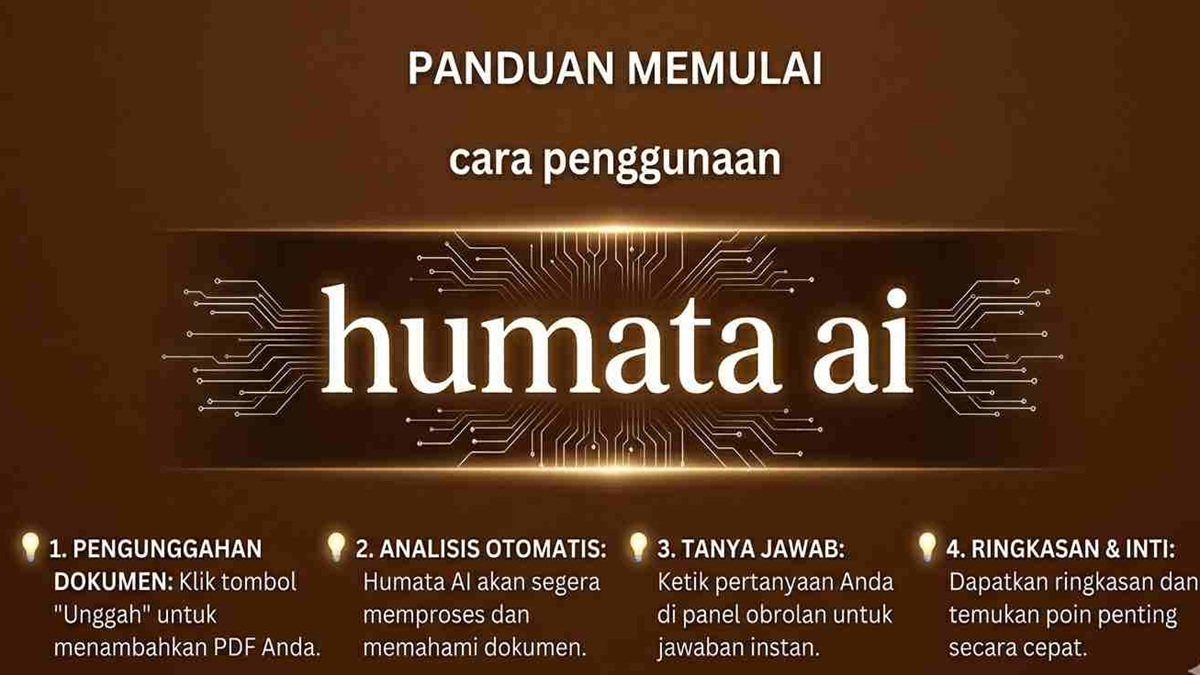
Using Humata AI is actually quite easy and doesn't require any special technical skills. Here are the simple steps.
1. Open the Official Humata AI Website
The first step is of course to open the official Humata AI website via a browser on your laptop or cellphone.
2. Register or Login to Account
After entering the main page, you can create an account using your email address. If you already have an account, simply log in.
3. Upload PDF Document
Next, upload the PDF file you want to analyze. The upload process will take a short time, less than a minute.
4. Wait for AI to Analyze the Document
Once the file is successfully uploaded, Humata AI will start reading and understanding the contents of the document automatically.
5. Ask Questions
Once the analysis process is complete, you can immediately ask questions about the document's contents. The AI will then provide answers or summaries based on the previously processed files.

Humata AI is an AI platform that is very helpful in understanding long documents more quickly and conveniently. With automated analysis features, instant summaries, and document-based Q&A, this platform is suitable for both learning and work.
Also read:
- Meet the AI Janitor: Chat with Your Own Custom Character
- Blackbox AI Tools Make Learning to Code Easier
- 5 Recommended Samsung Foldable Phones
For those of you who frequently read journals, reports, or long PDF files, Humata AI can be a solution so that the process of understanding documents no longer takes a lot of time.
FAQs about Humata AI
Humata AI is an artificial intelligence (AI)-based platform that can automatically analyze, summarize, and answer questions from long documents such as PDFs, journals, or reports.
Yes, Humata AI supports multiple languages, including Indonesian. You can ask questions and get answers in Indonesian more easily.
Humata AI is generally used to read PDF files such as scientific journals, ebooks, work reports, proposals, and research papers.
Humata AI provides encrypted cloud storage to help keep user-uploaded files and documents secure.
Simply visit the official Humata AI website, create an account, upload a PDF document, and ask questions related to its contents. The AI will automatically analyze and provide answers or summaries.
MLBB Product Recommendations


 BV2SHOPBV2SHOP
 DEMPET STOREBV2SHOP
 TopMur
 RudyStorezBV2SHOPTopMurBV2SHOPBV2SHOP




 News
News




