
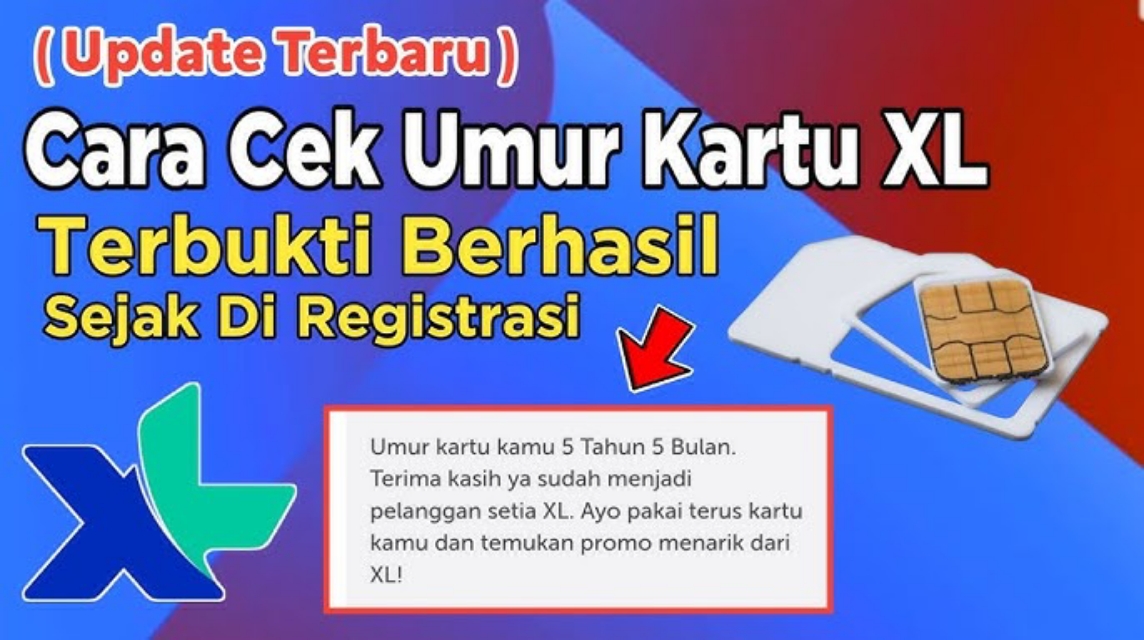
- Check via application myXL: login to view profile, active period, and usage history as the easiest way to estimate the age of the card.
- Official confirmation via CS or XL Center: contact Call Center 817, @myXLCare, or come with your ID card for an accurate activation date.
How to Check XL Card Age Easily
If you are a user XL, maybe you've thought, "Actually XL card How long have I been using this?” Questions like that are perfectly normal, especially if you are someone who likes to use the same number for years.
Nowadays, many XL users are looking for ways to check their card age for several important reasons, ranging from account security needs to technical matters.
Cheapest MLBB Product Recommendations!


 BANGJEFF
 BV2SHOPBV2SHOPBV2SHOP
 RudyStorez
 TopMurBV2SHOPBV2SHOPRudyStorezTopMur
So, so you don't get confused, in this article we will discuss why it is important to know the age of your card, how to check the age of your XL card, and an explanation of the code. 808What is 817# actually for?
Everything is kept simple and relevant so it's easy for you to follow.
Also read:
- Check iPhone IMEI, How to Validate Authenticity & Differentiate Between iBox and Inter
- How to Test Internet Speed, Here's How
- How to Check the Latest XL Number, Complete
Why is it important to know the card age?
Knowing the age of your XL card is actually very important, and it's not just a matter of curiosity. Here are some reasons why:
Avoiding the Risk of Expired Numbers
The longer a number is used, the more accounts it usually has connected to it—starting from WhatsApp, social media, e-wallets, to mobile banking. By knowing the age of your card, you can estimate whether your number has been used for too long without a change or whether it needs a data update.
Important for Account Security
Many digital platforms use mobile phone numbers for verification. Old numbers are often the "root of your digital identity," so you need to know when they were active to better manage account security and check for any suspicious activity.
Sometimes Required for Operator Services
Some XL services or promotions are only available to customers who have had their card for a certain period of time. By knowing your card's age, you can determine whether you qualify.
Useful When Re-registering or Recovering Number
If you ever need to take care of a lost card or re-register it, officers will sometimes ask for basic information about the card's age as additional verification data.
So, it's clear that knowing your card's age isn't just a matter of "curiosity," but can also impact the comfort and security of using your number in the future.
How to Check XL Card Age

Unfortunately, XL Axiata doesn't provide a dedicated USSD code to directly check card age like some other operators. However, that doesn't mean you can't find out. There are several methods you can try:
Check via the myXL application
This is the easiest and most official way.
- Download the myXL application from the Play Store or App Store.
- Login using your XL number.
- On the profile page, you can see information about the number, active period, and other card details.
While not all accounts display the card's age directly, through usage history and package information, you can estimate how long the card has been active.
Check Initial Registration SMS or Email History
If you still have the SMS registration message from when you first activated your card, it usually displays the activation time. This is a simple method if you like to keep track of your data history.
Contact XL Customer Service
The most accurate method.
You can contact:
- XL Call Center: 817
- Twitter/X: @myXLCare
- Live Chat via XL's official website
Simply provide the requested information, and XL customer service will provide your card's activation date. From there, you can accurately calculate the card's lifespan.
Come to XL Center
If you need truly accurate data, especially for urgent needs like number recovery, visiting an XL Center can also be a solution. Bring your ID card and physical card.
Code 808817 What Code?

Many people ask on Google about “code 808817 what code?” because I thought it could be used to check the age of my XL card. But actually:
Code 808817# is not an official XL code to check card age.
This code isn't recognized as an XL service code and could simply be a typo or misinformation circulating online. Official XL services typically use the following format:

- *808# → for General Info
- 817 → Customer Service
- *123# → XL service main menu
If you find a code like 808817#, it is most likely not a valid USSD command, so it will not provide any information regarding the age of your card.
So, if you want to be sure, use official methods such as the myXL application, call center, or come directly to the XL Center.
Also read:
- How to Check Your Smartfren Number, Find Out Your Active Number & Status
- How to Log Out of WhatsApp Easily, Can You Log Back In?
- Which Country Is the iPhone Made in? Here's the Explanation
Checking your XL card's age isn't as convenient as other operators, where you simply dial a code. However, with the help of the myXL app or customer service, you can still find out your card's age accurately.
Most importantly, make sure you always keep your number safe because it is an important part of your digital identity.




 News
News




