

- Anti-aliasing smoothing the edges of digital objects to reduce the effect jaggies, making the display more realistic and comfortable to look at.
- How it works: blending colors pixels at the edges of objects so that the boundaries appear softer and the brain perceives them as smooth lines.
- Common types: FXAA light but a bit blurry; MSAA sharp but GPU heavy; TAA stable for moving objects.
- Adjust settings: disable on high resolutions like 4K to prioritize performance when necessary.
Anti-Aliasing: Definition, How It Works, and Types
Anti-aliasing is a technique in computer graphics that smooths the edges of objects so they don't appear jagged. This feature is widely used in video games, design applications, to software 3d to produce a visual appearance that is neater and more comfortable to look at.
If you've ever seen diagonal lines or curved objects that look like small stairs on the screen, that's the effect called jaggies. Anti-aliasing is here to reduce this problem so that the image quality looks more realistic without changing the shape of the object.
Also read:
- How to Use Discord in a Browser and Its Advantages
- Here's how to easily use Discord on your cellphone and PC
- Discord Overlay: Understanding It and How to Activate It
What is Anti Aliasing?
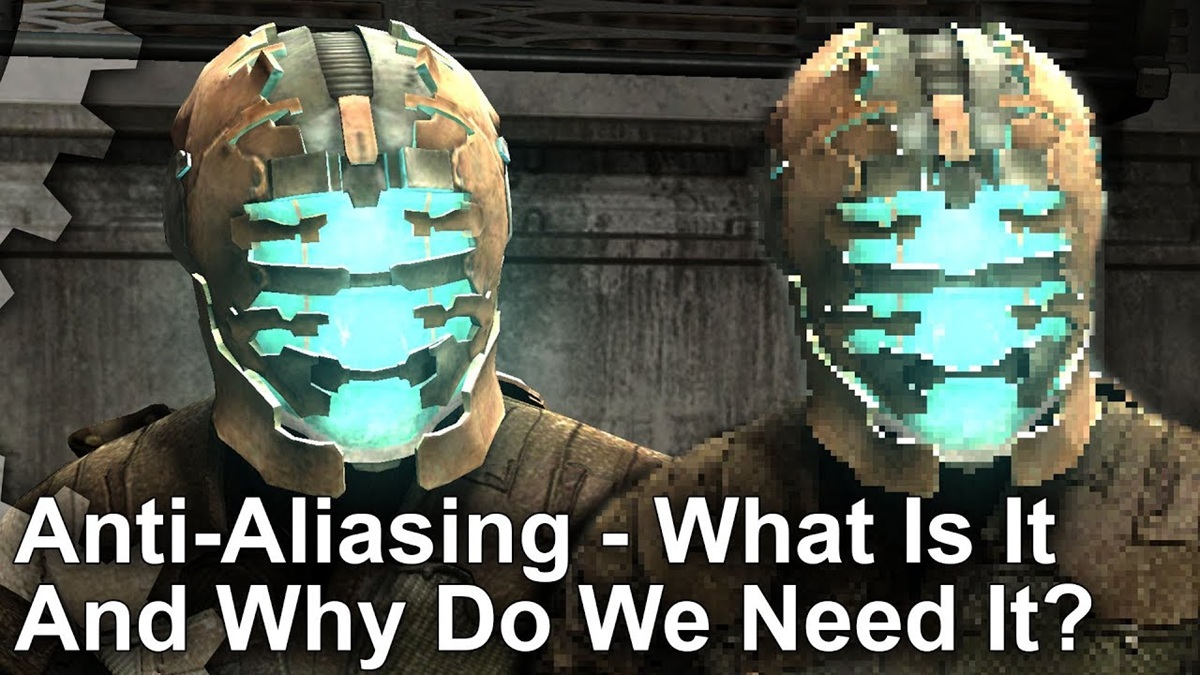
Anti-aliasing is a technique in computer graphics used to smooth out jagged or pixelated edges of objects (jaggies). Jagged effects usually appear on diagonal lines, circles, or curved objects because computer screens are made up of millions of square-shaped pixels.
When a digital object is displayed at a certain resolution, each pixel can only display one color. As a result, lines that should be smooth appear jagged when following the pixel arrangement.
With anti-aliasing, the appearance of objects becomes smoother so that visual quality is improved, both when playing games and when creating graphic designs.
How Anti-Aliasing Works
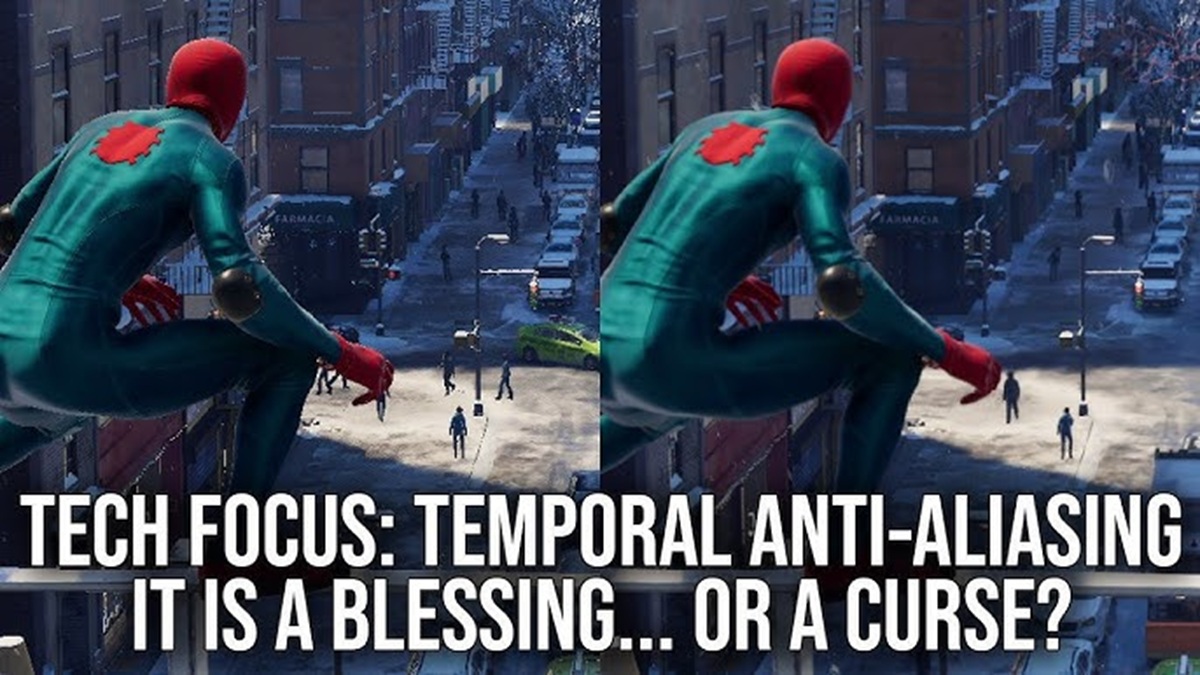
The way anti-aliasing works is actually quite simple. When this feature is enabled, the system blends the colors of pixels along an object's edges with the surrounding background color. This color blending makes the boundaries between objects appear smoother.
This technique exploits the way the human eye processes color. While technically lines are still composed of square pixels, the resulting color gradation allows the brain to perceive them as smoother lines. Therefore, objects appear more realistic and pleasing to the eye, especially when the screen resolution isn't too high.
Common Types of Anti-Aliasing

Not all anti-aliasing works the same way. Each method has its advantages and disadvantages, both in terms of image quality and performance requirements. GPUs. Here are some of the most commonly used types of anti-aliasing.
FXAA (Fast Approximate Anti-Aliasing)
FXAA or Fast Approximate Anti-Aliasing This is the most lightweight method compared to other techniques. The system processes the entire image after rendering is complete, then detects jagged object edges and smooths them.
Because of its fast processing speed, FXAA is a popular choice for gamers using mid-range computers or laptops. However, this technique has the disadvantage of sometimes blurry images (blur), especially on text or objects with very small details.
MSAA (Multisample Anti-Aliasing)
MSAA or Multisample Anti-Aliasing Offers higher visual quality than FXAA. This technique only processes the edges of objects, resulting in sharper results without blurring the overall image.
However, this quality comes at the cost of increased GPU resource usage. The higher the MSAA level selected, for example, 4x or 8x, the greater the load on the graphics card. Therefore, this method is best suited for devices with sufficiently powerful GPUs.
TAA (Temporal Anti-Aliasing)
TAA or Temporal Anti-Aliasing It works by using information from previous frames to smooth the image in subsequent frames. This technique is very effective at reducing jagged effects when objects move quickly in video games.
Many modern games use TAA because it can provide stable visual quality without taxing the GPU as much as MSAA. However, some TAA implementations can have side effects. ghosting or thin shadows on very fast moving objects if the settings are less than optimal.
Anti-aliasing is most beneficial when playing games at 1080p or lower. At these resolutions, jagged effects are usually still quite noticeable, making this feature a significant visual improvement.
On the other hand, if you use a monitor with a resolution 4K or higher, anti-aliasing is no longer as necessary. High pixel density naturally makes object edges appear smoother, so many users choose to disable or use lighter anti-aliasing settings for better performance.
Anti-aliasing is a technology used to reduce the jagged effect on digital objects, making the image appear smoother and more realistic. This technique works by blending the colors of pixels around an object's edges to make the boundaries appear smoother to the human eye.
There are several commonly used anti-aliasing methods, such as the lightweight FXAA, the heavier MSAA which produces sharper images, and the TAA which utilizes previous frames to provide smoother visuals in modern games.
Also read:
- An Easy Way to Discord Screen Share and Create Fun Interactions
- Download the Latest iPhone Ringtones for WA and Incoming Calls
- My WhatsApp Activity: An Easy Way to View Your Activity
By understanding the differences between each method, you can choose the settings that best suit your device specifications and usage needs.

Anti-Aliasing FAQ
Anti-aliasing is a computer graphics technique that smooths the edges of objects so they don't look jagged or pixelated.
Its function is to improve visual quality by making lines and edges of objects look smoother so that the game looks more realistic.
Yes. Some types of anti-aliasing, such as MSAA, can reduce FPS because they require more GPU power.
Neither is best for all conditions. FXAA is more lightweight, MSAA offers sharper image quality, while TAA is suitable for modern games with lots of moving objects.
Not always. If you're playing at a higher resolution like 4K, the jagged effect is significantly reduced, making anti-aliasing less necessary.
MLBB Product Recommendations


 BV2SHOP
 DEMPET STOREBV2SHOPBV2SHOP
 RudyStorez
 TopMurBV2SHOPBV2SHOP
 AM08SHOPTopMur


 News
News




