

- Emulators PPSSPP allows playing hundreds of games PSP on Android, PC, iOS with high resolution, save state, and cheat features.
- The article provides a list of 200+ game download links. PPSSPP ISO small size, storage saving and suitable for low-end devices.
200+ Small-Size PPSSPP ISO Game Downloads
The PSP was one of the most popular consoles when it first came out. And now you can play a collection of small-sized PSP games on your smartphone using the PPSSPP emulator.
However, games on the PPSSPP emulator are generally large in size, so they take up a lot of storage space.
So, we’re going to recommend a variety of small-sized PPSSP ISO games that are worth downloading.
Here are some recommendations for small-sized PPSSP ISO games that are worth downloading!
Also read:
What is a PPSSPP game?

PPSSPP is an advanced emulator that can be used to play a variety of PlayStation Portable (PSP) games on Android, PC, and iOS devices.
With this emulator, you can enjoy hundreds of PSP games that were once only available on Sony consoles.
Many PSP games have been optimized for PPSSPP—they’re smaller in size but still maintain high-quality graphics and exciting gameplay.
To play them, users need game ROM files in ISO format, which are complete digital copies of the original PSP game cartridges.
With this emulator, you can enjoy hundreds of PSP games that were once only available on the Sony console. These ISO files can be easily found and downloaded, then run directly through the PPSSPP app.
You can play on your phone, tablet, or laptop without worrying about running out of memory. PPSSPP supports almost all popular PSP games, from God of War to Monster Hunter.
PSP games, which are usually large in size, can be compressed without losing quality. You can collect many games at once without worrying about running out of memory.
In addition, PPSSPP supports high-resolution gameplay, save states, and even cheat codes, which make the gameplay even more exciting.
With PPSSPP, you can play your favorite PSP games anytime, anywhere, without having to carry a physical console.
Download Small-Size PPSSPP ISO Games
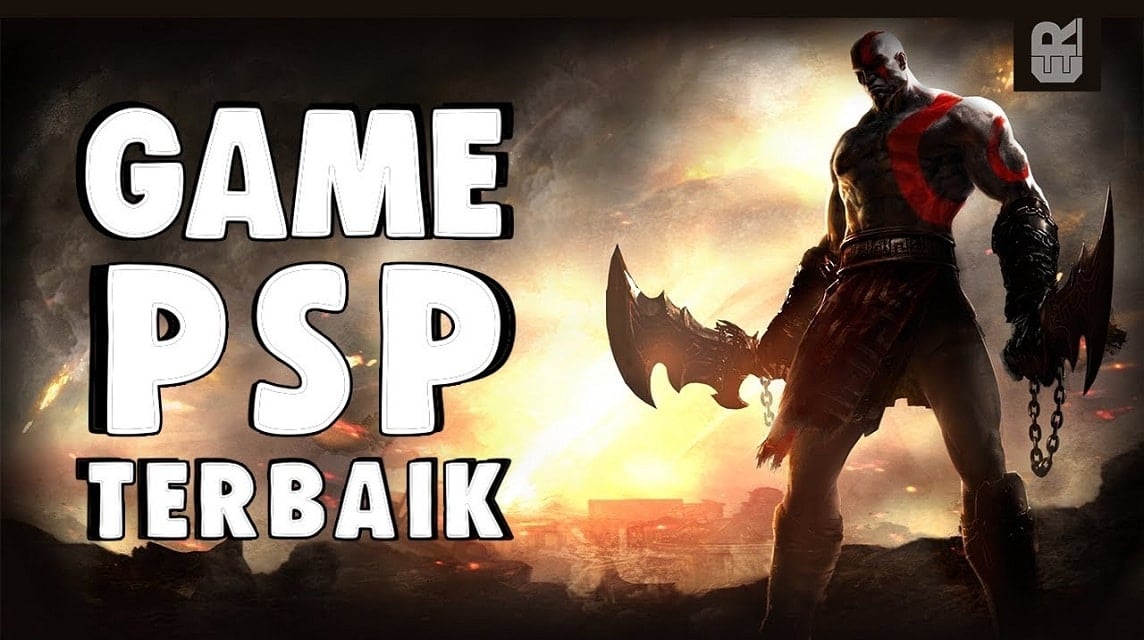
A complete, alphabetical list of links and download sources for small PPSSPP ISO games under 50MB for Android.
Here you can download small PPSSPP ISO soccer games and many other games:
A
- 2010 FIFA World Cup South Africa
- 3rd Birthday, The
- Ace Combat – Joint Assault
- Ace Combat X – Skies of Deception
- Adventures to GO!
- Army of Two – The 40th Day
- Asphalt–Urban GT 2
- Assassin's Creed – Bloodlines
- Avatar – The Last Airbender
- Air Conflicts: Aces of War II (157 MB): Downloads
- Aliens Vs. Predator – Requiem (264 MB): Downloads
B
- Bakugan Battle Brawlers – Defenders of the Core
- Ben 10 – Alien Force
- Ben 10 – Alien Force Vilgax Attacks
- Ben 10 – Protector of Earth
- Ben 10 – Ultimate Alien – Cosmic Destruction
- Black Rock Shooter – The Game (Japan)
- Blazblue – Calamity Trigger Portable
- BlazBlue – Continuum Shift II
- Bleach – Heat the Soul 7 (Japan)
- Bleach – Soul Carnival 2 (Japan)
- Bomberman
- Brave Story – New Traveler
- Battlezone
- Brian Lara 2007 – Pressure Play
C
- Call of Duty – Roads to Victory
- Cars 2
- Castlevania – The Dracula X Chronicles
- Chili Con Carnage
- Crash – Mind Over Mutant
- Crash Bandicoots
- Crash Bandicoot – Warped
- Crash of the Titans
- Crash Tag Team Racing
- Crimson Gems Saga
- Crisis Core – Final Fantasy VII (3.73)
- Crazy Taxy – Fare Wash (316MB): Downloads
- Coded Arms (104MB): Downloads
- Colin McRae – DiRT2 (264MB): Downloads
D
- Dai-2-Ji Super Robot Taisen Z Hakai-hen (Japan)
- Dai-2-Ji Super Robot Taisen Z Saisei-hen (Japan)
- Danball Senki Boost (Japan)
- Dangan-Ronpa – Kibou no Gakuen to Zetsubou no Koukousei (Japan)
- Dante's Inferno
- Dave Mirra BMX
- Daxter
- Dead or Alive Paradise
- Def Jam – Fight for NY – The Takeover
- Digimon World Re – Digitize (Japan)
- Disgaea – Afternoon of Darkness
- Disgaea 2 – Dark Hero Days
- Dissidia – Final Fantasy
E
- Eragon
- Exit
- Eyeshield 21 – Portable Edition (Japanese)
- Echochrome (Europe)
- Eiyuu Densetsu – Ao no Kiseki (Japanese)
- Evangelion – Jo (Japanese)
- EA Replay
F
- Fairy Tail – Portable Guild (Japan)
- Fairy Tail – Portable Guild 2 (Japan)
- Fairy Tail – Zelef Kakusei (Japan)
- Fatal Fury Special
- Fate Extra
- Fate Unlimited Codes
- FIFA 12
- FIFA Soccer 12
- FIFA Street 2
- Fight Night Round 3
- FinalFantasy
- Final Fantasy IV – Complete Collection
G
- FullMetal Alchemist – Brotherhood
- Gangs of London
- Ghost Rider
- God Eater 2 (Japan)
- God of War – Chains of Olympus
- God of War – Ghost of Sparta
- Godfather – Mob Wars, The
- Gods Eater Burst
- Gran Turismo
- Gran Turismo (v2)
- Grand Theft Auto – Chinatown Wars
H
- Hakuoki – Demon of the Fleeting Blossom
- Harry Potter and the Goblet of Fire
- Harvest Moon – Boy & Girl
- Harvest Moon – Heroes of Leaf Valley
- Hatsune Miku – Project Diva (Japan)
- Hatsune Miku – Project Diva 2nd (Japan)
- Hatsune Miku – Project Diva Extend (Japan)
I
- Initial D – Street Stage (Japan)
- Innocent Life – A futuristic Harvest Moon
- IronMan
- Iron Man 2
- Impossible Mission (92MB): Downloads
J
- Jackass the Game
- Jak and Daxter – The Lost Frontier
- Jeanne d'Arc
- Juiced 2 – Hot Import Nights
- Justice League Heroes
K
- Kamen Rider Climax Heroes Fourze (Japan)
- Kamen Rider Climax Heroes OOO (Japan)
- Katekyoo Hitman Reborn! Kizuna no Tag Battle (Japan)
- Kidou Senshi Gundam – Gundam vs. Gundam NEXT PLUS (Japan)
- Kidou Senshi Gundam Seed – Rengou vs. ZAFT Portable (Japan)
- Killzone – Liberation
- King of Fighters '95
- King of Fighters '97
- King of Fighters '98
L
- Legend of Heroes – A Tear of Vermillion
- Legend of Heroes – Trails in the Sky
- LEGO Batman – The Video Game
- LEGO Harry Potter – Years 1-4
- LEGO Star Wars II – The Original Trilogy
- LEGO Star Wars III – The Clone Wars
- Little Big Planet
- Loco Roco 2
- Lord of Arcana
- Lunar – Silver Star Harmony
- Luxor – Pharaoh's Challenge: Download (37MB)
M
- Mana Khemia – Student Alliance
- Manhunt 2
- Marvel – Ultimate Alliance
- Marvel – Ultimate Alliance 2
- Marvel Super Hero Squad
- Medal of Honor – Heroes
- Medal of Honor – Heroes 2
- Mega Man – Maverick Hunter
- Mega Man – Powered Up
- Metal Gear Ac!d 2
- Metal Gear Solid – Peace Walker
- Metal Gear Solid – Portable Ops
- Metal Gear Solid – Portable Ops Plus
- Monster Hunter Freedom
N
- Naruto – Ultimate Ninja Heroes
- Naruto – Ultimate Ninja Heroes 2 – The Phantom Fortress
- Naruto Shippuden – Kizuna Drive
- Naruto Shippuden – Legends – Akatsuki Rising
- Naruto Shippuden – Narutimate Accel 3 (Japan)
- Naruto Shippuden – Narutimate Impact (Japan)
- Naruto Shippuden – Ultimate Ninja Heroes 3
- Naruto Shippuden – Ultimate Ninja Impact
- NASCAR Rumble
- NBA 2K12
- Need For Speed: Most Wanted
O
- Obscure The Aftermath
- Odin Sphere
- Okami
- One Piece – Grand Adventure
- One Piece – Grand Battle
- One Piece – Pirates' Carnival
- One Piece – Round the Land! (Europe)
- Onimusha – Dawn of Dreams (Disc 1)
- Onimusha – Dawn of Dreams (Disc 2)
- Onimusha – Warlords
P
- Pangya – Fantasy Golf
- Patapon
- Patapon 2
- Patapon 3
- Phantasy Star Portable
- Phantasy Star Portable 2
- Platypus
- Prince of Persia – Revelations
- Prince of Persia – Rival Swords
- Prince of Persia – The Forgotten Sands
- Pro Evolution Soccer 2012
Q
- Qix++ (Japan)
- Queen's Gate – Spiral Chaos (Japan)
- Queen's Blade – Spiral Chaos (Japan)
- Quiz Kidou Senshi Gundam – Monsenshi DX (Japan)
R
S
- SD Gundam G Generation World (Japan)
- Sega Genesis Collection
- Sengoku Basara – Battle Heroes (Japan)
- Sengoku Basara – Chronicle of Heroes (Japan)
- Shin Megami Tensei – Persona
- Shin Megami Tensei – Persona 2 – Innocent Sin
- Shin Megami Tensei – Persona 3 Portable
- Silent Hill – Shattered Memories
- Silent Hill Origins
- Sims 2 – Castaway, The
- Sims 2 – Pets, The
- Sims 2, The
- Street Fighter Alpha 3 MAX
- SOCOM – US Navy SEALs Fireteam Bravo 3
Q
- Tactics Ogre – Let Us Cling Together
- Tales of the World – Radiant Mythology
- Tekken – Dark Resurrection
- Tekken 6
- Tenchu – Shadow Assassins
- Tenchu – Time of the Assassins
- TMNT
- Toy Story 3
- Tokyo Revengers
- Tom Clancy's Splinter Cell – Essentials
- Tomb Raider – Anniversary
- Tomb Raider – Legend
- Tony Hawk's Project 8
u
- UFC 2010 Undisputed
- Ultraman – Fighting Evolution 0 (Japan)
- UEFA Euro 2008
- UFC – Ultimate Fighting Championship – Sudden Impact
- Ultimate Spider-Man
- Under the Skin
- Urban Reign
- Urbz, The – Sims in the City
V
- Valkyria Chronicles II
- Valkyrie Profile – Lenneth
- V-Rally 3
- Valkyrie Profile 2 – Silmeria
- Virtua Quest (v1.00)
- Virtua Tennis – World Tour
W
- Warriors Orochi
- Warriors Orochi 2
- White Knight Chronicles – Origins
- Wild Arms XF
- World Soccer Winning Eleven 9
- WWE All Stars
- WWE Smackdown vs. Raw 2010
- WWE SmackDown vs. RAW 2011
- WWE SmackDown! vs. RAW 2006
- WWE SmackDown! vs. RAW 2007
- WWE SmackDown! vs. RAW 2008 featuring ECW
- WWE SmackDown! vs. RAW 2009 featuring ECW
X
- X-Men Legends II – Rise of Apocalypse
- X-Men Origins – Wolverine
- Xenosaga Episode I – Der Wille zur Macht
- Xenosaga Episode II – Jenseits von Gut und Boese (Disc 1)
- Xenosaga Episode II – Jenseits von Gut und Boese (Disc 2)
- Xenosaga Episode III – Also sprach Zarathustra (Disc 1)
- Xenosaga Episode III – Also sprach Zarathustra (Disc 2)
Y
- Ys – The Oath in Felghana
- Ys I & II Chronicles
- Ys Seven
- Yu-Gi-Oh! 5D's Tag Force 4
- Yu-Gi-Oh! 5D's Tag Force 5
- Yu-Gi-Oh! 5D's Tag Force 6 (Japan)
- Yu-Gi-Oh! GX Tag Force
- Yu-Gi-Oh! GX Tag Force 2
- Yu-Gi-Oh! GX Tag Force 3
- 30 Second Hero
Z
- Zapper – One Wicked Cricket
- Zill O'll Infinite (Japan)
- ZHP Unclosing Ranger vs. Dardeath Evilman
- Zuma
- Zendoku (Europe) (M5): Download (50.6MB)
- Zero Choaniki (Japan): Download (147MB)
The games listed above come from several different websites. You can choose to download PSP games in ISO, CSO, or PBP formats.
List of Download Links for the Latest Small-Size PPSSPP Gold ISO Games
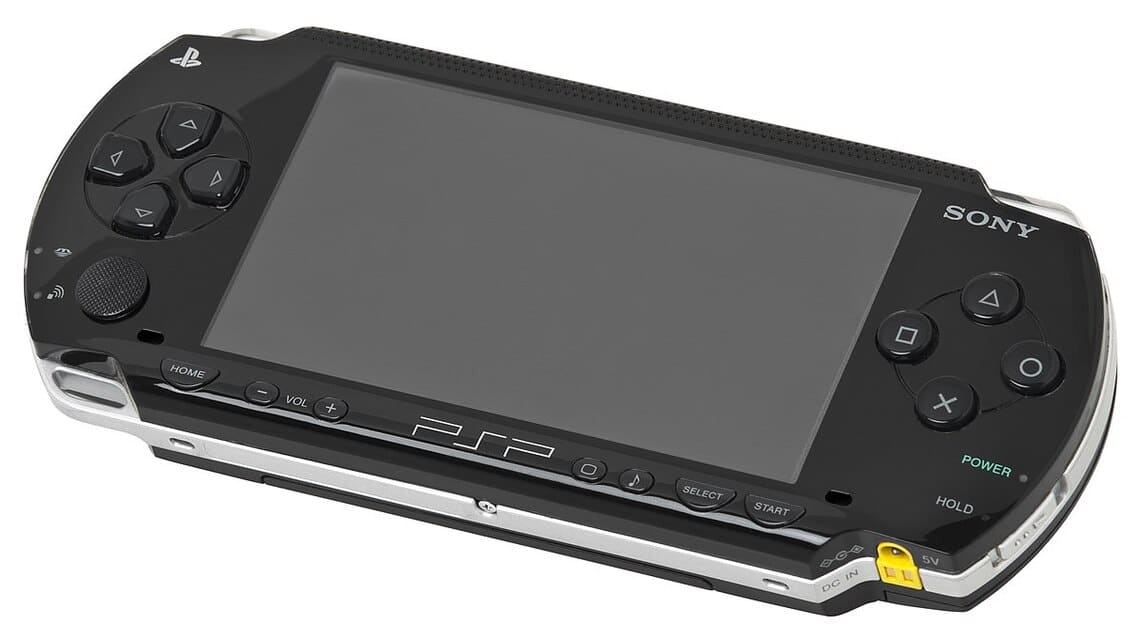
In addition to the games listed above, there are other PPSSPP game files:
- Aliens Vs. Predator – Requiem | Action, Adventure | 264MB | Downloads | Alternative
- Asphalt – Urban GT 2 | Racing | 281MB | Downloads | Alternative
- Avatar – The Last Airbender | Action, Adventure | 123 MB | Downloads | Alternative
- Avatar – The Legend Of Aang | Action, Adventure | 124MB | Downloads | Alternative
- Bleach – Heat The Soul | Action, Fighting | 267MB | Downloads | Alternative
- Bleach – Heat The Soul 7 | Action, Fighting | 405MB | Downloads | Alternative
- Burnout Legends | Racing | 246MB | Downloads | Alternative
- Burnout Dominator | Racing | 393 MB | Downloads
- Cars | Racing | 258 MB | Downloads | Alternative
- Dead To Rights – Reckoning | Action, Shooter | 97MB | Downloads | Alternative
- Def Jam – Fight For NY – The Takeover | Action, Fighting | 478MB | Downloads
- Dragon Ball Z – Shin Budokai | Action, Fighting | 197MB | Downloads | Alternative
- Dragon Ball Z – Shin Budokai 2 | Action, Fighting | 305MB | Downloads | Alternative
- Dragon Ball Z – Shin Budokai Another Road | Action, Fighting | 320 MB | Downloads | Alternative
- Dynasty Warriors | Action, Beat Em Up | 109MB | Downloads | Alternative
- Dynasty Warriors Vol. 2 | Action, Beat Em Up | 170MB | Downloads | Alternative
- FIFA Street 2 | Sports | 208 MB | Downloads | Alternative
- Final Fantasy Tactics – The War Of The Lions | Strategy | 214MB | Downloads | Alternative
- God Of War – Ghost Of Sparta | Action, Adventure | 220MB | Downloads | Alternative
- Harvest Moon – Heroes Of Leaf Valley | Strategy | 144 MB | Downloads | Alternative
- Harvest Moon – Boy & Girl | 133 MB | Strategy | Downloads
- Marvel Nemesis – Rise Of The Imperfects | Action, Fighting | 107MB | Downloads | Alternative
- Metal Slug XX | Action | 194MB | Downloads | Alternative
- Metal Fight Beyblade Portable | Action | 178MB | Downloads
- Medal Of Honor – Heroes 2 | Action, Shooter | 350 MB | Downloads
- Mega Man – Powered Up | Actions, Platforms | 257MB | Downloads
- MotoGP | Racing, Simulation | 241 MB | Downloads | Alternative
- MX Vs. ATV Reflex | Racing | 248MB | Downloads
- Naruto – Ultimate Ninja Heroes | Action, Fighting | 204MB | Downloads | Alternative
- Need For Speed – Underground Rivals | Racing, Simulation | 207MB | Downloads | Alternative
- Need For Speed – Most Wanted | Racing, Simulation | 174MB | Downloads | Alternative
- Patapon | Action, Music | 197MB | Downloads | Alternative
- Shrek The Third | Action | 348 MB | Downloads
- Spider-Man – Web Of Shadows | Action | 223MB | Downloads | Alternative
- Soulcalibur – Broken Destiny | Action, Fighting | 375MB | Downloads | Alternative
- Sonic Rivals | Racing | 113MB | Downloads | Alternative
- Sonic Rivals 2 | Racing | 238 MB | Downloads | Alternative
- SpongeBob SquarePants – The Yellow Avenger | Action | 122MB | Downloads | Alternative
- Street Fighter Alpha 3 Max | Action, Fighting | 106MB | Downloads | Alternative
- Street Fighter Zero 3 | Action, Fighting | 107 MB | Downloads
- Yarudora Portable – Blood the Last Vampire (Japan) | 1GB | Downloads
- Zill O'll Infinite Plus (Japan) | 455 MB | Downloads
- Snoopy vs the Red Baron | 157 MB | Downloads
- Rockman X – Irregular Hunter (Japan) | 354MB | Downloads
- Pirates of the Caribbean – At Worlds End | 195MB | Downloads
- Over the Hedge – Hammy Goes Nuts! | 144MB | Downloads
- Namco Museum Battle Collection | 78MB | Downloads
- Medal of Honor – Heroes 2 | 182MB | Downloads
- Legend of Heroes – A Tear of Vermillion | 19MB | Downloads
- Jissen Pachi-Slot Hisshouhou! Portable – Aladdin 2 Evolution (Japan) | 327MB | Downloads
- Hot Wheels Ultimate Racing | 94 MB | Downloads
How to Download Small-Size PPSSPP ISO Games
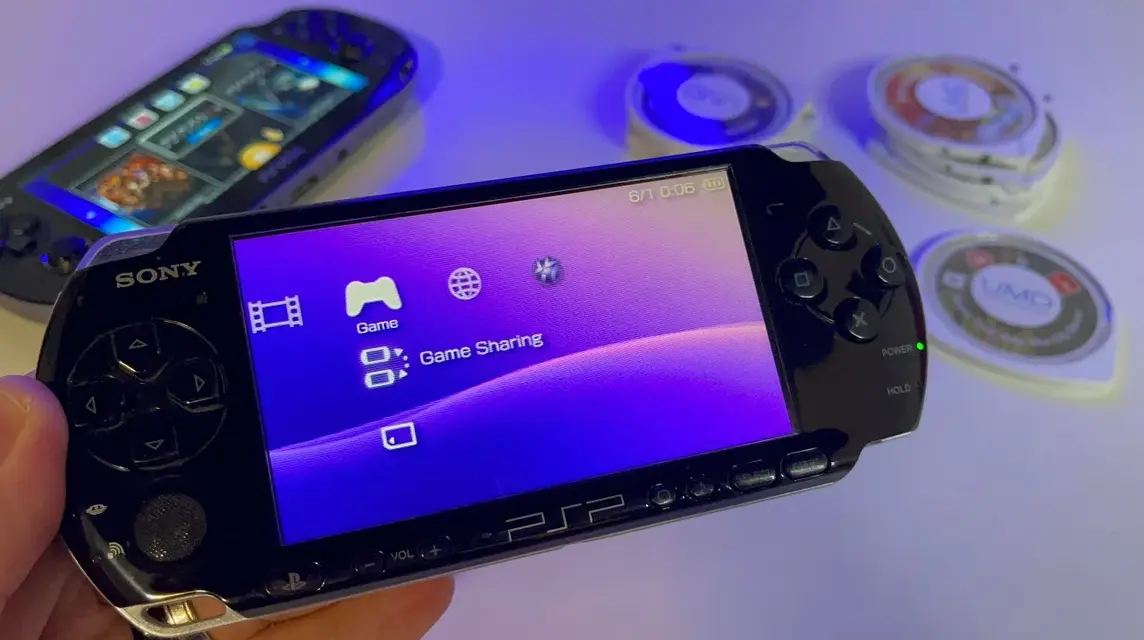
Some games on the list may be too large. Therefore, you should adjust your selection and play a collection of small-sized PPSSPP games for the best gaming experience.
Once you’ve found some small-sized PPSSPP games, you can follow these steps to download your favorite PPSSPP games:
How to Download PPSSPP Games for Android (Complete Guide)
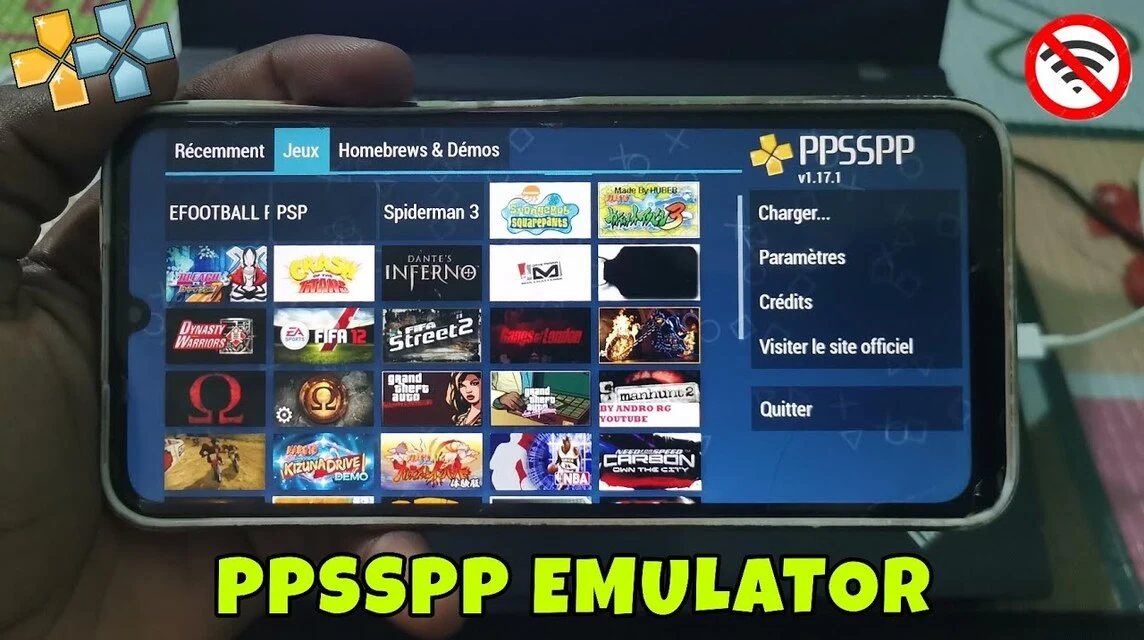
Here’s how to download PPSSPP games to play on Android:
- Open your phone’s browser, then
- Click one of the game titles in this list
- Scroll down the page, then click “Direct Download Link”
- When the CAPTCHA appears, click “Verify & Download”
- Click Downloads
- The downloaded file will be in RAR/ZIP format
How to Download PPSSPP Games for PC
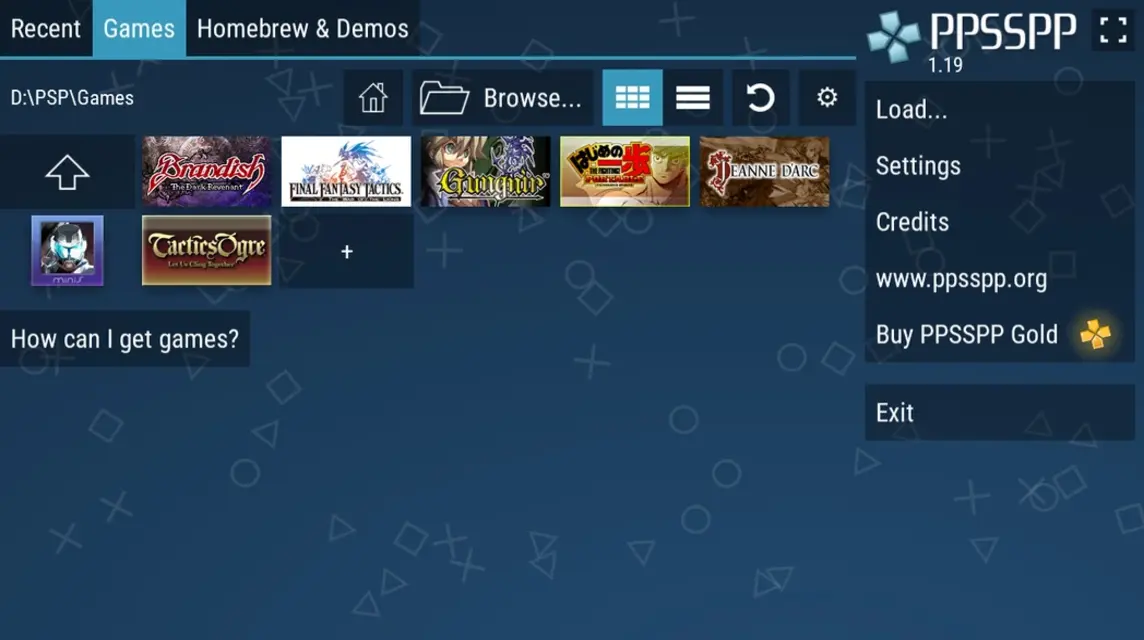
- Open your PC browser
- Click one of the game titles in this list
- Scroll down the page, then click “Direct Download Link”
- When the CAPTCHA appears, click “Verify & Download”
- Click Downloads
- The file that is successfully downloaded will be in RAR/ZIP format.
PPSSP Game Installation Guide
Now that you know how to download PPSSPP games for PC and Android, the next step is to learn how to install PPSSPP games on both platforms.
Before you do that, make sure the PPSSPP game is small in size, because if it’s too large, it will put too much strain on your device. Here are the steps you need to follow to install PPSSPP games:
How to Install PPSSPP Games on Android
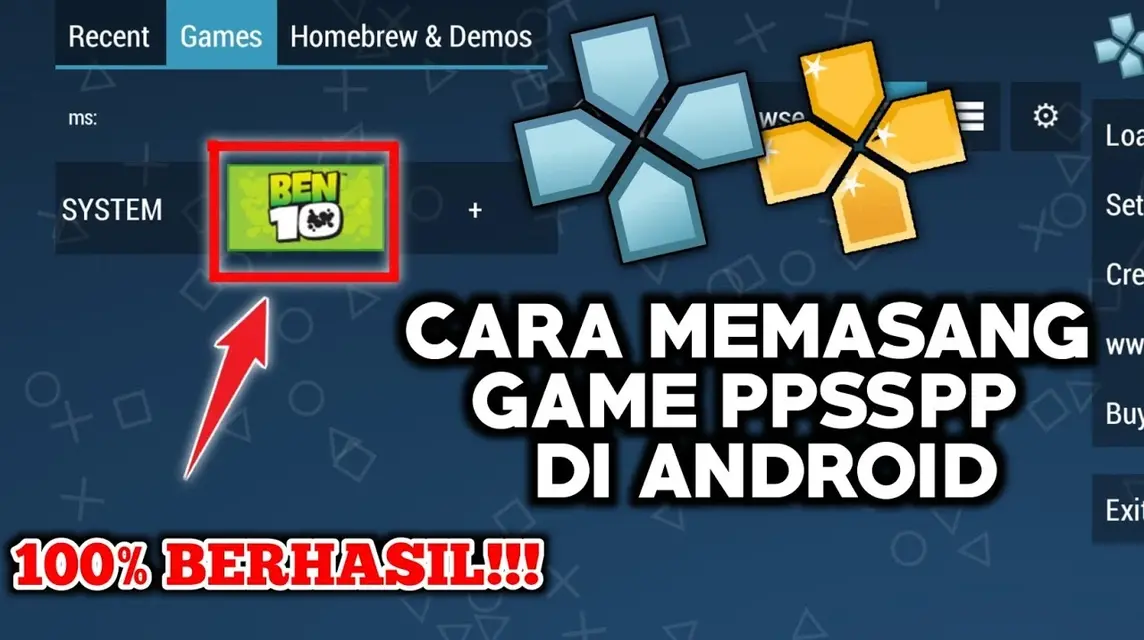
- Download the PPSSPP application for Android;
- After successfully opening the application and looking for the game file that you downloaded previously;
- After the process is successful open the game;
- Enter settings to adjust game performance;
- Activate FPS to optimize game performance.
How to Install PPSSPP Games on PC
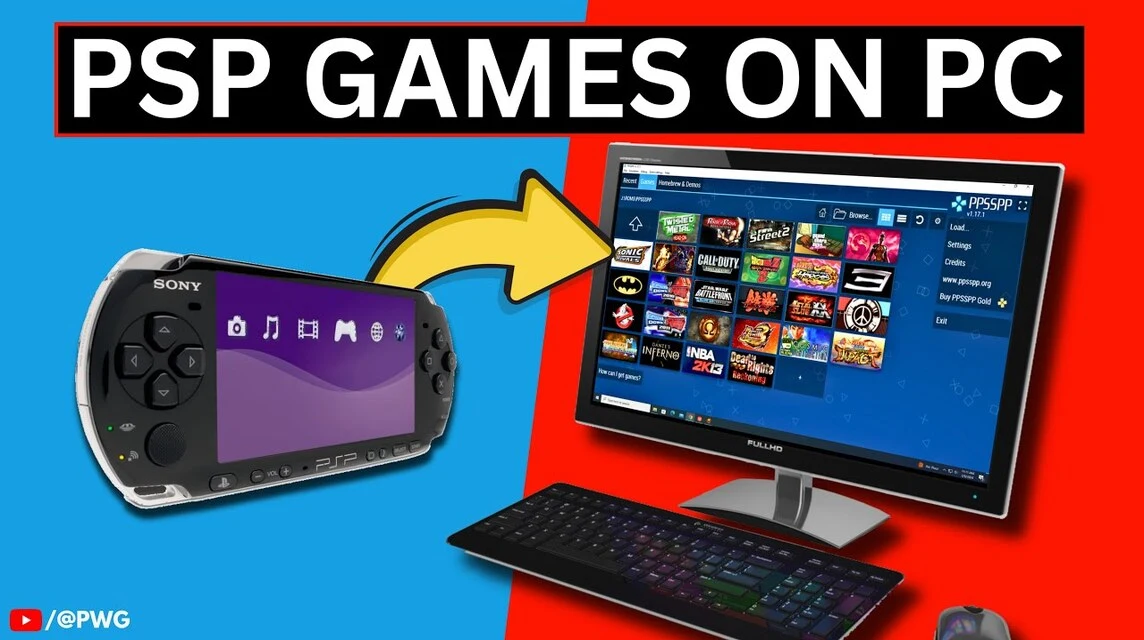
- Install PPSSPP application for PC Windows (PPSSPP link);
- Open the application then look for the game that you downloaded previously;
- Open the PPSSPP game that you have opened;
- Optimize performance by clicking "Show Menu FPS Counter".
How to Install on iOS
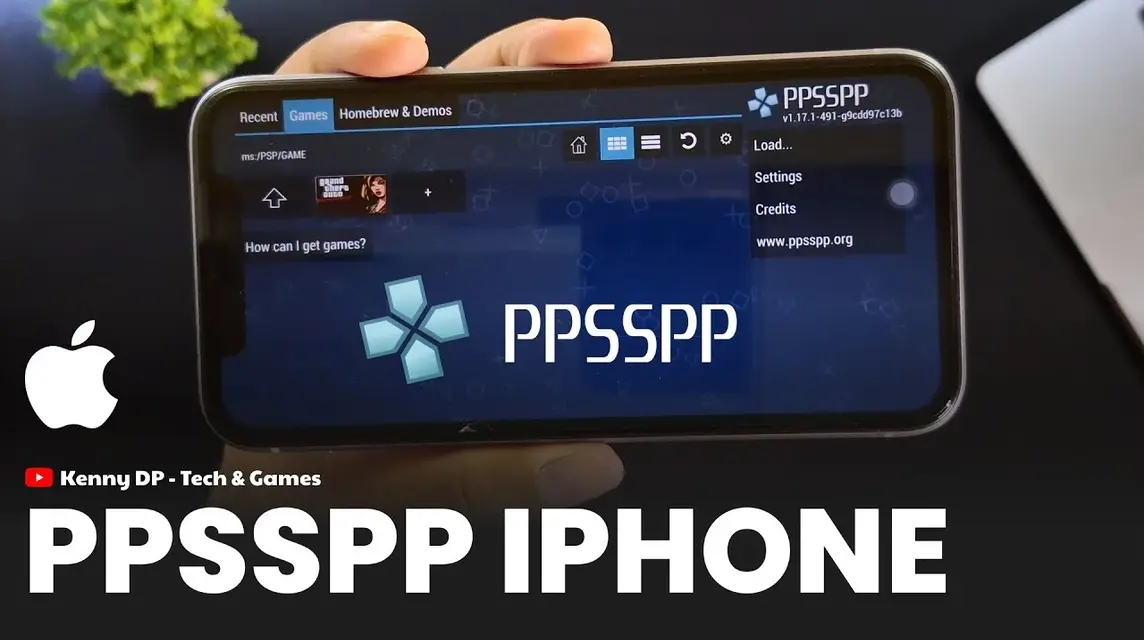
Playing PPSSPP games on iOS is very easy—you can download the PPSSPP emulator, which is officially available on the Apple App Store.
This allows you to play PSP games on your iOS device without having to install them manually. For more information on how to use it, check out the instructions below:
- Open the Apple App Store and type “PPSSPP – PSP Emulator”;
- Click download then wait until the process is complete;
- Before installing, download the PPSSPP game from the list above which has ISO format;
- If you have saved the PPSSPP file on your iPhone, you can go to File > Click "On My iPhone > then go to the ISO file storage folder;
- Click “Option” in the upper right corner of the screen > Select all the PPSSPP games you want to install;
- Select “Move Folder” > Select “On My iPhone” > Select the “PSP” folder > Put it in the “game” folder;
- Next, enter the PPSSPP emulator > Click “PSP” > Click the “Game” folder;
- On that page you can see the game you just selected.
- The game is ready to play.
To optimize game performance, you can adjust the emulator settings first. For more information on PPSSPP emulator settings for iOS, check out the Levelup iD YouTube page at the following link [KLIK DI SINI].
What Are the Benefits of PPSSPP Gold?
Well, for those of you who want to play small-sized PPSSPP games more smoothly, you can use PPSSPP Gold.
PPSSPP Gold is an emulator that offers faster performance than the free version.
The compatibility of the PPSSPP Gold version is often better than that of the regular version. This means you can play more games with this version.
There are also additional features that aren’t available in the free version. These features include more extensive customization options, support for certain plugins, or other exclusive features.
Also read:
So, those are some complete recommendations for a list of small-sized PPSSPP ISO game downloads that you can try.
FAQ About Downloading Small-Size PPSSPP ISO Games
Small-sized or highly compressed PPSSPP games are PSP (PlayStation Portable) games that have been compressed from their original size (which can reach 1GB+) to a much smaller size, usually under 100MB, and some are even under 50MB.
ISO: Intact game files, more stable performance, larger size.
CSO (Compressed ISO): Compressed game files, much smaller in size, but sometimes make the game lag a bit on older devices.
Save Storage: Very suitable for limited HP memory.
Light: Can be played on low-end Android devices.
Fast Download: Save internet quota
The extracted file is corrupt/damaged (try downloading again).
The emulator graphics settings are too heavy (try changing them to OpenGL Backend and lower the resolution).
File format not recognized (make sure .iso or .cso).

Use trusted sites to avoid malware. Ensure the downloaded file is in .iso or .cso format and doesn't prompt you to install any other suspicious applications.
Many sites provide lists 120+ best small size PPSSPP games (examples: Aces of War, Adventures to Go!).
Generally, it doesn't change graphics or features. Only certain data is compressed.
Games are categorized as light if their size is under 500MB, some are even under 100MB.
Generally smooth, but too high compression can sometimes cause glitches or loading which is old.
Adventures to Go! (54MB)
Aces of War (122MB)
Activision Hits Remixed (183MB)
There are many other games under 200MB that are fun to play.
Under intellectual property law, downloading digital copies of PSP games (in ISO or CSO format) from the internet without first owning the physical disc is considered unauthorized and illegal. To be legally able to do so, you must purchase the physical PSP game and convert it to an ISO file yourself.
You’ll need to download the app first, find the game file (ISO/CSO) online, and then open the file using the browser menu (browse) within the PPSSPP app. Make sure the game file has been extracted if it’s in .zip or .rar format. browsers (browse) within the PPSSPP application. Make sure the game file has been extracted if it's in .zip or .rar format.
MLBB Product Recommendations


 BV2SHOP
 DEMPET STOREBV2SHOPBV2SHOP
 TopMur
 RudyStorezBV2SHOPBV2SHOPTopMur
 AM08SHOP



 News
News




