- Use SnapTik IG via browser to download photos, videos, Reels, and carousel of posts Instagram public without installing the application.
- Respect copyright: do not download or reupload content without permission; the service cannot access private accounts and do not provide passwords or OTPs.
SnapTik IG: An Easy Way to Download Instagram Content
In today's Instagram (IG) ecosystem, SnapTik IG become one of the sites that is widely used by users social media. Hmm, what's its function? Is it really that important?
Now, for those who've experienced using Instagram in the "old days," the SnapTik feature is incredibly important. So, if you're curious about the details, check out this review!
Also read:
Social Media Needs

In today's digital world, social media has become one of the lifebloods of society. Every aspect of life is inextricably linked to the functions and benefits of its various platforms.
The audience can also choose according to their needs, starting from Facebook, X (former Twitter), to even the newest one, namely Threads. But many people's choice is of course Instagram.
This platform, developed by Meta, is often used by users to share photos, videos, and even Reels content. And every day, you can find a variety of interesting content there.
But, Instagram which no longer offers the option to save content directly to the device's gallery. Therefore, some users are looking for alternatives like SnapTik IG.
SnapTik IG Function

SnapTik IG is a website-based service that allows users to download Instagram content via post links. The great thing is, you don't need to install any additional apps.
The entire process can be done through a browser. Furthermore, it's quite simple to use, making it suitable for those who want to save content for offline viewing.
In fact, this is what makes the service so appealing: its simplicity. SnapTik IG can also be accessed from various devices (PC or mobile), anytime, anywhere.
And not only via Android and iOS smartphones, you can also access it via tablets. However, please note that feature availability is subject to change.
You can try downloading various types of content, from videos and photos to Reels and carousels. This way, you won't have to take screenshots or record your screen anymore.
How to Use SnapTik IG
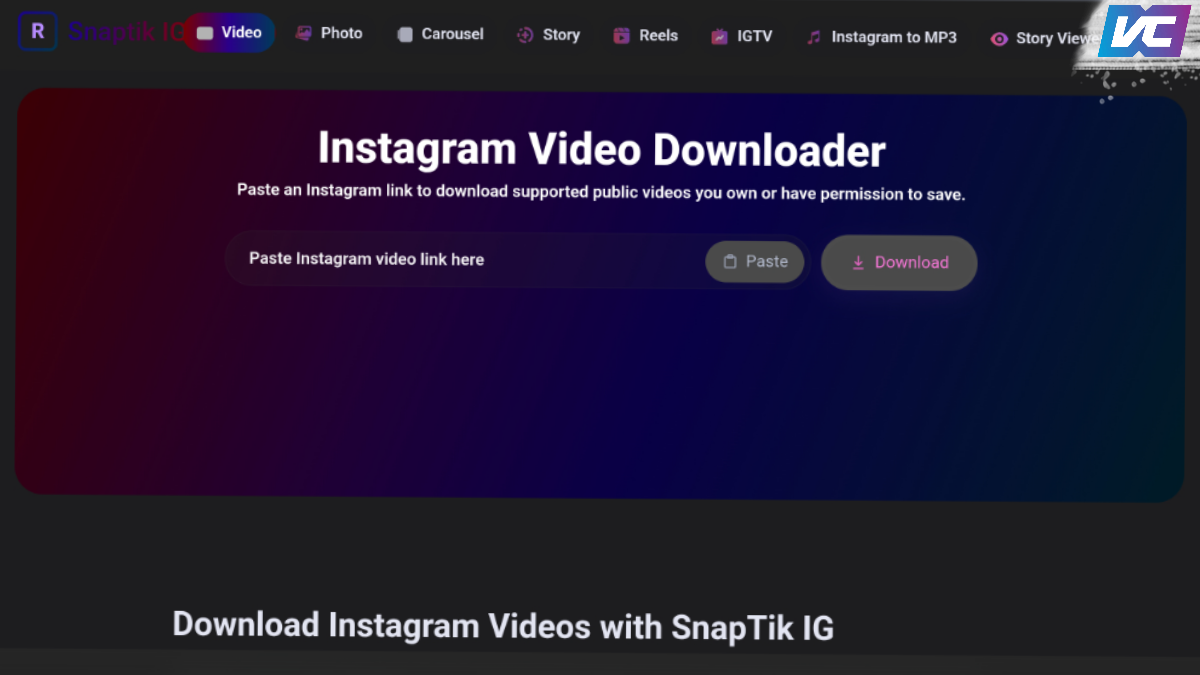
Now, let's get straight to the main topic: how to use SnapTik on Instagram. The step-by-step process is quite easy, and you can follow it in a few simple steps.
To download, you only need the post link. Also, make sure the content you want to download comes from an account that's set to public and not private.
Copy the post link and paste it into the provided field. Once done, press the "Download" button, and a preview of the content you wish to download will appear.
Select the photos/videos you need, then press the "Download photo"/"Download video" button. And that's it! Your selected content will automatically download. Easy, right?
Use of Other People's Content

Equally important, ensure you don't just use other people's content without permission. If you want to reupload, ensure you won't run into any licensing issues.
There's a lot of content out there that you can use freely or with easy permissions. Some of these require attribution, such as simply citing the source or mentioning the account.
However, most certainly require some level of permission. For these, you'll usually need to contact the content creator personally, for collaborations, or endorsements.

Disclaimer: VCGamers does not recommend the use of SnapTik IG for the purpose of taking other people's content with the intention of using it without permission or in an illegal/unlawful manner.
Also read:
So, that's a complete overview of the functions and how to use SnapTik for Instagram. If you found this article helpful, don't forget to share it on social media and with your friends!
FAQs:
SnapTik IG is a web-based service that helps users download Instagram content via public post links. So, you can try saving photos, videos, Reels, and carousels without installing any additional apps.
First, copy the video link from Instagram. Then, open the SnapTik IG website and paste the link into the download field. Once the system processes it, select the available download option to save the video to your device.
Yes, SnapTik IG can be accessed through a browser on both Android and iPhone phones. This means you don't have to use a computer to download Instagram content.
No, this service is intended for publicly accessible content. Therefore, you cannot rely on it to open or download posts from private accounts.
You still need to be careful when using third-party services. Ensure the website address is correct, avoid suspicious links, and never give out your Instagram password or OTP code. Furthermore, use downloads while respecting the creator's copyright.
MLBB Product Recommendations


 BV2SHOP
 DEMPET STOREBV2SHOPBV2SHOP
 RudyStorez
 BANGJEFF
 TopMurBV2SHOP
 AM08SHOPBV2SHOP


 News