
- Make sure the login data (email/username and password) are correct; use the feature Forgot the password if necessary.
- Check internet connection stable and change network or use Airplane Mode to refresh if ping is high.
- Clear cache, game updates, and contact Moonton Customer Service if all solutions fail.
Moonton Login: How to Login, Reasons Why You Can't Login, and Solutions
Login Moonton This is the primary step to accessing your Mobile Legends account and other Moonton games without losing progress. Everything from rank, heroes, skins, and game history is connected to this account.
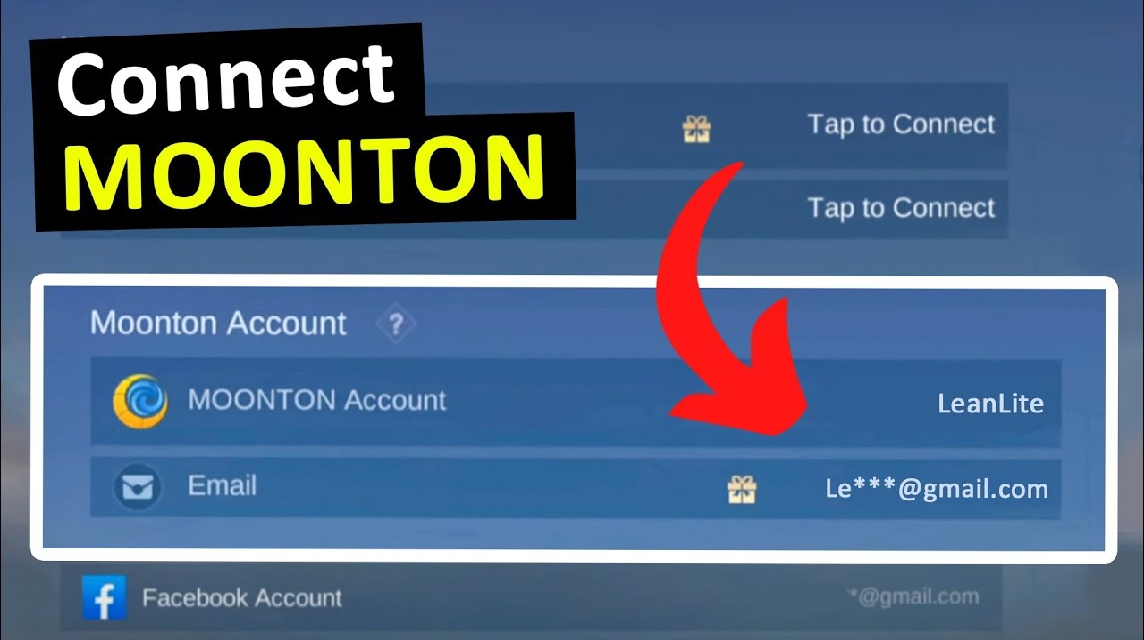
Unfortunately, quite a few players are still experiencing problems logging in. To help you avoid any confusion, here's a complete explanation of how to log in to your Moonton account, organized more neatly with bullet points and numbers for easy understanding.
How to Login

To be able to log into your Moonton account, you can follow these steps:
- Open the Mobile Legends game
- Make sure the application is installed and running normally on your device.
- Wait until you get to the game's home page.
- Select login method
- Tap the login menu or enter your account.
- Select one of the following methods:
- Moonton account
- Google Play Games
- VK (if available)
- Login using Moonton account
- Select the “Login with Moonton Account” option.
- Enter your registered email or username.
- Type the password correctly then click login.
- Login with third party account
- Make sure your Google or Facebook account is active on your phone.
- Allow access when prompted by the system.
- Wait until the account is automatically connected.
- Make sure your internet connection is stable
- Use a smooth network so that the verification process runs quickly.
- Avoid logging in when the signal is weak as it can cause login failure.
Also read:
- Overcoming ML Login Failure: Learn 5 Reasons to Overcome It
- How to Login to Your ML Account on Another Phone Safely Without Losing Data
- Practical Ways to Check ID ML Outside the Application
Reasons Why You Can't Login

If you can't log in to Moonton, it's most likely due to the following reasons:
- Incorrect email or password
- Capitalization and lowercase errors often go unnoticed.
- Passwords with certain symbols are also prone to typos.
- Unstable internet connection
- High ping or intermittent network connection causes login to fail.
- The server is having difficulty verifying your account data.
- Moonton server is under maintenance
- Usually occurs during major updates or certain events.
- Login will return to normal after maintenance is complete.
- Application cache buildup
- Too many temporary files can trigger errors.
- Including errors when logging into the account.
- Account not yet bound
- Accounts that are not connected to Moonton, Google, or Facebook are more prone to problems.
- The risk of losing your account is also greater.
Solution for Unable to Login
If you already know the cause, now is the time to try the following solutions:
- Double check your login details
- Make sure your email and password are correct.
- Use the “Forgot Password” feature if you don’t remember.
- Check and change internet connection
- Change internet connection from WiFi to cellular network
- Refresh connection with Airplane Mode
- Clear app cache
- Go to HP settings.
- Select the Mobile Legends application.
- Click clear cache (not data).
- Update the game to the latest version
- Open Play Store or App Store.
- Update Mobile Legends if available.
- Older versions are often incompatible with the latest login systems.
- Contact Moonton Customer Service
- If all else fails, this is the last resort.
- Prepare important data such as ID account, server, and proof of ownership.
By understanding how to log in to Moonton, the reasons why you can't log in, and the right solutions, you can avoid the problem of losing your account or failing to log in when you want to play.

Also read:
- Guide to Transferring and Logging into a Mobile Legends Account to a New Phone
- How to Create an Official Moonton ML Tournament Room
- How to Check ML Account Creation Date
Make sure your account is always connected properly to ensure your gaming experience remains safe and comfortable.
MLBB Product Recommendations


 BV2SHOPBV2SHOPBV2SHOP
 BANGJEFF
 TopMur
 KING OF DIAMONDSKING OF DIAMONDSBV2SHOP
 RudyStorezTopMur


 News
News




