

- Unreg Method: Unreg via Dial (*123*4444#), SMS (UNREG#NIK to 4444), or official website fast and easy.
- Delete NIK when SIM is lost: Visit XL Center or contact Customer Service with KTP & KK for manual process.
- Safety Tips: Make sure NIK & KK Correct, do it when the signal is stable, save proof of registration, unregister before changing the number.
How to Unregister Your XL Card: Remove Your NIK and Safe Tips
If you are looking for a way to unregister your card XL, you're most likely changing your number, losing your SIM card, or simply want to securely remove your personal data. Don't worry, the unregistering process isn't complicated and can be done directly from your phone. The important thing is to know the correct steps to prevent your NIK and KK from getting stuck in the operator's system.
In this article, you'll learn how to unregister your XL card, how to remove your NIK from a lost SIM card, and tips to ensure the process runs smoothly. Let's get started!
How to Unregister an XL Card
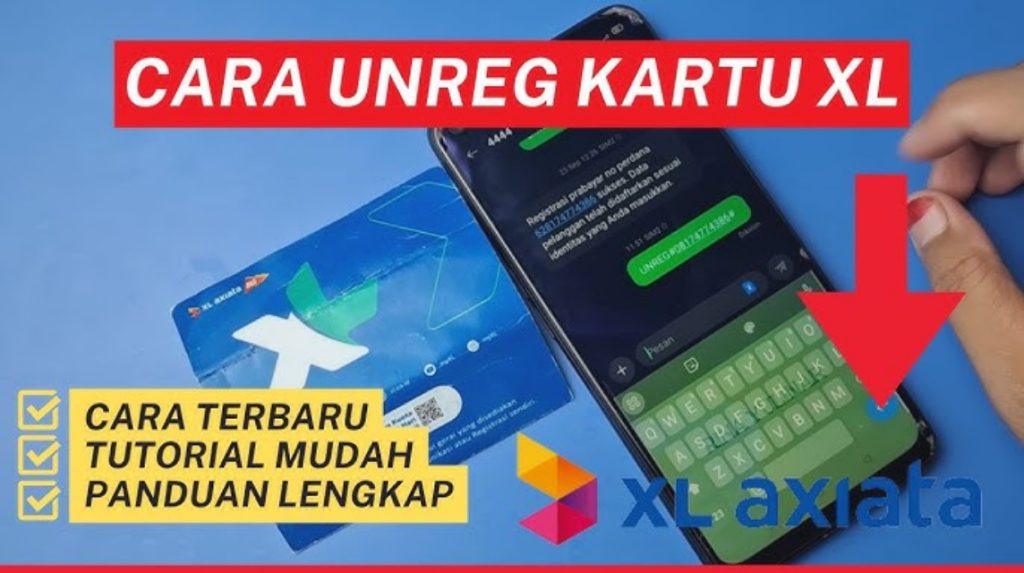
XL provides several options for unregistering, so you just have to choose the easiest way for you:
Unregister XL via Dial 123
This is the quickest and most commonly used method.
- Open the Phone app.
- Type *123*4444# then call.
- Select the Unreg menu.
- Enter the previously registered NIK.
- Confirm and wait for success notification.
If the data you entered is correct, the unreg process will be processed immediately in a matter of seconds.
Also read:
Unregister XL via SMS
This method can be an alternative if the dial menu is experiencing an error.
- Open SMS.
- Type the format:
UNREG#NIK - Send to 4444.
- Wait for confirmation reply.
Make sure you type your NIK correctly, so the system doesn't reject your request.
Unregister XL via the Official Website
If you are more comfortable using a browser, you can visit the XL registration website.
- Go to the XL card registration page.
- Select the Unreg menu.
- Fill in the XL number, NIK, and verification code.
- Submit and wait for notification.
This method is suitable if you have internet and want a neater process.
How to Delete NIK on a Lost XL SIM Card

Well, this is often a concern.
"I lost my XL number, how do I unregister it?"
Don't worry, you can still unregister even if you no longer have your SIM card. There are two main ways:
Unreg Via XL Center
This is the surest and safest way.
- Come to the nearest XL Center.
- Bring original KTP & KK.
- Tell the officer if you want to delete the NIK from the lost number.
- The officer will process it manually via the operator system.
This method is 100% successful as long as your data matches what is registered.
Contact XL Customer Service
If your location is far from XL Center, you can contact CS.
- Telephone: 817 (from XL number) or official XL call center.
- Prepare data:
- Full name
- Date of birth
- NIK & KK
- Lost XL number
Later, CS will verify your identity and help you with the unreg process from the system.
Tips for Unregistering XL Cards to Avoid Failure

The unreg process is usually quick, but it can sometimes fail if there's inaccurate data. To ensure a smooth process, follow these tips:
1. Make sure your NIK & KK match
A single digit error can cause the system to reject your application. Check the details before submitting.
2. Unregister when the signal is stable.
Typically, unregistering via dial or SMS requires a good signal. A weak signal can cause system errors.
3. Unregister Before Changing to a New Number
Sometimes you want to use the same NIK for a new number. To avoid the three-number registration limit, it's best to unregister first.

4. Save Proof of Registration
If you have a photo of your family card (KK) or a note of the NIK number you used to register, save it. This will help if you encounter any issues later when unregistering.
5. If you lose your number, don't panic.
There are still options available to contact the XL Center or customer service. The important thing is to have your identification documents ready.
How to actually unregister an XL card gIt's not difficult and can be done via dialer, SMS, or the website. Even if you lose your card, you can still delete your NIK through the XL Center or customer service. The important thing is to ensure the data is correct and follow the steps correctly.
Also read:
By unregistering, you can protect your privacy, prevent misuse of your number, and ensure your NIK remains secure in the operator's system. We hope this guide helps you easily unregister your XL card!
MLBB Product Recommendations

 BV2SHOP
 BANGJEFFBV2SHOPBV2SHOP
 TopMurBV2SHOP
 RudyStorezBV2SHOPRudyStorezTopMur



 News
News




