

- Use BI-FAST for real-time transfers from BCA to Sea Bank, cost only Rp. 2,500 per transaction.
- Past BCA Mobile or ATM: select Interbank Transfer, enter the number Sea Bank, choose BI-FAST, confirm, enter PIN.
- Before sending, check the account number Sea Bank and name, make sure the balance is sufficient for the nominal plus fees, keep proof until the funds arrive.
How to Transfer Funds from BCA to SeaBank and the Fees
Transfer money from BCA to Sea Bank This can be done easily through mobile banking or ATMs. For those of you who frequently make interbank transactions, choosing the right transfer method is also important to keep admin fees low.
One option is BI-FAST. This service allows real-time interbank transfers, and the current transfer fee from BCA via BI-FAST is IDR 2,500 per transaction.
Also read:
- Code and How to Transfer Between Banks with Seabank
- How to Transfer (TF) DANA without Premium Upgrade
- OVO to BCA Transfer Code: How to Send, Fees, and Solutions for Failed Transfers
How to Transfer Funds from BCA to SeaBank via BCA Mobile

Transferring funds from BCA to SeaBank can be done directly through the BCA mobile app. Before transferring, ensure you know the recipient's SeaBank account number and account holder's name to avoid sending funds to the wrong bank.
Here are the steps you can follow:
- Open the BCA mobile application and go to the m-Transfer menu.
- Select Interbank Transfer.
- Select the destination bank SeaBank.
- Enter the recipient's SeaBank account number.
- Enter the nominal amount of money you wish to transfer.
- In the transfer services section, select BI-FAST if available.
- Please double check the recipient's name, account number, nominal amount, and admin fee.
- Click Send or continue the transaction.
- Insert PIN m-BCA to complete the transfer.
BCA does offer interbank transfers via BCA Mobile, with both BI-FAST and online transfer options. The fee for BI-FAST is Rp2,500, while online transfers are Rp6,500.
Fees and How to Transfer via BCA ATM
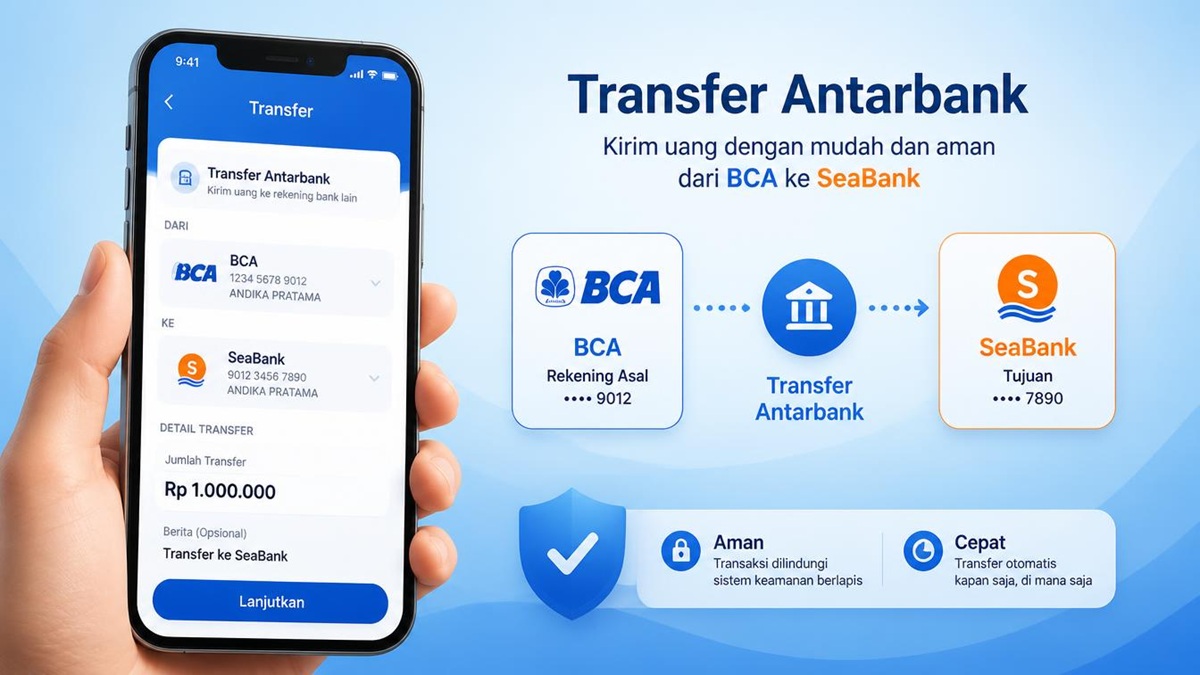
Besides using the app, you can also send money to SeaBank via a BCA ATM. This option is suitable if you don't have access to mobile banking or prefer using an ATM.
For interbank transfers via BCA ATMs, the online transfer fee is Rp6,500. Meanwhile, if you choose the BI-FAST service available at BCA ATMs, the fee is Rp2,500 per transaction.
Before completing the transaction, ensure the bank name and account number displayed on the screen are correct. Do not immediately press the confirm button if any information appears to be different.
BI-FAST itself is designed for fast domestic transfers and can be used around the clock. Therefore, this method is quite practical for transfers to other bank accounts.
Tips to Ensure Your BCA to SeaBank Transfer Doesn't Fail

To ensure the transfer process runs smoothly, there are several things you should pay attention to. First, double-check your SeaBank account number before entering the amount. A single digit error could result in the money being transferred to the wrong account.
Second, ensure your BCA balance is sufficient to cover the transfer amount and the administration fee. If using BI-FAST, prepare an additional Rp2,500 for the transaction fee.
Third, after a successful transaction, keep proof of transfer until the funds are actually credited to the recipient's account. SeaBank states that transfer transactions can be processed and confirmed in real time.
If the transfer hasn't been received, don't immediately initiate a second transaction. First, check the transaction status and account statement to confirm whether the funds have been deducted.
Also read:
- Pay Using Seabank, Top Up Robux and Get a Discount
- GoPay BCA Code: How to Transfer, Fees, and Solutions if Failed
- How to Top Up Mobile Legends Using GoPay, OVO, DANA
By choosing BI-FAST, the BCA transfer process to SeaBank is convenient and relatively inexpensive. Just ensure the destination account details are correct before confirming.

FAQs
BI-FAST is charged Rp. 2,500 per transaction.
Yes, transfers can be made via BCA ATM.
Yes, especially if you use BI-FAST.
Make sure the bank name, account number and nominal amount are correct.
MLBB Product Recommendations


 BV2SHOPBV2SHOPBV2SHOP
 RudyStorez
 TopMurBV2SHOPBV2SHOPTopMurBV2SHOPBV2SHOP


 News
News




