
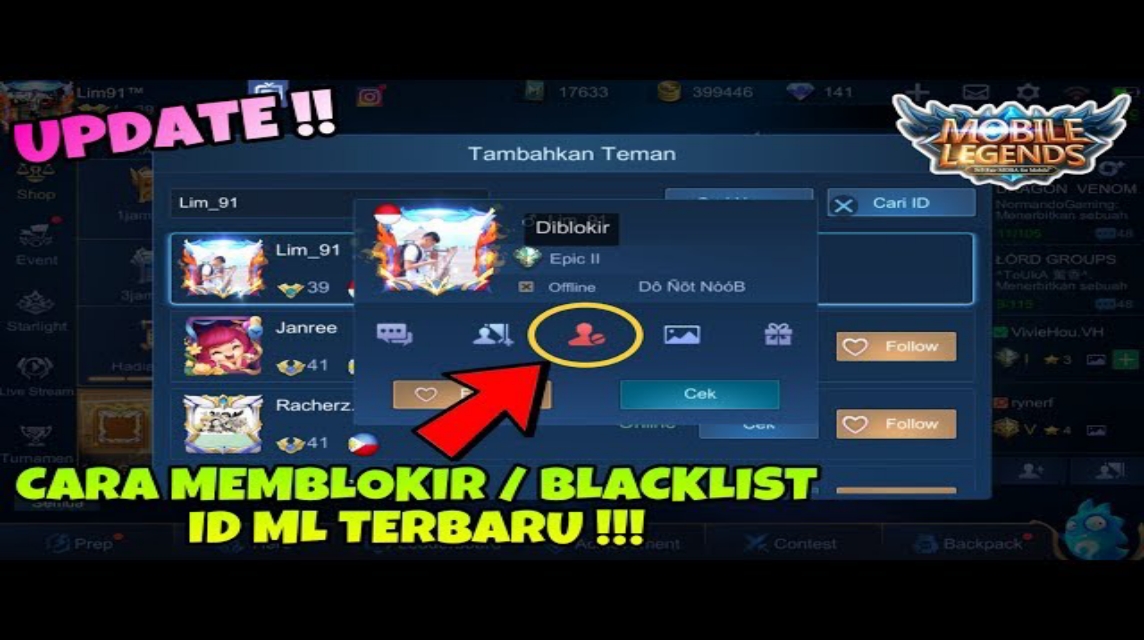
- Blacklist Feature: Block players so they can no longer be matched in matchmaking, increasing comfort and reducing drama.
- How to Blacklist: Can be via the match results screen, player profile, or menu Social → Blacklist to add or delete.
- How to Check: No official notification; possible signs include not being able to invite, rarely matching together, or in-game messages not being sent.
How to Blacklist ML: Functions, Tutorials, and How to Check
If you play often Mobile LegendsYou've probably encountered toxic players, feeders, or even friends who make you angry because they refuse to cooperate. Well, instead of getting frustrated, you can use the Blacklist feature in ML.
Moonton provides this feature to ensure players can maintain a comfortable playing experience, especially for those who want to safely rank up without drama.
MLBB Product Recommendations

 BV2SHOP
 BANGJEFFBV2SHOPBV2SHOP
 TopMurBV2SHOP
 RudyStorezBV2SHOPRudyStorezTopMur
In this article, we'll discuss the blacklist function in Mobile Legends, how to blacklist in ML, and how to check if you're blacklisted by another player. Everything is explained in simple language for easy understanding.
Also read:
- How to Check ML Winstreak, Know Your Winning Record!
- Sora's Skill Information and Release Date in Mobile Legends
- The Correct Way to Surrender in Mobile Legends: Beginners Must Know
Blacklist Function in Mobile Legends

The Blacklist feature allows you to block certain players from re-entering your team during the matchmaking process.
Even though it looks simple, its impact is very significant in increasing playing comfort, here are some of its functions:
Avoiding Toxic Players
If you've ever been on a team with a player who likes to AFK, is toxic, or is reluctant to cooperate, the blacklist feature can help you avoid encountering that player again in future matches.
Making Push Rank More Comfortable
When you're pushing Mythic or Mythical Glory, consistency is crucial. So, if there's a player who keeps making you lose, just blacklist them. The system will reduce your chances of teaming up with them again.
Avoiding Former Mabar Friends
Sometimes, in-game friends who were once fun to play with become annoying over time. If you're uncomfortable removing a friend, blacklisting them can be an option to prevent you from playing or matching with them again.
Creating a Healthier Play Environment
With the blacklist, you can "cleanse" the pool of players who frequently ruin your matches. This feature helps create a more comfortable and drama-free ecosystem.
How to Blacklist ML
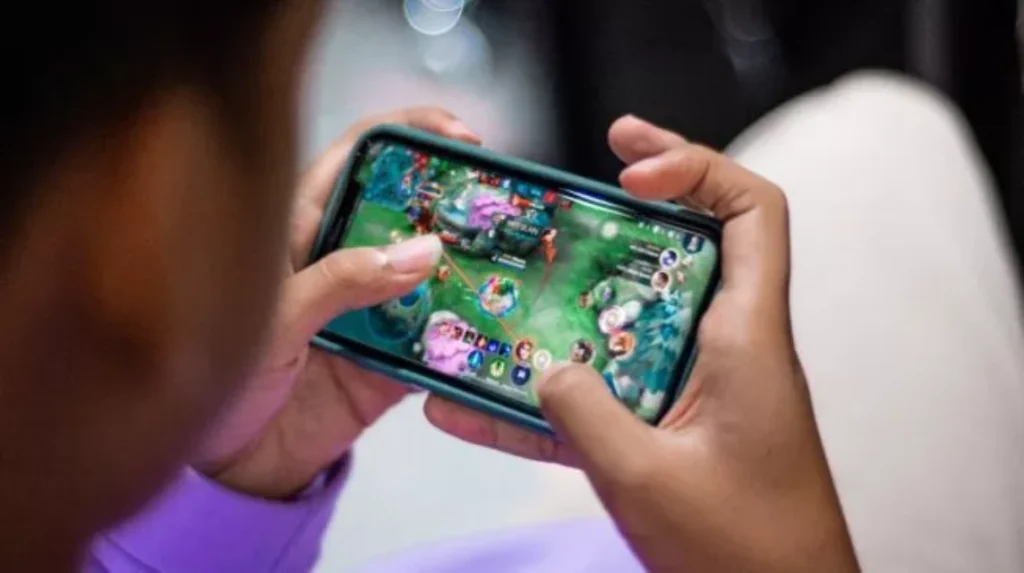
Blacklisting a player in Mobile Legends is actually quite easy. Here are the steps:
Via Match Results Page
After the match is over (win or lose), you can immediately blacklist certain players.
- Wait for the match statistics screen to appear.
- Find the player you want to blacklist.
- Click on the player's profile.
- Select the Blacklist or Add to Blacklist option.
- Confirmation.
This method is the fastest because you can immediately blacklist the player who just made you annoyed.
Through Player Profile
If you remember the player's name, you can search through the profile:
- Go to the Friend List column or use the Search Player function.
- Type the nickname of the player you want to blacklist.
- Open his profile.
- Click the Blacklist button.
Done. That player will no longer appear as a teammate.
Via the Blacklist Menu (Social Settings)
Mobile Legends also has a special menu to manage your blacklist:
- Go to the Social Menu.
- Select the Blacklist tab.
- In this menu you can add or remove players from the blacklist.
This feature is useful if one day you change your mind and want to unblacklist someone.
How to Check if You Are Blacklisted?
Many players are curious: "Can we know if we are blacklisted by someone?"
The answer: Officially, no.. Mobile Legends doesn't provide any notifications or indicators if your account is blacklisted by someone. This feature is intentionally kept private to avoid conflict between players.
But there are some signs that might happen if you are blacklisted:
Can't Invite Friends to Party
If you've been playing regularly with someone, and then suddenly you can no longer invite them, it could be that they've set social boundaries or blacklisted you.

No Longer Appears in Matchmaking
If you frequently meet the same person, then suddenly stop matching, you might be on their blacklist. However, this isn't always accurate, as matchmaking is very broad.
Can't Send In-Game Messages
If your message to someone is not sent or not received, it could be that they are limiting social interactions, including blacklisting you.
The ML Blacklist feature is very useful for maintaining a comfortable gameplay, especially if you frequently encounter toxic or uncooperative players. Blacklisting ML is also very easy; you can do it through match results, player profiles, or the social menu.
Also read:
- What Does Hyper Mean? A Complete Explanation for Beginner ML Players
- How to Disable HFR Mode in ML
- How Many Days Until the ML Season? Check the Season Reset Schedule Here
While you can't definitively check whether you're blacklisted by another player, some signs can be clues. The important thing is to use this feature wisely to make your Mobile Legends experience more enjoyable.




 News
News




