

- Download and install the emulator PCSX2, then prepare the file BIOS and do the initial setup to run the game PS2 on PC.
- Set graphics, audio, controls in emulator, load files ISO, and connect joystick or gamepads for convenience.
- Use adequate specifications: Intel Core i3 processor or equivalent, minimum 4 GB RAM, DirectX10/OpenGL3 GPU, as well as storage space.
Check out how to play PS2 games on a PC or laptop easily.
Many people still want to play classic PS2 games for a different experience. Therefore, many are looking for ways to play them. PS2 on PC so you can still enjoy your favorite titles without having to own a console.
Nowadays, playing games from the console on a computer is no longer difficult. With the help of emulators, various PlayStation 2 titles can be played directly on a PC or laptop.
MLBB Product Recommendations

 BV2SHOP
 BANGJEFFBV2SHOPBV2SHOP
 TopMurBV2SHOP
 RudyStorezBV2SHOPRudyStorezTopMur
Besides being more practical, this method also allows players to enjoy games with more flexible settings. Therefore, playing PS2 games on PC is often a solution for gamers looking to relive their old collections.
Also read:
How to Play PS2 Games on PC

Follow the steps below so you can play various PS2 games on your PC easily and for sure it's fun.
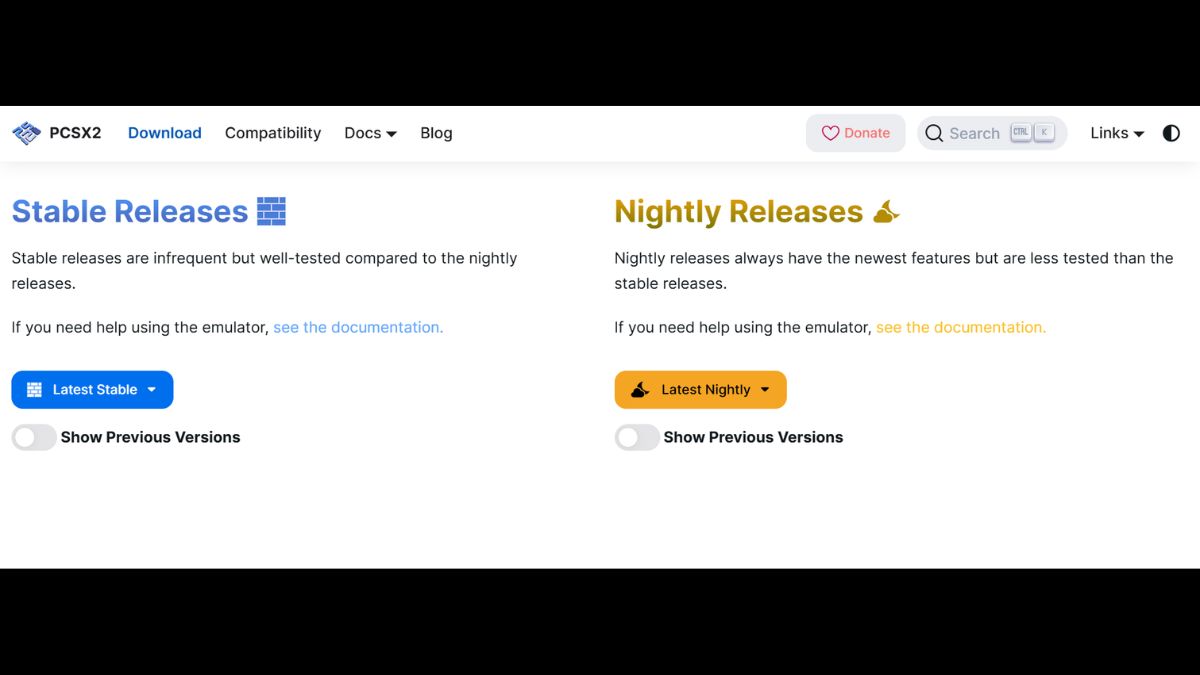
- Download and install the PS2 emulator: First, download PS2 emulator such as PCSX2, then install it on your computer or laptop. Once the installation process is complete, open the application to continue the initial setup;
- Prepare the PS2 BIOS file: The emulator requires a BIOS file to run the system like a real console. Save the file to an easy-to-find folder and select it from the emulator's settings menu.;
- Perform emulator setup: Go to the configuration menu to adjust the graphics, audio, and controls as needed. These settings help the game run more stably on your computer.;
- Prepare PS2 game files: Games are usually available as ISO files that can be run through an emulator. Make sure the file is saved on your computer so you can easily select it when you want to play.;
- Run the game through the emulator: Open the emulator and select the menu to load the previously prepared ISO file. Once the process is complete, the PS2 game will appear on your computer screen.;
- Use a joystick or gamepad: For a more comfortable gaming experience, you can connect a joystick to your computer. Button controls can also be adjusted through the emulator's settings menu.
PC Specifications for PS2 Games
Know the ideal PC specifications to maximize your PS2 gaming experience on PC.
- Processor: To run the PS2 emulator smoothly, you'll need at least an Intel Core 2 Duo or AMD Athlon X2 processor. However, performance will usually be more stable with a newer processor, such as an Intel Core i3 or equivalent.;
- Sufficient RAM: The recommended minimum RAM capacity is 4 GB to allow the emulator and game to run without overloading the system. More RAM typically results in a smoother gaming experience.;
- Supported graphics cards: The GPU helps display game graphics more smoothly on a computer screen. A graphics card that supports DirectX 10 or OpenGL 3.0 is usually sufficient to run many PS2 games;
- Sufficient storage space: Emulators, BIOS, and game files require storage space on your computer. It's recommended to have several gigabytes of free space available to ensure smooth installation and file saving.;
- Minimum operating system: PS2 emulators generally run on Windows 7 or later versions such as Windows 10 and Windows 11. Using a newer operating system usually helps improve emulator compatibility and performance.
Also read:
By following the correct steps and using adequate computer specifications, playing PS2 games on a PC is quite easy. This method allows you to re-enjoy classic games without having to use an older console, ensuring a fun and convenient gaming experience.






 News
News




