

- Contact the Roblox support team via page Customer Support to request permanent account deletion, as there is no delete button in settings.
- Fill out the form with correct data (email, username), wait for verification, and do not log in again until the deletion process is complete.
Here's How to Delete a Roblox Account So You Don't Get Confused Anymore
How to delete an account Roblox Often sought after when users feel they no longer need the platform. Reasons such as data security, unused accounts, or simply wanting a complete break often drive this decision.
Unlike other apps, Roblox doesn't provide an instant account deletion button in the settings. This situation leaves many people confused and searching for proper guidance to ensure the process is safe.
Before proceeding further, it's important to understand the official procedures for proper account deletion. By following the correct steps, you can avoid the risk of data misuse and technical errors from the outset.
Also read:
How to Permanently Delete a Roblox Account

Here's how to permanently delete a Roblox account via laptop or mobile phone that you can follow.
- Please contact Roblox's support team through the Customer Support page on their official website first. Account deletion can only be done through a manual request, not through account settings.;
- Fill out the help form with the email connected to Roblox account that you wish to permanently delete. Ensure all data, such as username and email address, is entered correctly so that the request is processed quickly.;
- Select the account-related support category, then explain that you want to permanently delete your account. Use clear and direct language to avoid any misunderstandings from Roblox.;
- After sending the request, wait for a reply. e-mail from the Roblox team for further verification. They usually ask for additional confirmation before actually deactivating or deleting the account;
- Do not log back into your account during the deletion process, as this may delay the account deletion process. Once confirmed, the account will be deactivated and ultimately deleted, per Roblox policy.
How to Deactivate a Roblox Account
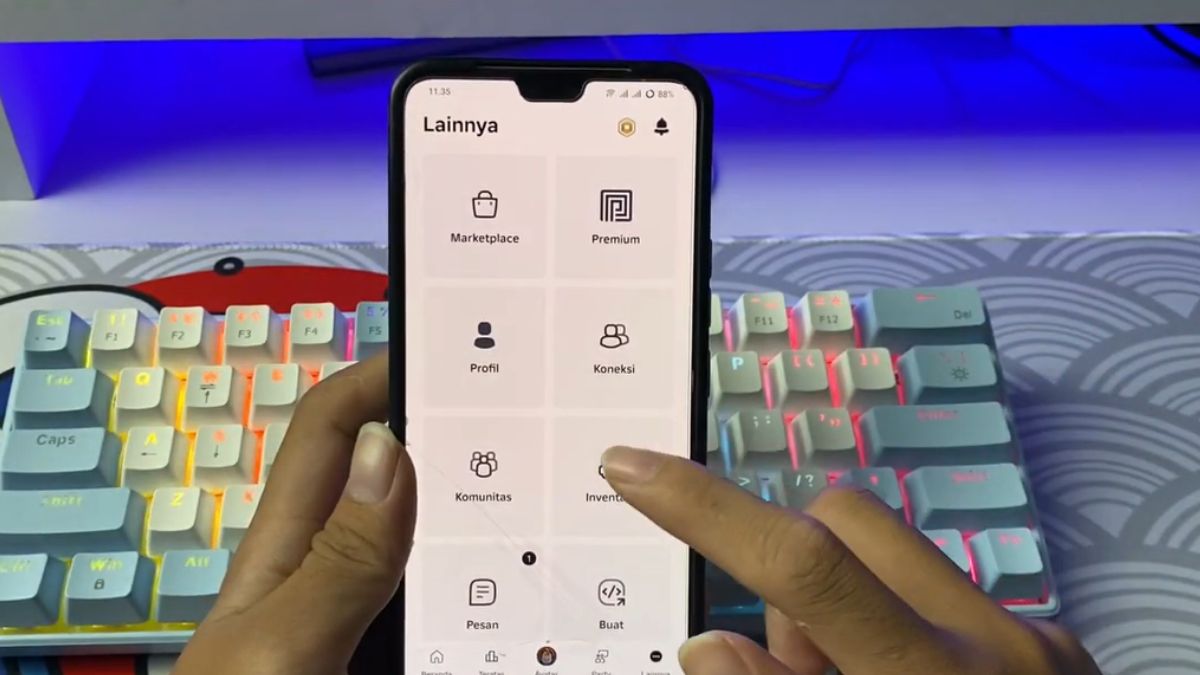
If you just want to deactivate your Roblox account, you can follow the steps below.
- Open the Roblox app or visit the official website in a browser, then log in with the account you want to deactivate. Ensure the account is still accessible before proceeding.;
- After successfully logging in, click the "More" menu in the main navigation bar of your Roblox account. This menu contains various advanced settings that aren't immediately visible on the home page.;
- From the menu that appears, select the “Settings” option to access comprehensive account settings. Here, you can manage your account information, security, and usage preferences.;
- Go to the "Privacy & Content Restrictions" tab in the account settings menu. This section manages privacy controls, content restrictions, and Roblox account activity status.;
- Select the “Account Deactivation & Deletion” option from the list of available settings. Roblox will display brief information about the impact of the account deactivation process;
- Click the red "Deactivate" button as final confirmation to deactivate your Roblox account. Once the process is complete, your account will be unusable until you reactivate it.
Reasons Roblox Accounts Are Deleted

Many users choose to delete their Roblox accounts to protect their personal data from misuse. By closing their accounts, they take control of digital information they no longer actively use.
Some people delete their accounts because they rarely play anymore and don't want to be tied to the platform. This decision allows them to focus on other activities without the distraction of notifications or the urge to play.
Some users also feel the gaming experience no longer meets their current needs or interests. They take the decisive step of deleting their accounts to prevent them from returning to the abandoned service.

Some users delete accounts Roblox For security reasons, after experiencing issues such as hacking or unauthorized access, this is an effective way to prevent further risks and maintain full control over your account.
Also read:
That explains how to permanently delete a Roblox account. Good luck, and I hope this is helpful.
Roblox Product Recommendations

 Hero AliveHero Alive
 Kumay10shop
 Hero AliveHero Alive
 Hero Alive
 Center Cegel Seal
 MONSTOREHero Alive



 News
News




