
- The main cause: Message verify UID appeared because UID is invalid, account not synced, logged in with a different account, suspicious activity, or a bug.
- How to overcome: Be sure UID Correct, login to the main FF account, verify via the official platform My ID Fan, and wait for synchronization.
FF Fan My ID verify UID is the process of verifying account identity Free Fire This error occurs because the UID hasn't been validated, is out of sync, or is detected differently by the system. This issue is harmless and can be resolved by ensuring the UID is correct, logging in to the appropriate FF account, and verifying it through the official Kipas My ID platform.
Multiple players Free Fire You might panic when the verify UID notification appears, but it's actually just a security measure to ensure the account you're using is truly yours. This message typically appears when you first connect your account to Kipas My ID, when you've entered the wrong UID password, or when your login information is different.
By following the correct verification steps, your account can return to normal without the risk of being banned or losing data.
Also read:
- FF Tournament: A Prestigious Free Fire Event at Local and Global Levels
- FF Auto Headshot Aim Red Sensitivity Settings
- The Most Complete FF Color Codes, Let's Make Your Profile Full of Color
FF Fan My ID
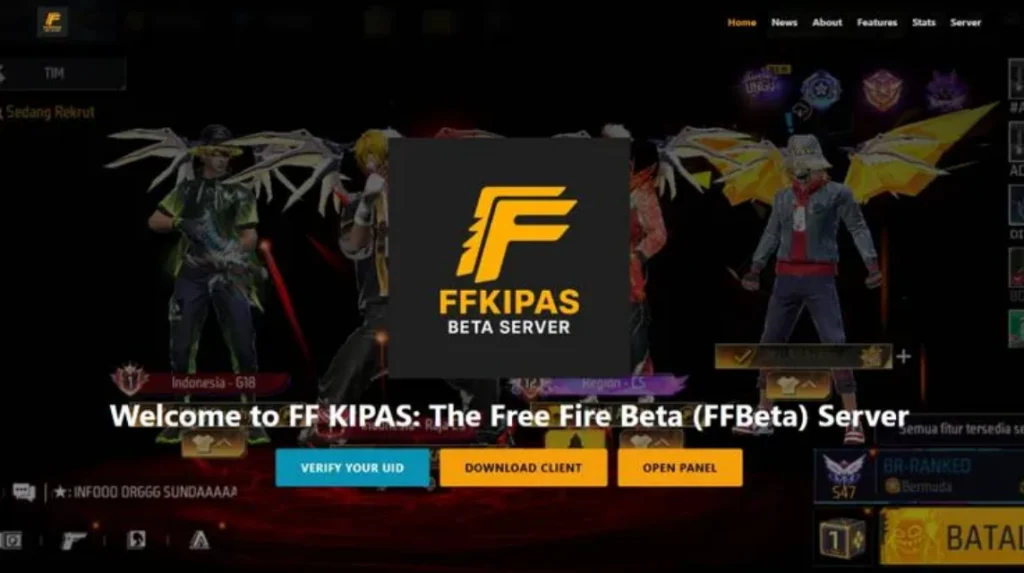
Recently, Free Fire players have been frequently curious about the FF Kipas My ID Verify UID issue. This typically occurs when players try to access certain events, features, or services connected to the Kipas My ID platform.
In short, My ID Fan is a platform or service used in the Free Fire ecosystem for various purposes, ranging from community events, rewards, to certain activities that require identity. FF accountThis is where UID (User ID) in Free Fire plays a crucial role as the player's primary identity.
The problem arises when the system displays a message “"verify UID" or "UID verification is required." Many players are confused because they don't know what this means, whether their account is problematic, or whether they are at risk of being banned.
However, in many cases, this is simply a process of validating account data so that the system can ensure that the UID used is correct and appropriate.
If you are experiencing this problem, it is important to understand the cause first before panicking or taking the wrong steps.
Cause of My ID Fan FF Verify UID
There are several reasons why the FF Fan My ID Verify UID message can appear. Here are the most common causes that players often experience:
UID Not Registered or Invalid
The most common cause is that the UID Free Fire password you entered isn't registered in the Kipas My ID system. This could be due to a typo, missing digits, or the UID simply hasn't been verified before.
FF Account Not Synced Yet
If your Free Fire account has never been connected to the Kipas My ID service, the system will automatically request UID verification. This is not an error, but a security procedure.
Login Using Different Account
Sometimes players log in to FF with Google account, Facebook, or VK different from the main account. This causes UID's data to be out of sync, requiring re-verification.
Suspicious Activity
In some cases, the system detects unusual activity, such as frequent account changes or access from different devices. For security reasons, UID will be asked to verify.
System Bug or Error
Undeniably, this issue sometimes arises due to bugs or server errors. It's usually temporary and resolves after a while.
How to Verify FF Fan My ID Verify UID
Now that you understand the cause, it's time to get to the solution. Here are the steps to verify your FF Fan My ID (Verify UID) safely and officially:
Make sure UID is correct
Check your Free Fire UID directly from your in-game profile. Copy the UID and ensure there are no errors. A single digit error can cause verification to fail.
Login to an Active FF Account
Use Free Fire account The main one you use frequently. Don't switch accounts during the verification process, as this can confuse the system.
Official Platform Access
Make sure you only verify through the official Kipas My ID platform or page. Avoid any dubious sites that promise instant verification, as they pose a risk of phishing.
Follow the Verification Process
Usually, you'll be asked to enter UID, log in to your FF account, or perform some other confirmation. Follow the steps until complete and wait for a success notification.
Wait for the Synchronization Process
After successful verification, don't log in or out of your account immediately. Wait a few minutes for the data to fully sync. If the error persists, try again in a few hours.
The FF Fan My ID Verify UID issue isn't actually dangerous and doesn't mean your account is problematic. This is simply a verification process to ensure UID Free Fire is compliant and secure. As long as you follow the official instructions and don't use illegal services, your account will remain secure.
FAQ About FF Kipas My ID Verify UID
Usually, the main reason this process fails is incorrect input of UID (wrong digit), server down, the internet connection is unstable, or the site is not connected to the official Garena server.

No, because this feature is a tool from an illegal third party (mod/cheat) which has the potential to cause your account to be banned. banned permanent to the risk of data theft.
To find it, you can open your Free Fire profile by clicking on the avatar in the top left corner, then UID will appear, which is a series of unique numbers listed there.
Make sure the UID you entered is correct, check your internet connection, and use it. browsers with cache which has been cleaned. If it still fails, it is possible that the site's server is down
Also read:
- Recommendations and How to Create a Cool Name Using the Apple Logo in FF
- Astute Beta Server, Advance Server Application for FF
- Get to Know Apkys XYZ, a Spanish Site That Provides FF Tips
We hope this article helps you understand the causes and proper verification process. If you're still experiencing issues, be patient and monitor official Free Fire information to avoid any mistakes.
Free Fire Product Recommendations


 TopMurTopMur
 TopMur
 RudyStorezTopMur
 TopMur
 RudyStorez
 RudyStorez
 RudyStorez
 KING OF DIAMONDS




 News
News




