

- Discord is a cross-device platform for text, voice, and video chat, popular for gaming and professional communication.
- How to login via web: open the site Discord, choose Login, enter your email/number and password, then click Login.
- How to log in via mobile: download the application Discord from the App Store/Play Store, open it, select Login, enter credentials.
- Login with QR: scan QR on the web via the app Discord on your phone to log in without entering a password.
How to Login to Discord on Web and Mobile Easily
Discord is one of the most widely used communication platforms by gamers. With text chat, voice calls, and video features, Discord has become a mainstay tool for interacting online.
Not only that, Discord is also often used by certain companies to communicate professionally. Of course, this is thanks to the server management and presentation features that make it easy for members to share information related to tasks that need to be done.
Through this article, you will learn how to login to Discord with very easy steps via the web or mobile. Let's read it to the end!
Also read:
Getting to Know What Discord Is
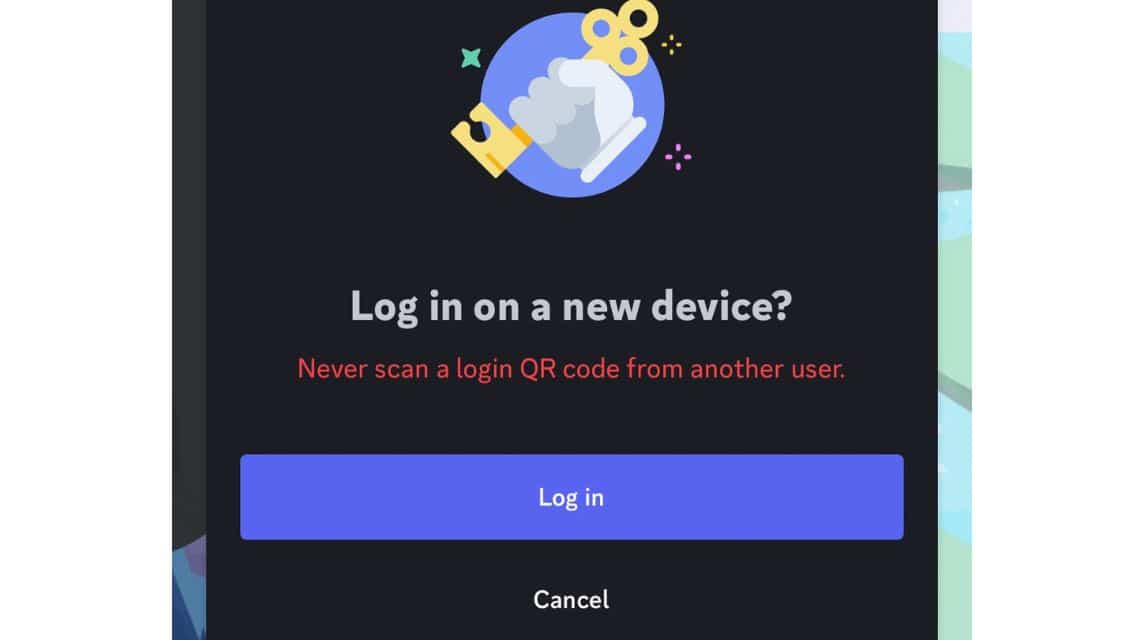
As we have mentioned above, Discord is a cross-platform application that allows its users to join a server. On the server, users can send messages, talk via voice or video calls.
Due to its flexibility, Discord is also often used to communicate while playing games on PC or mobile. Meanwhile, several companies have also started using Discord to communicate professionally through text messaging, voice, or screen presentation features.
Meanwhile, Discord is available on various devices and you can easily access it via a browser, PC, laptop, or smartphone.
How to Login to Discord on Web and Mobile Easily
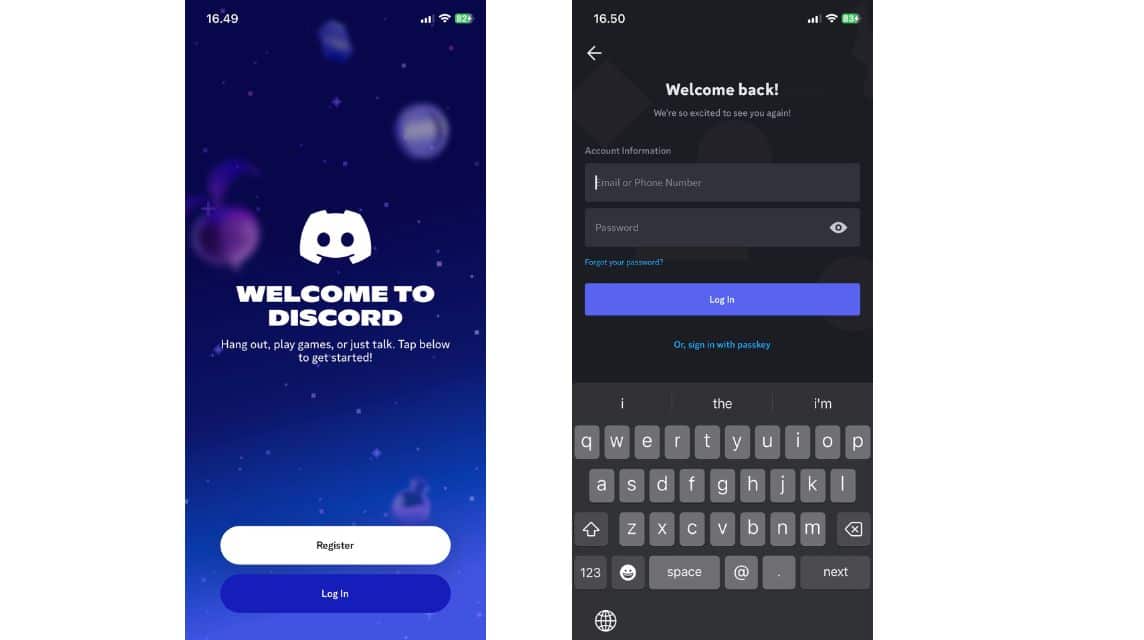
On the other hand, many people still feel confused when they first log in using Discord via the web or mobile.
Furthermore, here are easy steps you can take when you want to log in to Discord via the web:
- Visit the official Discord website via the following links;
- On the main page, select the “Login” option located in the upper right corner;
- Enter the email address or phone number along with the password registered to your Discord account;
- If so, click the “Login” button;
- After successfully logging in, you will be redirected to the Discord homepage and can access servers and other features.
Meanwhile, here are the steps you can take if you use Discord on your cellphone to log in:
- First download the Discord application via the App Store or Play Store,
- Open the Discord application;
- On the main screen, select “Login”;
- Enter your registered email or phone number and password;
- If the information you entered is correct, then you can access all the features available on Discord.
How to Login Discord Using QR
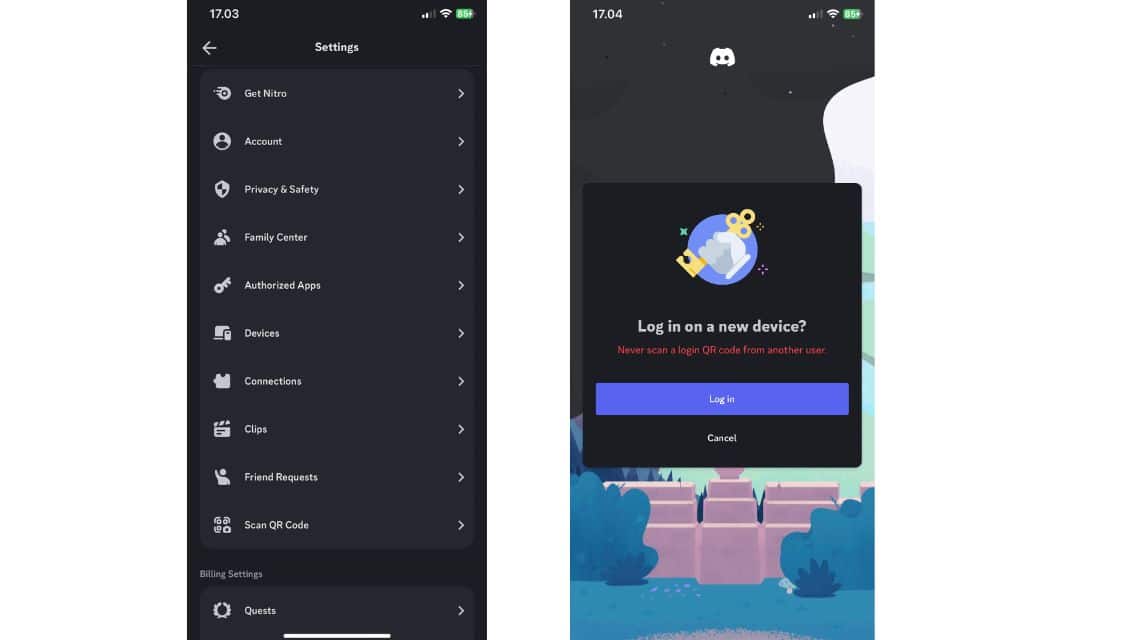
On the other hand, Discord also provides a login option using QR to make it easier for its users. You can use this method when you want to use Discord on the web but don't remember your email and password.
For the record, your account is already logged into the Discord application on your smartphone. Here's how:

- Visit the official Discord website via the link the following;
- Select the “Login” menu in the upper right corner;
- Then a QR will appear next to the “email and password” column;
- Open the Discord application on your cellphone,
- Click the “You” option in the bottom right corner;
- Select the “gear” logo in the upper right corner;
- Select “Scan QR Code”;
- Point the camera on your phone at the QR that appears on the web;
- Click the “Login” option;
- Then you can log into your Discord account via the web.
Advantages of Using Discord Web Without Installing Application

While there are pros and cons to using Discord online, many people still use this method. Here are some of the advantages:
- It doesn't take up storage space because it doesn't require application installation.
- Can be used on various devices.
- No need for manual updates, because the web version is always updated automatically by Discord.
- Fast and flexible access, suitable for emergency use or when using public devices.
- Supports almost all major features such as voice chat, video call, screen sharing, and server management.
Also read:
These are some of the steps you can take when you want to log in to Discord via the web or application on your cellphone.
Come on, top up your game and shop for digital products at the cheapest and fastest prices only at VCGamers Marketplace!
MLBB Product Recommendations

 BV2SHOP
 BANGJEFFBV2SHOPBV2SHOP
 TopMurBV2SHOP
 RudyStorezBV2SHOPRudyStorezTopMur




 News
News




