

- The main cause: ghost touch often caused by a dirty screen/contacts, overheating, non-original charger, or damage LCD/touchscreen.
- How to overcome: Clean the screen, remove the protector, use the original charger, restart/calibrate, and if the problem persists, replace it. LCD at the service center.
Phone Screen Moving on Its Own? Here's Why & How to Fix It
Have you ever experienced a screen MOBILE PHONE Does it move on its own without you touching it? For example, it suddenly opens random apps, types letters on its own, or even scrolls the screen without you touching it at all.
This condition is often called ghost touch. Besides making your phone difficult to control, this problem can also be dangerous because it can potentially cause important data to be accidentally deleted.
MLBB Product Recommendations


 BV2SHOP
 BANGJEFFBV2SHOPBV2SHOP
 TopMur
 RudyStorezBV2SHOPBV2SHOPRudyStorezTopMur
So that you don't panic even more, let's find out the causes, how to fix it, and the characteristics of a cellphone screen that may be damaged!
Also read:
- How to Track Cell Phone Numbers via Maps, So Simple!
- Causes and How to Overcome WiFi Not Connecting on Cellphones
- The Easiest Way to Check HP Type for Android and iPhone
Causes of HP Screen Moving by Itself

There are several reasons why a phone screen might move on its own. This is generally due to technical issues, but it can also be due to improper use.
Damage to the screen or touchscreen
A screen that has been dropped, subjected to pressure, or impacted can cause the touch sensor to error and detect false touches.
HP is too hot (overheating)
When the device temperature rises excessively, the display system can become unstable and move on its own without command.
Using a non-original charger or cable
Ghost touch often occurs when the cellphone is charged using a counterfeit charger, is damaged, or has an inappropriate current.
The screen surface is dirty or exposed to water
Dust, oil, or liquid can cause the screen to detect touches randomly.
System bug or problematic application
If ghost touch appears after a system update or installation of a particular application, it is likely caused by interference. software.
There is a problem with the battery power or the cellphone's electrical system.
A weak battery or unstable power supply can affect touchscreen performance.
How to Fix a Cell Phone Screen That Moves by Itself

No need to change it immediately MOBILE PHONE. Try some of the following solutions first!
Clean the Screen Surface Thoroughly
Dirt, such as dust, oil, or water splashes, can cause false touches on the screen. Use a soft microfiber cloth and avoid cleaning fluids containing excess alcohol to avoid damaging the screen's coating.
Remove the Screen Protector (Tempered Glass or Anti-Scratch)
A cracked or poor-quality screen protector can interfere with touch response. Try removing it first and see if the ghost touch persists.
Use an Original or Quality Charger
Non-original chargers often produce unstable current, causing the screen to move on its own while charging. If problems arise while charging, unplug the charger and replace it with an original one.
Rest your phone and cool it down
Overheating can cause system errors. Turn off your phone for 5–10 minutes, or leave it unused until it cools down to normal temperature before turning it back on.
Restart your phone or turn it off for a moment
This method helps refresh the system and eliminates temporary glitches. Turn off your phone, wait a moment, and then turn it back on.
Cell Phone Screen Calibration
Some cellphones provide a touchscreen calibration feature in the menu. Settings → Display → Screen calibrationIf it's not available, you can use a touch calibration app from the Play Store.
Remove Suspicious Apps
If ghost touch appears after installing a specific app, uninstall it. It could be causing a bug or unstable system activity.
System Update or Rollback
Bugs from system updates can sometimes cause error screens. Solution:
- Check for the latest system updates
- If problems arise after an update, consider a rollback (if available)
Perform a Factory Reset
If the problem is caused by software corruption, a factory reset may be a last resort. Be sure to back up any important data before proceeding.
Replace the LCD or Touchscreen at a Trusted Service Center
If you've tried all the steps but your phone screen still moves on its own, the problem is likely hardware related. Take it to a technician or authorized service center for inspection and component replacement.
Avoid Using Your Cellphone While Charging
Besides potentially triggering ghost touch, this habit can also damage the battery and increase the phone's temperature.
By following the steps above in sequence, you can diagnose for yourself whether the problem is minor or requires component replacement. If the symptoms persist, consult a technician immediately to prevent further damage.

What are the signs of a damaged cellphone LCD?
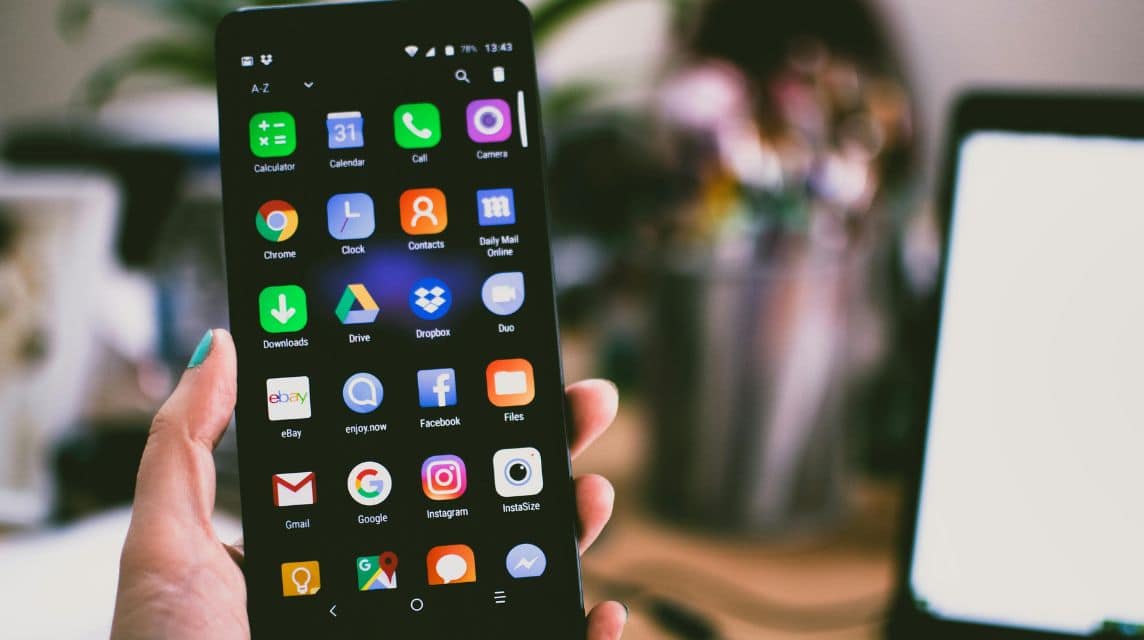
Sometimes you think the problem is simple, when in fact the LCD needs replacing. Here are the signs:
- The screen moves on its own even though it has been cleaned and is not hot.
- Black lines or dots appear
- Screen color changes or spots appear
- Certain parts of the screen cannot be touched
- The screen is cracked, although hairline (a thin crack that is almost invisible)
If these symptoms persist, you can't rely solely on software or screen cleaning. The solution is to replace the LCD.
If the cellphone screen moves by itself, the cause could be a dirty screen, excessive heat, a non-original charger, or even LCD damage.
You can try some initial steps like cleaning the screen, turning off the phone for a moment, or calibrating it. However, if the problem persists, it's a sign that the screen components are damaged and need to be replaced.
Also read:
- Understanding, Function, and How RAM Works on Cell Phones & Laptops
- How to Turn Off Your Phone Automatically, Without Pressing the Power Button
- How to Write Papers on Your Cell Phone Easily and Practically for Students
The bottom line is, don't panic. Try to diagnose the cause. If it's serious, take it to a service center immediately to avoid further risks! Hopefully, this article helps you resolve your phone screen moving issue!




 News
News




