

- Mobilador allows playing mobile games using a mouse and keyboard, giving PC-like controls for Free Fire or PUBG
- The package consists of a one-handed keyboard, a gaming mouse, and OTG/converter; check phone compatibility
- Pros: PC-style controls at a low cost; Cons: graphics remain game-dependent MOBILE PHONE, risk of input lag and game rule sanctions
Mobile Gaming Is a Trend in Mobile Gaming Using a Keyboard
For those of you who are used to playing PC games, using a mouse and keyboard certainly feels more comfortable for controlling characters and aiming at opponents.
However, there is now a trend that allows this gaming experience to be applied to mobile games through additional devices known as mobiladors.
In simple terms, a mobilador is a package of additional devices that allows players to play mobile games such as Free Fire or PUBG using the mouse and keyboard on the cellphone.
Mobilador Is the Use of Mouse and Keyboard on Cell Phones
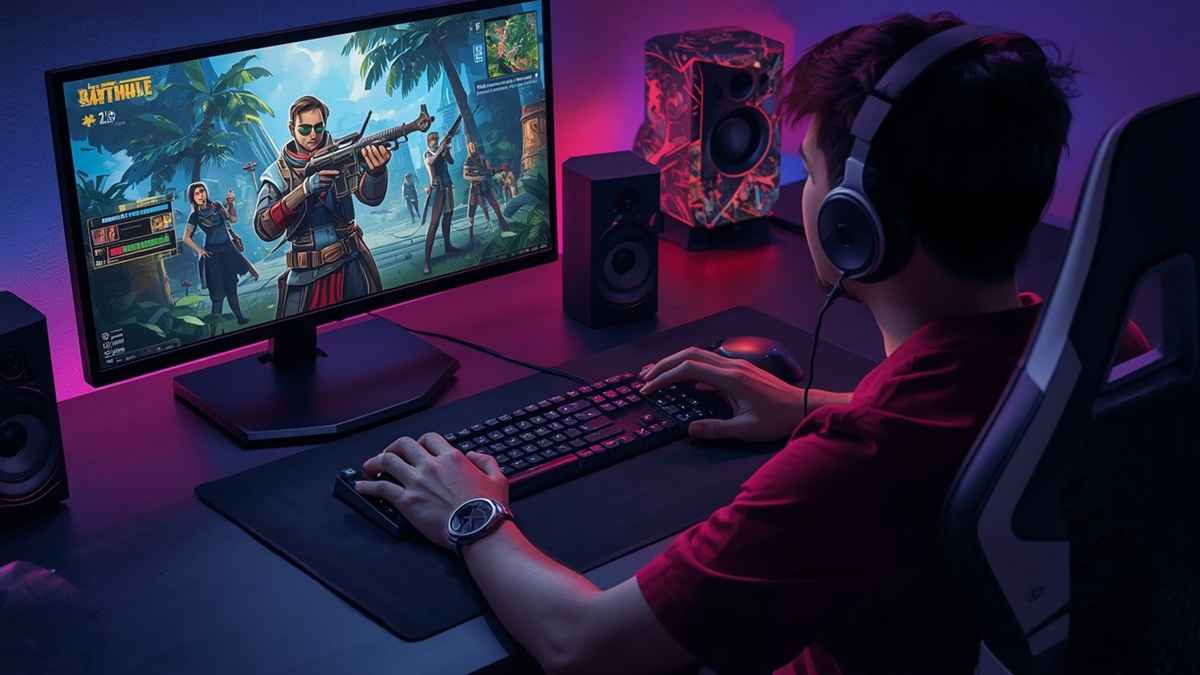
Mobilador is a trend and additional device package that players use to play mobile games using a mouse and keyboard on their mobile phones, similar to playing on a PC.
This term usually refers to the use of a combination of devices such as a one-handed keyboard, a gaming mouse, and a converter or OTG to connect the device to a mobile phone.
The concept of mobilador is quite popular among mobile game players who want to get a different control experience.
In games like Free Fire or PUBG, using a mouse can help aim, while the keyboard is used to move the character and execute various commands.
As a result, players can experience controls that are more similar to playing on a computer without having to buy a gaming PC or laptop.
However, a mobile device doesn't completely transform your phone into a PC. It simply changes the input method used while playing.
Game performance still depends on the capabilities of the phone, including the processor, RAM, storage capacity, and graphics capabilities of the device.
Mobilador usage also requires careful consideration of game rules. Some games may have different policies regarding the use of additional devices or specific control methods. Therefore, players should understand the rules of the game they are using to avoid risking account sanctions.
Also read:
- Gamemodfree FF, Safe or Dangerous?
- Latest MLBB Mod APK 99999 Diamonds! Gaskeun Download!
- Getting to Know Gamemodfree: Definition and Security
Mobilador Package Components

To use it, there are usually several main devices used as part of the game control package.
One-handed keyboard
A one-handed keyboard is a device with dedicated keys to facilitate more convenient game control. Its compact size makes it easier to use while playing than a full-size keyboard like those typically used on PCs.
The keys on a one-handed keyboard are typically used to move characters, jump, crouch, or execute other commands according to the game's settings. Due to its smaller size, this device also takes up less space, making it suitable for use on a limited table.
For players accustomed to using a keyboard for PC gaming, this device can provide a more familiar control experience. However, comfort still depends on the position of the keys and individual player habits.
Gaming mouse
A gaming mouse helps players aim more quickly and accurately. This device is especially useful for games that require camera control and aiming skills, such as first-person shooter or battle royale.
Compared to relying on a touchscreen, a mouse allows players to move their gaze more freely. Mouse sensitivity is also usually adjustable, allowing players to find the most comfortable setting.
However, a gaming mouse for mobile devices doesn't always have to be expensive. Players can choose a device that suits their needs and is compatible with their mobile devices. The most important thing is a stable connection and comfortable button response.
Converter/OTG/USB Hub
A converter, OTG, or USB hub functions as a connection between a USB device and a mobile phone via cable or Bluetooth. This component is crucial because mobile phones typically don't have the proper ports to connect multiple devices simultaneously.
An OTG adapter, for example, can help connect a USB mouse or keyboard to a phone that supports this feature. Meanwhile, a USB hub can be used when players want to connect more than one device simultaneously.
Before purchasing these components, ensure the device you choose is compatible with your phone. The port type, OTG support, and connection system are all important factors to ensure the mouse and keyboard function properly.
Pros and Cons

Like any other playing method, its use also has some advantages and disadvantages that you need to consider before you try it.
Pros:
One of the advantages of a mobile device is that it offers a PC-like gaming experience on a relatively low budget. You don't need to buy a gaming computer or laptop just to experience gaming with a mouse and keyboard.
Furthermore, mobile devices are generally easy to carry. One-handed keyboards are more compact, while mice and other connecting devices can also be easily stored. This makes mobile devices suitable for players who frequently move around or prefer a more portable device.
Using a mouse and keyboard can also provide controls that feel more familiar to PC players. In certain games, this input method can make players more comfortable when aiming the camera or executing various in-game commands.
Cons:
On the other hand, the mobile still has limitations because the game is run on a mobile phone. Graphics performance and frame rate or frame rate (FPS) still depends on the specifications of the device used.
If your phone's specifications are low, using a mouse and keyboard will not improve the graphics quality instantly.
Additionally, not all phones have the same compatibility with additional devices. Connection issues, response delays (input lag), so the need for additional adapters can be a problem.
Therefore, before using a mobile, make sure that the cellphone supports the device you want to use and that the game you are playing does not prohibit this control method.

Ultimately, a mobile is an attractive option for those who want to experience mobile gaming with PC-style controls without having to spend a fortune on a new gaming device.
Also read:
- How to Install Ojol The Game MOD APK and the Dangers
- Free Play, Randomness, and the Way Players Learn Modern Games
- How to Download Hailey's Treasure Adventure Game APK and Mod
As long as the device is compatible and used according to the game's rules, a combination of a mouse, keyboard, and converter can be an alternative for a more comfortable gaming experience.
FAQs
One-handed keyboard helps control the character and execute various in-game commands more conveniently.
Gaming mouse helps to direct the camera and aim faster and more accurately.
Converters or OTGs function as a connection between devices such as mice and keyboards with mobile phones, making it easier to operate the touch screen.
No. Graphics quality and FPS still depend on the specifications of the cellphone used.
Not all. The phone must support the appropriate connection and be compatible with the additional device being used.
MLBB Product Recommendations


 BV2SHOPBV2SHOPBV2SHOP
 BANGJEFF
 TopMurBV2SHOP
 RudyStorezTopMur
 DEMPET STOREBV2SHOP



 News
News




