

- CR Garena FF is a feature Custom Room which allows players to set up private matches without automatic matchmaking.
- Main requirement: have Custom Room Card, adequate level account, stable internet connection, and sufficient number of players.
- How to make: enter the lobby, select custom, click Create a Room, set settings, invite players using room code.
Garena FF CR: Definition, Requirements, and How to Create a Custom Room
The keyword cr garena FF is often searched by players Free Fire who want to play with friends without the interference of random players.
This feature is indeed one of the most interesting because it gives complete freedom in managing the match.
Free Fire Product Recommendations


 TopMurTopMur
 TopMur
 RudyStorezTopMur
 TopMur
 RudyStorez
 RudyStorez
 Donquixoteshop
 RudyStorez
For those of you who are curious about what CR is, what the requirements are, and how to make one, see the complete explanation below.
What is a Custom Room (CR)?
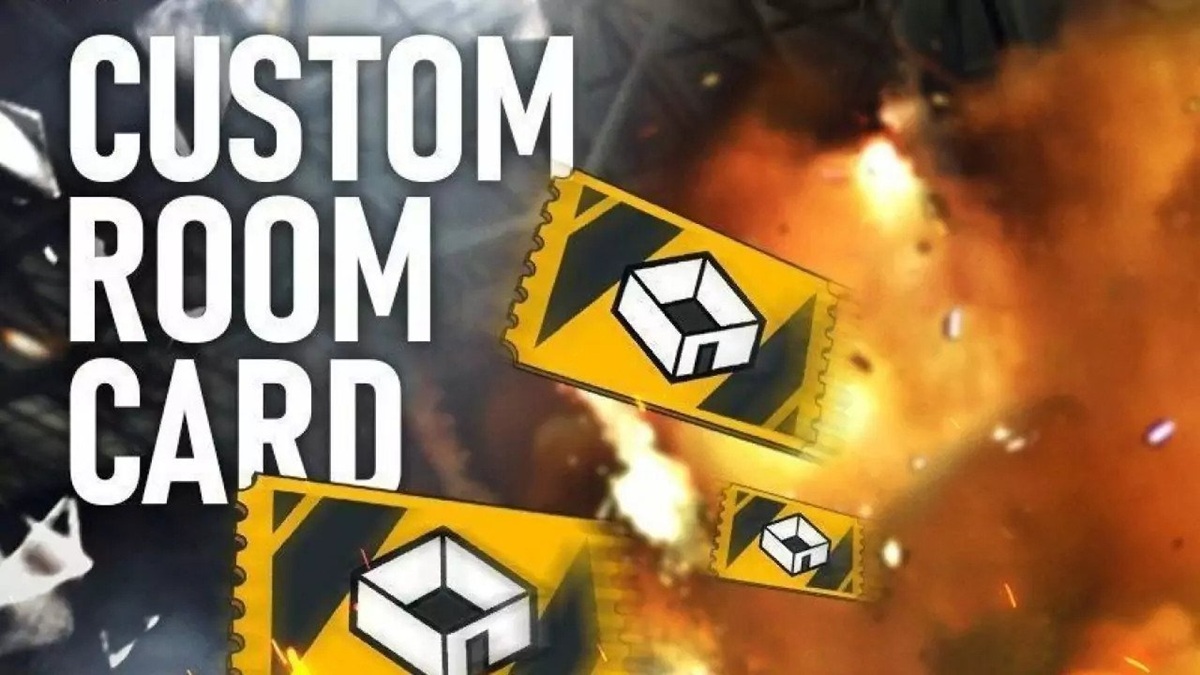
Custom Room, often abbreviated as CR, is a feature in Garena Free Fire that offers players flexibility. This feature allows players to organize their own game sessions without having to follow the automated matchmaking system.
With CR, you can customize various settings to suit your needs. These include map options like Bermuda, Purgatory, or Kalahari, FF game modes (Battle Royale or Clash Squad), the number of players in a room, and even the match time.
This feature is usually used for several purposes, such as:
- Relaxing game with guild mates
- Team strategy practice before the tournament
- Sparring between squads
- Community events
- Small local scale tournaments
The main advantage of CR is that you don't have to worry about being mixed up with random players. All participants in the room are people you invited or have the room code. This creates a more controlled and competitive atmosphere.
However, you should know that creating a Custom Room isn't free. There are certain requirements that must be met.
Also read:
- Collection of Old FF Avatar Raw Ready to Use
- The Four Best FF Players in Indonesia
- FF Loadout: Best Items and Tips to Win
Requirements for Making CR Garena FF

Before you can create a Custom Room, there are several important things you need to understand.
1. Have a Custom Room Card
The main requirement for making CR Garena FF is to have Custom Room Card. This item serves as a ticket to open a special room.
You can usually get a Custom Room Card through:
- In-game events
- Elite Pass (season dependent)
- Certain rewards
- Buy in the shop using diamonds
Without this card, you can't create your own room, so make sure you have one first.
2. Sufficient Account Level
Certain modes typically require accounts to be at a certain level. While not always a major limitation, new accounts sometimes have limited features.
3. Stable Internet Connection
While it may seem trivial, a stable internet connection is crucial. If your network isn't stable, the room could lag or even close before the match is finished. This is especially true if CR is used for tournaments, as it can disrupt the game.
4. Sufficient Number of Players
You can set your CR according to the maximum capacity of the map and the selected mode. However, if there are too few players, the game will be less exciting. So, make sure you invite friends before starting a match.
Once all the requirements are met, now we move on to the steps on how to make it.
How to Make CR Garena FF

Here are easy steps to create a Custom Room in Free Fire:
1. Enter the Free Fire Game
Log in as usual using your account. Make sure you're in the main lobby.
2. Select Game Mode
In the game mode section, select the Custom option. It's usually located at the bottom or next to the Battle Royale and Clash Squad options.
3. Click “Create Room”
After entering the Custom menu, click the Create Room button. The system will prompt you to use a Custom Room Card.
4. Set Room Settings
At this stage you can set various things, such as:
- Room name
- Password (optional)
- Map used
- Game modes
- Number of players
You can also specify additional settings such as spectator slots if needed.

5. Invite Players
Once the room is successfully created, you'll receive a room code. Share this code with your friends or squad so they can join.
Once all players are ready, just click Start and the game begins.
Garena Free Fire's CR is a crucial feature for those who want to play more seriously or just enjoy a casual game without interruption. With Custom Rooms, you can customize your matches to your liking, from the map, mode, to the number of players.
Make sure you meet the requirements, such as having a Custom Room Card and a stable internet connection. Creating one is very easy and hassle-free.
Also read:
- How to Download and the Risks of Using the Zura V2 FF Panel
- How to Create a Cool FF Name Using Fonts
- FF 3 Finger Control: Settings, HUD Code, and Auto Headshot Tips
If you frequently practice your squad or want to organize small tournaments, this feature is a must-use. So, are you ready to create your Garena FF CR today?


 News
News




