

- Turn Off Ads in MIUI Settings: Disable Personalized Advertising and recommendations in built-in apps like Mi Video, Mi Music.
- Uninstall Unnecessary Apps: Delete junk/unclear origin applications (cleaners, boosters, pirated games) that often insert ads.
- Change Default Browser: Remove default permissions Mi Browser and use a clean browser like chrome, Firefox, or brave.
- Use Ad Blocker App & Update OS: Use AdGuard or Blockade and routine system updates to reduce ads.
5 Ways to Remove Ads on Redmi Phones, Hassle-Free!
How to remove ads on mobile redmi It's not as hard as you think! If you're often annoyed by ads popping up suddenly while you're playing a game or opening an app, don't worry, you're not alone.
These ads are sometimes annoying, especially if they keep popping up. But don't worry, there are some simple tricks you can try to get rid of ads on your Redmi phone.
Come on, check out these tips so your cellphone no longer becomes a nest for annoying ads!
Also read:
How to Remove Ads on Redmi Phones
Here are 5 ways to remove ads on Redmi phones that you can try. Listen carefully, okay!
Turn Off Ads in MIUI Settings

MIUI, Redmi's default operating system, sometimes likes to display ads in some applications. Well, to get rid of it, you can follow these steps:
- Open Settings on your phone;
- Scroll down and look for the Ads option;
- Click Turn Off Personalized Ads;
- Don't forget to also turn off the Recommended Ads option in some built-in applications such as Mi Video, Mi Music, or File Manager.
This way, the ads that appear will be drastically reduced. It's really easy, right? But remember, sometimes ads still appear in third-party applications, so you need additional steps.
Uninstall Unnecessary Apps

Sometimes, ads appear because there are junk apps installed on your phone. These apps usually come from unknown sources or are installed when you download other apps. Well, to solve this:
- Go to Settings > Apps;
- Check the list of installed applications;
- Uninstall applications that are never used or of unknown origin.
Usually, applications such as cleaners, boosters, or pirated games are the culprits of ads popping up continuously. So, make sure you only install applications from trusted sources such as the Google Play Store.
Change Default Browser

Default browser redmi, namely Mi Browser, sometimes likes to display advertisements that make you dizzy. So, to get rid of it, you can change the default browser to a cleaner one. The method:
- Go to Settings > Applications > Manage Applications.
- Find Mi Browser, then select Clear Default Permissions.
- Install another browser such as Google Chrome or Mozilla Firefox.
- Or, if you want to be safer, install a browser that has an ad blocking feature, such as Brave Browser.
By changing browsers, you will no longer be bothered by pop-up ads that suddenly appear.
Use Ad Blocker App

If ads still appear, try installing an ad blocker app like AdGuard or Blokada. These apps will block ads across your phone's entire system, including apps and browsers. Here's how:
- Download the AdGuard or Blokada application from the Google Play Store or the official website;
- Open the app and enable the ad blocking feature;
- Adjust the settings according to your needs, for example blocking ads in certain applications or in browsers.
Guaranteed, your phone will be cooler and no longer annoying! But remember, some ad blocker apps may require rooting your phone, so make sure you choose one that is not complicated.
Operating System Update
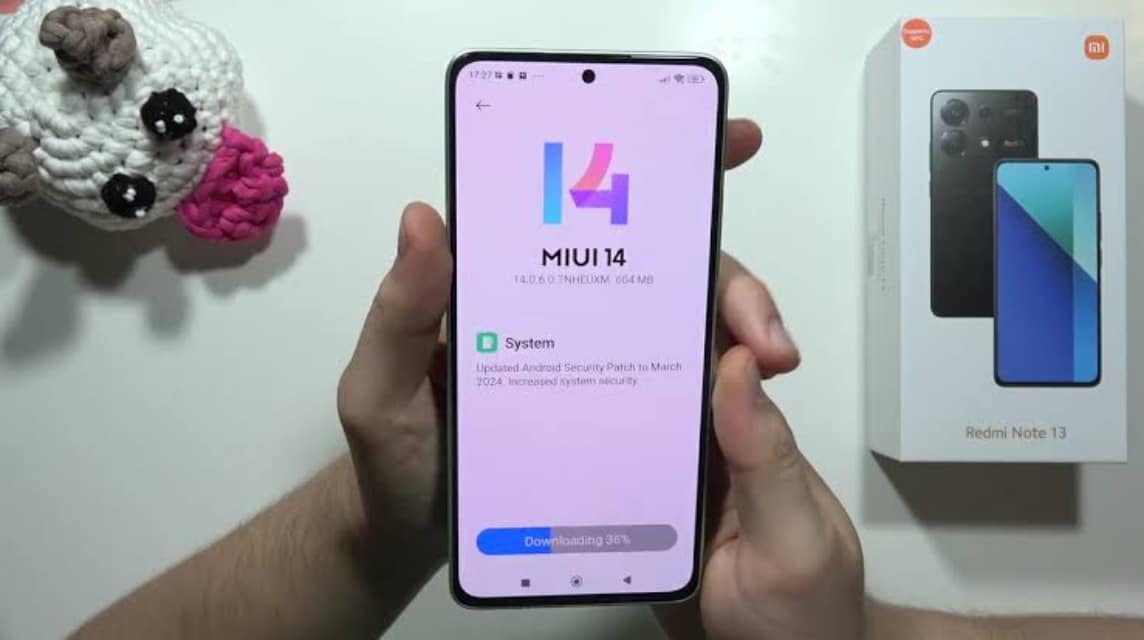
Sometimes, ads appear because your phone's operating system is not updated. Well, to solve this, try checking if there is a new system update:
- Go to Settings > About Phone > System Updates;
- If there is a new update, just install it.
Usually, the latest update will fix bugs and reduce the ads that appear. So, make sure your phone is always up-to-date so that there are no unclear ads that bother you.

If you want your Redmi phone to run more smoothly and not slow, don't forget to clean the cache and junk data regularly. You can use a cleaning application like Clean Master or Files by Google.
Turn off Ad Services

A common problem with entry-level and mid-range Xiaomi phones is the ads that appear when opening the default apps.
Actually, you can easily get rid of this by turning off service ads like the following:
- Open the “Settings” menu
- Select the “Fingerprint, Face Data, and Screen Lock” menu.
- Next, you can select the "Privacy" menu.
- Scroll down the screen until you find the “Ad Services” menu.
- After that click the turn off button to deactivate this service.
Also read:
Well, those are 5 ways to remove ads on Redmi phones that you can try. Guaranteed, your phone will be more comfortable to use without annoying ad interruptions. Good luck!
MLBB Product Recommendations


 BANGJEFF
 TopMur
 RudyStorezRudyStorezTopMurTopMurTopMurTopMurRudyStorezRudyStorez




 News
News




