

- Open Free Fire, log in to your account, open the menu Guilds, select member, press button Leave Guild, then confirm OK.
- There is a waiting time CD after leaving; confirm first with the administrator Guilds goal if you want to join immediately.
- Contribution what you have collected cannot be moved; in Guilds you just start from zero.
- If you Officer or leader, hand over the position to another member before leaving to keep the guild organized.
How to Leave the FF Guild Easily
Without many Survivors realizing it, it is important to know how to leave a guild. FF. Yes, there are times when a player decides to leave a guild for various reasons.
So, if you are a player who wants to leave/move from guilds If you are currently experiencing this but don't know how to get out, let's just check out the complete guide below.
Free Fire Product Recommendations
140 DiamondsFree FireTopMur
IDR 30,00034%Rp. 19,600355 DiamondsFree FireIDR 60,00020%Rp. 47,500200 Diamonds (+10)Free FireIDR 35,00018%IDR 28,500425 DiamondsFree FireRp. 67,99919%Rp. 54,700400 Diamonds (+25)Free FireIDR 80,00028%Rp. 56,900Monthly MembershipsFree FireIDR 120,00027%Rp. 87,200210 DiamondsFree FireIDR 41,00033%Rp. 27,400355 DiamondsFree FireIDR 60,00023%Rp. 45,90050 DiamondsFree FireIDR 18,00063%Rp. 6,600140 DiamondsFree FireIDR 30,00038%Rp. 18,600Also read:









What is a Guild in Free Fire?

Before going into the main discussion, namely how to get out of guild FF, it would be good if VCGamers first discussed the ins and outs of guilds in FF so that all Vicigers can understand.
For those of you who have been playing FF for a long time, you will definitely know that the guild feature is a place to gather with friends from the same community, whether in school forums, hangouts, etc.
That's right, a guild is a community/group of players in Free Fire which allows players to play together (mabar), communicate, and take part in various types of events.
What makes it even more exciting is that guilds usually also have leaderboards and contribution systems that make the game feel more competitive, even among fellow guild members.
How to Leave the FF Guild

Now, let's get straight to the main discussion: how to leave a FF guild. To do so, follow these simple steps outlined by VCGamers:
- Open Free Fire: The first step is of course to open the Free Fire game on your device and log in to the account you want to leave the guild;
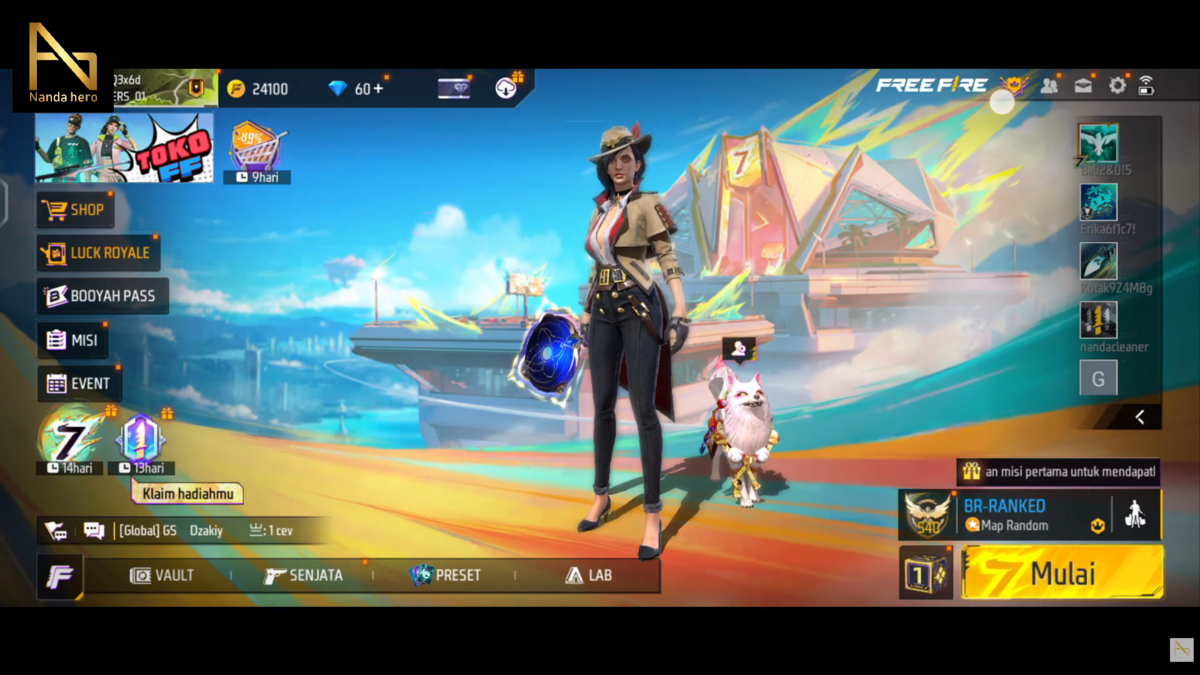
- Enter the Guild Menu: Once in the main lobby, look for the 'Guild' icon in the top right corner of the screen. Tap it to open the guild page you're a member of.;
- Open the member menu: On the guild page, you'll see various information such as guild members, guild level, and member activity. Next, go to the 'ONLINE MEMBERS' menu. It's located on the left sidebar, under the 'OVERVIEW' menu.;

- Press the 'Leave Guild' button: This will open a page displaying member information, including MEMBERS, THIS WEEK, and STATUS. At the bottom left, there will be a leave guild button with an icon that resembles a door and an exit arrow. Press this button to begin the process of leaving the guild.;

- Confirming your guild exit: After pressing the exit button, the system will usually display a confirmation. Select 'OK' to complete the process. And that's it! You've officially left the guild!
Things to Consider Before Leaving a FF Guild

How's that? Vicigers, it's pretty easy, isn't it? While leaving a FF guild is very straightforward, there are a few things you should consider before doing so:
- After leaving a guild, there's usually a cooldown period (CD) before you can join a new guild. So, if you're leaving to change guilds, make sure you check with your new guild administrator first to ensure they're willing to wait and understand the CD conditions.;
- Guild contributions you've accumulated cannot be transferred to another guild. In your new guild, you'll have to start from scratch.;
- If you hold an important position like Officer or Leader, it's best to hand it over to another member first. These positions don't automatically carry over when you join a new guild;
Also read:
So, that concludes our complete discussion on how to leave a guild in Free Fire. If you found this article helpful, don't forget to share it on social media and with your friends!
Yes, players can leave a Free Fire guild at any time through the in-game guild menu. However, after leaving, there's usually a waiting period before they can join another guild.
Yes, contributions you've made to your previous guild cannot be transferred to the new guild. They will remain recorded in the old guild.

The guild leader can still leave, but it is best to hand over the leader position to another member first so that the guild can continue to be managed well.
Usually players have to wait a few hours before they can join a new guild in Free Fire.
Some common reasons players leave a guild are the guild being inactive, wanting to join a more competitive guild, or wanting to play with friends in another guild.





 News
News




