- SciSpace is a platform AI which helps find journals, read research, and support academic writing.
- Feature Chat with PDF allows direct inquiries to documents for summaries, explanations of terms, methods, and research results.
- Providing tools Literature Review, AI Writer, Citation Generator, and Paraphraser for the entire research flow.
- Easy to access via browser: create an account, upload a PDF, ask a question, verify the answer, then save or export the reference.
SciSpace, AI to Help Research and Search Journals
Working on college assignments or research often requires numerous references from relevant scientific journals. Reading dozens of articles at once can be tedious, especially when you have to understand complex academic terminology. You can easily manage this data using SciSpace.
Interestingly, this platform can also help explain journal content through easy-to-use interactive features. To learn more about its capabilities, check out this article explaining the definition, function, and how to use SciSpace.
Also read:
- How to View the Wifi Password that Has Been Used Connected
- Forgot Your Wi-Fi Password? Here's How to Find It Easily and Safely!
- Curious to see who's logged into your Instagram account? Here's how to check!
What is SciSpace?
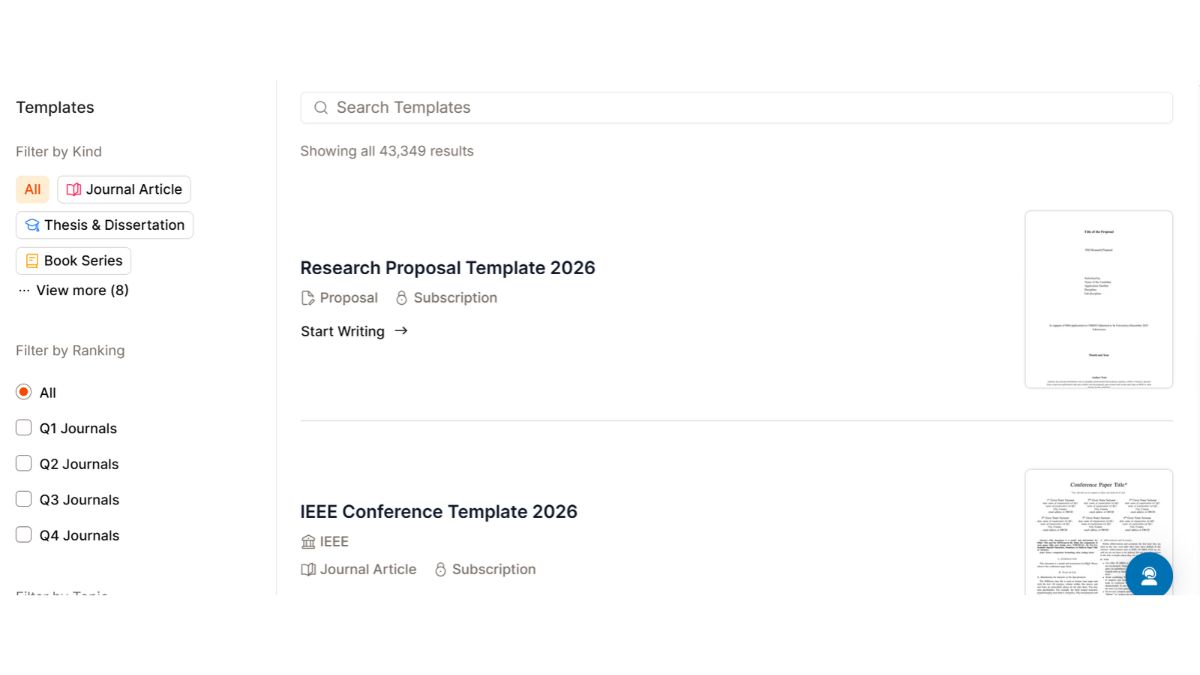
SciSpace is a web-based platform Artificial Intelligence (AI) designed to assist with academic research and writing. This service provides a variety of tools for searching scientific journals, reading research documents, and understanding the information contained in academic publications.
One of the featured features is Chat with PDF which allows users to interact directly with research documents. Through this feature, users can ask questions about the journal's contents and obtain explanations based on the information in the uploaded files.
SciSpace also offers a scientific publication search feature that helps users find references based on specific topics. These search results can be used to gather research materials and understand developments in academic discussions.
In addition to journal searches, there are also features like Literature Review, AI Writer, Citation Generator, and Paraphraser to support various academic needs. These tools make SciSpace accessible from everything from finding references to preparing research papers.
SciSpace Functions
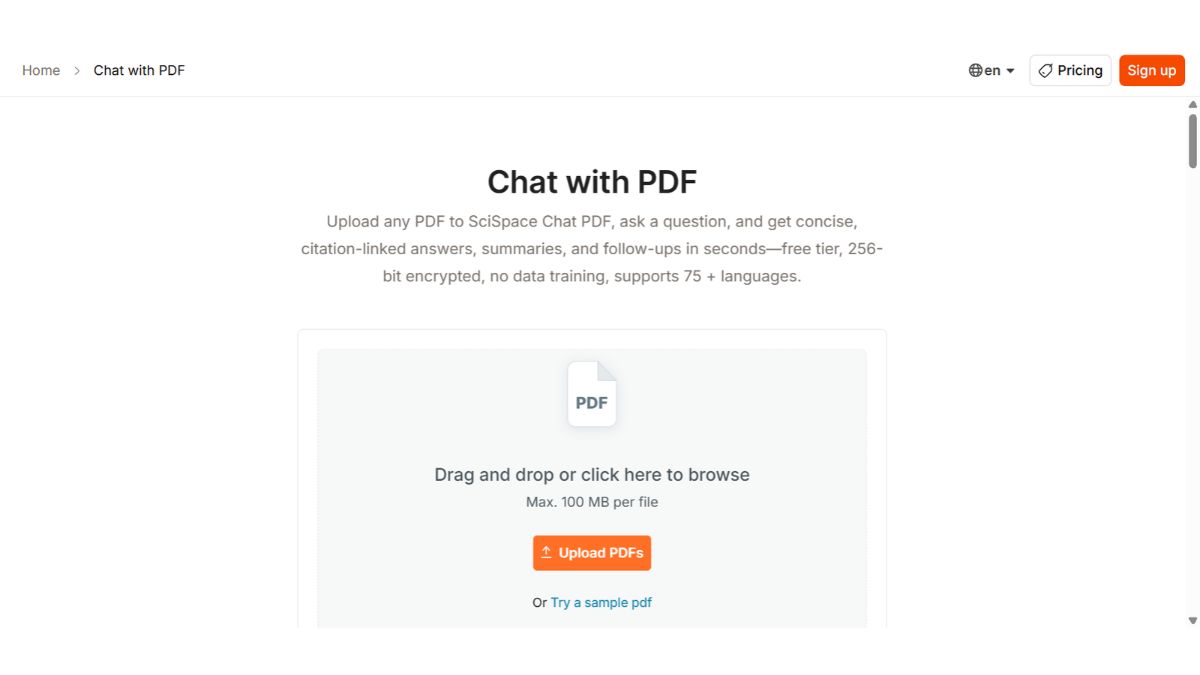
SciSpace offers a variety of features that can help make academic work more focused and efficient. Here are some interesting SciSpace functions to know before you start using it:

- Searching for scientific journals: Helps find academic publications based on specific keywords or topics so that users can collect relevant references to support research;
- Understanding the contents of a PDF journal: Allows users to ask direct questions about research documents and get explanations about terms, methods, and discussion results;
- Help prepare literature reviews: Facilitates the process of collecting and comparing a number of studies so that users can see similarities, differences, and gaps in research from various publications;
- Summarizing scientific articles: Helps extract key information from long journals so users can understand the aims, methods, and findings of the research without reading the entire section first;
- Creating citations and bibliographies: Provides citation creation tools with various academic formats to help users cite reference sources more practically;
- Extracting research information: Helps to extract important data from a number of scientific documents so that the required information is easier to collect and use in the analysis process.
How to Use SciSpace

Use SciSpace It's quite easy because its various features can be accessed through a browser without the need to install additional applications. Here are the steps you can follow to start using this platform:
- Go to the official SciSpace website: Visit the SciSpace website via a browser on your laptop or mobile phone;
- Create an account or login: Select the registration option to create a new account or log in using an existing account;
- Select the features you need: Determine which service you want to use, such as journal search, Literature Review, or Chat with PDF;
- Enter research keywords: Type the topic you want to search for in the search field to find scientific publications that suit your needs;
- Upload PDF document: If you want to understand a particular journal, enter the PDF file via the available Chat with PDF feature;
- Ask the AI a question: Write clear instructions, for example asking for a summary, explanation of research methods, or the main discussion of the document;
- Check the results given: Read the answer again AI and match important information with the original journal to ensure there are no misunderstandings;
- Save research results: Use the available save or export features to make important references and information easier to find again.
Also read:
- Four Reasons Why Gamers Need a VPN
- Best PC Controller Recommendations For Those Who Like Without a Mouse
- Easy Guide to Setting and Using VPN on PC
That concludes our discussion of SciSpace AI, which can help you manage various journal data. Now that you know its functions, are you ready to use it?
MLBB Product Recommendations


 BV2SHOP
 DEMPET STOREBV2SHOPBV2SHOP
 RudyStorez
 BANGJEFF
 TopMur
 AM08SHOPBV2SHOPBV2SHOP


 News