

- You can watch without VPNs past Yandex Browser or Google Chrome, but access depends on location.
- Download from the official store at Google Play or App Store, then open it in Yandex Browser on your cellphone.
- Make sure your internet connection is stable to avoid buffering, and use specific search keywords.
- If the video doesn't open in Yandex, check for site or location restrictions, and look for other official sources; don't click on suspicious links.
How to Watch Videos on Yandex Without a VPN, Easily via Mobile
Yandex is a search engine frequently used to find various types of information, including videos from various websites. Many users are looking for ways to watch videos on Yandex without a VPN because they want to access content through a browser without installing additional applications.
You can actually try accessing Yandex videos through the official Yandex Browser or Google Chrome. However, please note that your ability to access a video depends on your location, site policies, internet connection, and any applicable access restrictions.
Here's a complete guide on how to watch videos on Yandex without a VPN, which you can try on your Android phone or iPhone.
Using the Official Yandex Browser
Yandex Browser is the official browser app from Yandex that can be used to search for information and open various websites. You can download it from the official app store and then use it to search for the videos you want.
Yandex Browser has a built-in feature for browsing the internet without installing additional VPN apps. However, this feature doesn't guarantee access to all region-restricted sites or videos.
Here are the steps:
- Download Yandex Browser. Open the Google Play Store for Android or the App Store for iPhone, then search for the official Yandex Browser app.
- Install the app. Wait for the download and installation process to complete on your device.
- Open Yandex Browser. Run the application after successful installation. You can create a Yandex account or log in if you already have one.
- Go to the search bar. Type in keywords for the video you want to watch, such as the video title or a specific topic.
- Press Enter or Search. Review the available search results and select a relevant site or video.
- Open a video. Tap the desired result, then wait for the video page to load.
If the video cannot be opened, there may be access restrictions from the site or network you are using.
Also read:
- Yandex Video Proxy: Functions, How to Use, and Risks
- How to Unblock Yandex Blocked Easily
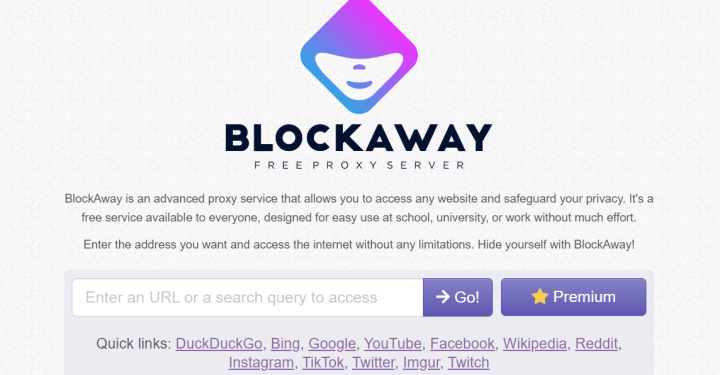
- Blockaway, Solution to Open Blocked Sites via Mobile and PC
Using Google Chrome

Besides Yandex Browser, Google Chrome can also be used to access the Yandex search engine. This method is suitable for those who don't want to install an additional browser, as Chrome is usually already available on many Android devices.
Here's a guide on how to watch videos on Yandex without a VPN via Google Chrome:
- Open Google Chrome. Launch the Chrome app on your phone or device.
- Visit the official Yandex website. Type in the address
yandex.comin the address bar, then press Enter. - Enter a video keyword. In the Yandex search field, type the title or topic of the video you want to search for.
- Search for video results. Press the search button and review the list of results that appears.
- Select a video. Tap the relevant video or website link from the search results.
- Wait for the page to load. If the site is accessible, you can play the video using the provided player.
Please note that Google Chrome does not automatically remove all regional restrictions. Therefore, access results may vary depending on the site and the user's location.
Tips for Watching Videos on Yandex More Smoothly

Besides choosing the right browser, there are several things you can consider to make your video viewing experience more enjoyable. These tips are also useful if videos are difficult to load or playback quality is suboptimal.
Use a Stable Internet Connection
Make sure your Wi-Fi or cellular data connection is stable. An inconsistent connection can cause the video to stop, buffer, or fail to load.
Use Specific Search Keywords
Type the video title or topic clearly to ensure more relevant search results. You can also add keywords like "video" or the source website name to narrow your results.
Avoid Suspicious Sites
Don't randomly download APK files, enter passwords on unknown sites, or click on suspicious pop-up ads. Use official sites and ensure your device has adequate security protection.
Check if the video is available on an official source.
If a video won't open, find an official source or alternative platform that offers the content. Not all videos are accessible through Yandex, even when using a browser without a VPN.
You can try watching videos on Yandex without a VPN using the official Yandex Browser and Google Chrome. Both methods allow you to search for videos through Yandex's search engine without having to install a VPN app.
Also read:

- DuckDuckGo Blue Proxy: Safe Browsing Solution without Being Tracked
- 6 Most Popular Search Engine Sites Other Than Google
- Recommendations for the Latest Anti-Block Browser Applications
However, video access remains affected by site restrictions, network restrictions, and content availability. Make sure you're using a browser from an official source and exercise caution when opening unknown links.
FAQs
Yes, you can try accessing Yandex videos via Yandex Browser or Google Chrome without VPN.
Open Yandex Browser or Chrome, visit Yandex, then search for the video you want to watch.
Not always, you can search and open a lot of content without logging in to your Yandex account.
Videos may be restricted by site, region, internet network, or specific access settings.
MLBB Product Recommendations


 BV2SHOPBV2SHOP
 DEMPET STOREBV2SHOP
 TopMur
 RudyStorezBV2SHOPBV2SHOPTopMurBV2SHOP



 News
News




