

- Use Discord Via browser, you can log in directly and join the server without installation; fast, convenient, and perfect for instant hangouts.
- Web version Discord Save storage space, free update rituals, automatic updates make you always use the latest version.
- Can be accessed at Windows or macOS anytime, more battery efficient than apps, suitable when borrowing a laptop.
How to Use Discord in a Browser and Its Advantages
Hanging out with friends in your community is now much easier than ever without the hassle of installing various things on your device. One of the most fun alternatives you can try is using Discord browser to connect anytime instantly.
With our trusted website, you can chat or have fun with your squad without worrying about your laptop's memory being full. This easy access ensures you won't miss out on gossip or important information, even if you're forced to use someone else's laptop.
The platform's unparalleled flexibility is perfect for those of us who want speed and a minimum of hassle. Let's dive deeper into how to maximize this cool feature to make your communication experience even smoother.
Also read:
- How to Unblock Friends on FB
- How to Restore a Facebook Account that You Forgot Everything
- How to Fix System UI Not Responding on Android
How to Use Discord in a Browser Easily and Practically
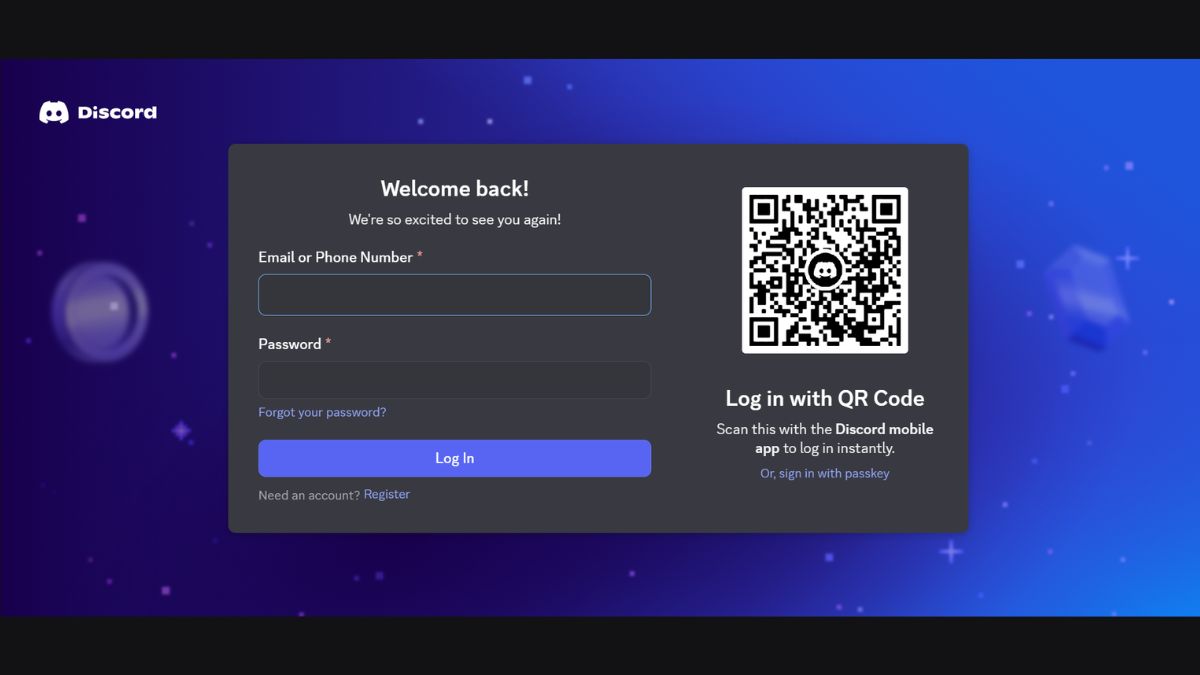
Follow these easy steps to connect with all your friends in just minutes.
- Open Official Website: Run browsers your favorite then type the main site address of the platform in the search field;
- Sign in to Account: Click the login button in the top right corner and enter your email address and password. If you don't have an account, you'll need to create one first.;
- Start Interacting: Once you've successfully logged in, you can immediately select the server or chat group you want to join. Don't forget to try out Discord's various features to make communication even more exciting.
Advantages of Using Discord Browser
Here are some crucial things that make this web-based feature the smartest choice for your smooth communication:
Efficient Storage Space on Your Device
Using the web version means you don't have to sacrifice the remaining storage space on your laptop, which is already running low. This is definitely good news for users. Potato PC who want to stay active chatting without the drama of a slow laptop.
Besides saving hard disk space, you can also avoid the sometimes time-consuming ritual of updating apps. All feature updates will run automatically on their servers, so you'll always have the most up-to-date version.
Fast Accessibility Across Operating Systems
The main attraction of a website-based system is its ability to run on any platform. You can conveniently log into your personal account via Windows or macOS without having to worry about running into compatibility issues.
This super-instant login process is incredibly helpful when you need to borrow a work laptop or a computer in a public place. Simply open a new tab in your browser, enter your account details, and all your favorite chat rooms are ready to use instantly.
Much More Economical Battery Power Consumption
One hidden benefit that people rarely realize is that it uses significantly less battery power than the app version. When you access the platform through a browser, your laptop doesn't need to run heavy, battery-draining background processes.

This is a huge lifesaver when you're hanging out at a cafe without a laptop charger. You can stay connected and actively discuss things with friends all day long without worrying about your device's battery dying quickly.
Also read:
- How to Lock Facebook Profile, Help Protect Privacy!
- How to Transfer (TF) FUNDS Without Premium Upgrade
- How to Make a Space FF Nick Easily
That concludes our discussion of using Discord in a browser and its advantages. Now that you know the steps, are you interested in using Discord via a browser?
MLBB Product Recommendations


 DEMPET STORE
 TopMur
 RudyStorezTopMur
 AM08SHOPTopMurTopMurAM08SHOPAM08SHOPRudyStorez




 News
News




