

- Delete unused apps and move files to cloud or Elementary School, so that internal memory relieved.
- Clear cache regularly, limit applications running on background, update operating system, and periodic restarts.
How to Prevent Your Phone from Lagging, Guaranteed to Run Smoother
A slow cellphone is really annoying, especially if you need it fast for work, playing games, or just scrolling through social media.
This problem is actually very common, both in Android phones or iPhone. But don't worry, there are plenty of ways to keep your phone from slowing down without having to immediately replace your device.
In this article, you'll discover the main causes of slow phones, how to fix them, and additional tips to maintain stable performance.
Causes of Slow and Lagging Cell Phones

Before getting into how to fix it, you need to know first what causes your cellphone to become slow below:
1. Internal Memory Almost Full
One of the main causes of a slow phone is full storage. When memory is low, the system struggles to run applications smoothly.
2. Too Many Applications Running
Apps running in the background can consume RAM without you realizing it, causing your phone to lag.
3. Cache Piling Up
Cache does help speed up applications, but if there is too much, it will actually make the system slow.
4. The Operating System is Outdated
Phones that are not updated usually experience decreased performance due to bugs or incompatibility with the latest applications.
5. Infected with Malware or Malicious Applications
Downloading random applications can slow down your phone and even potentially damage the system.
6. Limited HP Specifications
If your phone has little RAM or an old chipset, it's natural for its performance to decline over time.
Also read:
- How to Block Unknown Numbers on Android & iPhone
- Easy Way to Check Android Phone Type Without Hassle
- How to Turn on the Mic in Roblox for Android & iPhone
How to Keep Your Phone from Slowing Down

Now that you know the cause, it's time for you to try some of the following ways to prevent your phone from slowing down.
1. Delete Unused Apps
Check the apps on your phone and delete those you rarely use. This can save memory and RAM.
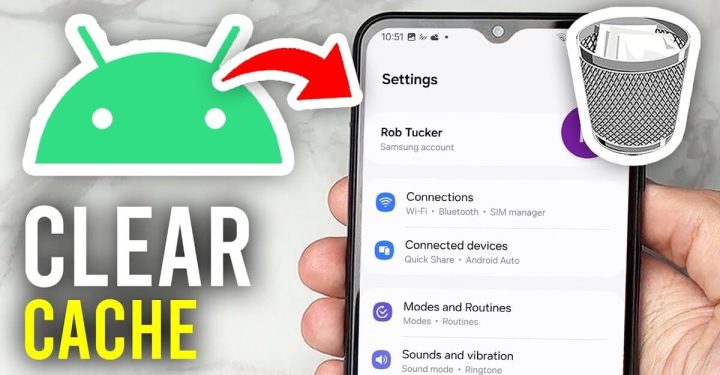
2. Clear Cache Regularly
Go to Settings and clear the app cache. This method is quite effective in making your phone feel lighter.
3. Use the Lite Version of the App
If your phone has limited specifications, try using a lite version of an app like Facebook Lite or TikTok Lite.
4. Update the Operating System
Make sure your phone is running the latest OS version. Updates usually bring bug fixes and performance improvements.
5. Restart your phone regularly
A simple but often overlooked method: Restarting can refresh the system and close any applications running silently.
6. Reduce Widgets and Animations
Too many widgets and animation effects can overload your system. Use them sparingly.
7. Move Files to Cloud or SD Card
If the internal memory is full, move photos, videos, or files to another storage.
8. Use Antivirus
Install a trusted antivirus to ensure your phone is safe from malware.
9. Factory Reset (Factory Reset)
If you've tried everything and the phone is still slow, you can perform a factory reset. But remember to back up your data first.
10. Limit Background Apps
You can set the settings so that certain applications do not run in the background.
Tips to Keep Your Phone Running Fast

In addition to the methods above, there are several additional tips that you can apply to keep your cellphone's performance stable.
1. Don't Install Random Applications
Make sure you only download apps from the Play Store or App Store.
2. Update the application regularly
Unupdated apps can cause bugs and slow down your phone.
3. Use Simple Wallpaper
Moving wallpapers are cool, but they can make your phone heavy.
4. Avoid Excessive Multitasking
Opening many applications at once can quickly fill up RAM.
5. Use Power Saving Mode
Some cellphones have this feature to optimize performance while saving battery.
A slow phone is annoying, but it doesn't mean it can't be fixed. By understanding the causes and applying the methods above to prevent slowness, you can restore your phone's performance to a smoother state.
The bottom line is, you need to be diligent about cleaning, organizing your apps, and avoiding overloading your system. If you've tried all these steps and your system is still slow, it might be time to consider upgrading your phone.

Also read:
- Guide to Accessing WA from Mobile (Android & iOS)
- It's Easy! Here's How to Turn Off Safe Mode on Your Android Phone
- A Hassle-Free Guide to Writing Papers on Android and iOS Phones
Hopefully this article helps you solve the problem of a slow cellphone, OK!
FAQs
To prevent your phone from slowing down, you can start by deleting unused apps, regularly clearing the cache, and ensuring your internal memory isn't full. Additionally, update your operating system, limit background apps, and restart your phone regularly to maintain optimal performance.
You can clean your Android phone by deleting junk files and cache through the settings menu. Additionally, uninstall rarely used apps, move large files to the cloud or an SD card, and use the built-in cleaning feature if available. This will free up storage space and make your phone feel less heavy.
A slow phone is usually caused by a nearly full internal memory, too many running apps, a built-up cache, or an outdated operating system. Malware and limited phone specifications can also be major factors contributing to a slow phone.
A laggy phone means the device is experiencing delays in responding to commands. For example, when you open an app or type something, there's a delay before the phone responds. This usually occurs due to excessive system load or decreased device performance.
Not always. Lag on a phone is usually caused by internal factors such as full memory or too many active apps. However, in some cases, lag can also be caused by malware or malicious apps.
MLBB Product Recommendations


 BV2SHOP
 DEMPET STOREBV2SHOPBV2SHOP
 TopMurBV2SHOPBV2SHOPTopMur
 AM08SHOPBV2SHOP


 News
News




