

- Merge PDF using online tools no installation; fast, practical for assignments, work, or administration.
- Steps: search merge pdf, upload files, set the order, click the button Merge, download in seconds.
- Recommendation: iLovePDF, PDF2GO, and adobe; most provide a free version with basic features.
Easy Ways to Merge PDFs with Online Tools
In today's digital climate, the need to merge PDFs is increasingly common. From school assignments to work documents to administrative files, everything is often sent in PDF format. PDF.
Interestingly, you can now do this without installing any additional applications: simply use an online tool. So, if you're curious about how, check it out.
Also read:
What is the purpose of merging PDFs?
Before going to the tutorial, you need to know why the join feature is needed. PDF That's important. So, we often encounter PDF files that are fragmented and don't form a complete whole, right?
Even though your needs require several PDF pages that must be uploaded in one document file. Well, this is where knowing how to combine them is crucial.
As computing technology advances, you can do this without installing additional applications. It can all be done in minutes using just a browser!
And besides the reasons mentioned above, there are usually several other issues that make it necessary to merge PDFs. In practical terms, the following are common drivers:
- You want to organize a document. For example, you have a document that's organized into several separate files, such as a cover, contents, and attachments. Instead of copying them (which could potentially mess up the formatting), you can save them as PDFs and combine them as needed.;
- You want to simplify the file transfer process. Instead of sending multiple files at once, you can simply send one merged PDF file;
- PDF documents that have been arranged into one file look more formal and professional because they are neat and easy to read.
How to Merge PDFs
Now, let's move on to the main part: how to merge PDFs using online tools without installing any apps or programs. The steps are similar across all platforms:
- Open Google, then type the keyword 'pdf merge' or 'join pdf' in the search bar;
- Once the search results open, select and open the PDF merge tool site;
- Upload the PDF files you need to merge;
- Arrange the order/delete pages you don't need according to your needs;
- Click the “Merge” or “Combine” button;
- Download the merged PDF file.
This process usually only takes a few seconds, depending on the file size. This allows you to manage PDF documents more flexibly and easily.
Recommended Online PDF Merge Tools
For those of you who are unsure which tools to use, VCGamers has selected recommended ones that you can try for free. Here are some of the available options:
3. iLovePDF

This tool is one of the most popular for merging PDFs and will immediately appear at the top of Google search results when related to similar keywords.
With a simple appearance and a relatively simple interface, you can immediately execute it by following the sequence of steps displayed above.
2. PDF2GO

Next, there's PDF2GO, an alternative online tool if the above sites are currently inaccessible. Its other PDF processing features are also quite comprehensive, such as compression, editing, and more.
VCGamers's suggestion: If you need to edit a lot of PDF files, just use these two sites to avoid long processing times. After all, they both serve the same purpose.
3. Adobe
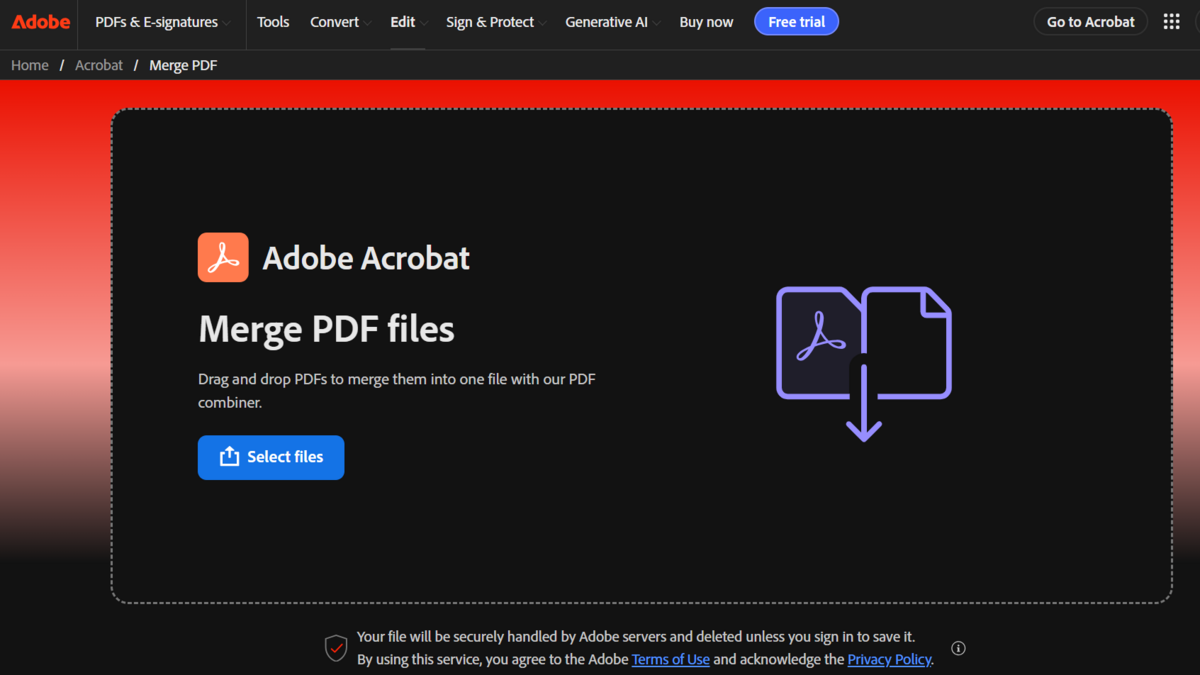
Although Adobe has been one of the platforms that has been most instrumental in increasing the use of PDF files, they have gradually become too arrogant.
All of its services require installation and are paid for. However, they realize that if they continue like this, Adobe will eventually lose its market share. That's why they've now also offered a free version.
Also read:
So, that concludes our comprehensive discussion of the best methods and tools for merging PDFs. If you found this article helpful, please share it on social media and with your friends!

FAQs
Merge PDF is the process of combining multiple PDF files into one document.
Yes, you can use online tools without having to install additional applications.
Most tools provide a free version with basic features.
As long as the files you merge are public and don't contain confidential data or valuable documents (diplomas, house/stock/land certificates, vehicle registration certificates, etc.), they're safe to use. Most tools also offer the option to immediately delete processed files once they're downloaded.
Some of the popular ones are iLovePDF, PDF2GO, and Adobe because they are easy to use and have complete features.
MLBB Product Recommendations


 BV2SHOP
 DEMPET STOREBV2SHOPBV2SHOP
 TopMur
 RudyStorezBV2SHOPBV2SHOPTopMur
 AM08SHOP


 News
News




