

- Voice Chat feature: Only available for aged accounts 13+ and require phone number verification or age check.
- How to Activate the Mic: Go to Settings > Privacy/Communication > enable Voice Chat, then grant microphone permission on Android or iPhone.
How to Turn on the Mic in Roblox for Android & iPhone
Many players are curious about how to turn on the mic in Roblox HP, especially since the features voice Chat or voice chat is getting more and more popular.
With an active microphone, you can chat directly with other players without having to type. This makes the gaming experience more exciting and interactive.
In this article, you'll learn the complete steps for activating the Roblox microphone on Android and iPhone phones, plus the age requirements for using this feature.
Also read:
- Delta Executor Roblox: How to Download and Use It
- What is a Roblox Gift Card? An Explanation and How to Redeem the Code!
- How to Play Roblox on a Laptop and Its Control Buttons
What is the Voice Chat Feature in Roblox?

Voice chat in Roblox is a voice communication feature that allows players to talk directly while playing.
This feature is also known as Roblox Voice Chat. However, not all accounts can use it immediately.
Roblox has a strict security system in place to protect its users. Therefore, there are certain age and verification requirements before you can activate your account. mic.
At what age can Roblox use a microphone?

This question comes up a lot: What age can Roblox use a mic?
The answer is that the voice chat feature is only available to users aged 13 and over. Additionally, eligible users must complete one of the following verification steps:
- Verify phone number, or
- Age verification using official identification
After successful verification, the Voice Chat option will appear in your account's communication settings menu. Without this process, the microphone feature will not be available.
How to Turn on the Mic on Roblox on Android Phones
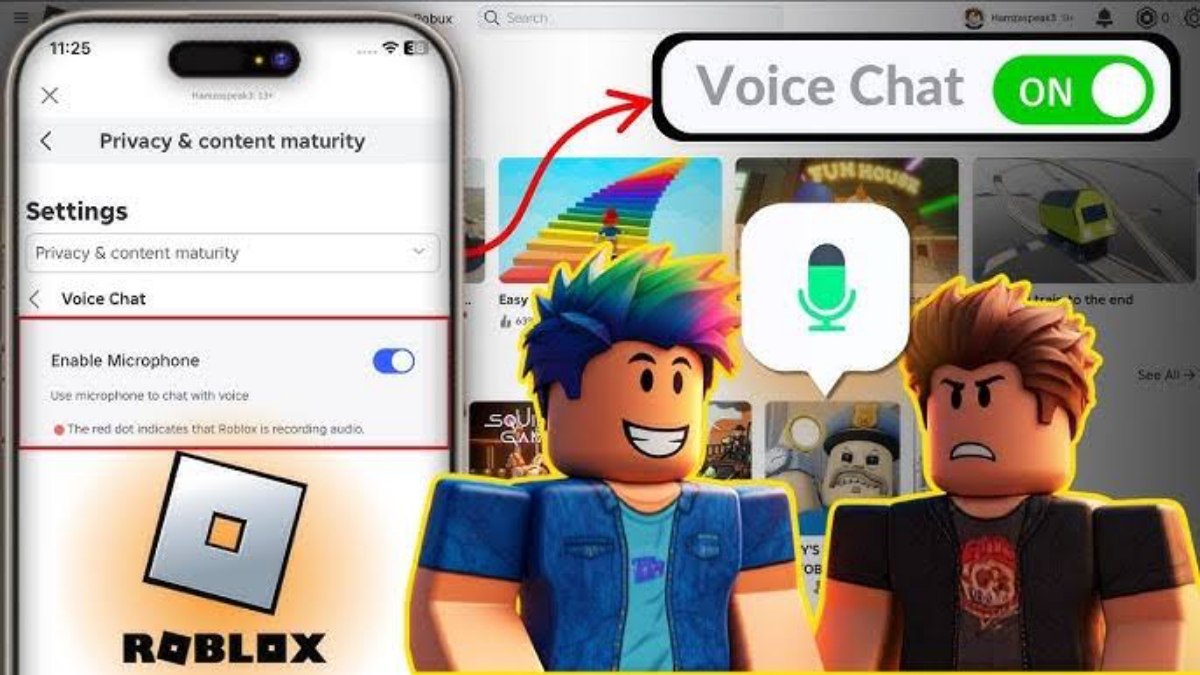
Here are the steps on how to turn on the mic on Roblox on an Android phone that you can follow:
- Open the Roblox app and log in to your account.
- Go to the Settings menu (Arrangement)
- Select the Privacy or Communication menu
- Enable the Voice Chat option
- Allow microphone access when prompted by Android
- Enter a game that supports voice chat
While in-game, a microphone icon usually appears on the screen. Tap it to turn the sound on or off. If the microphone isn't working, double-check the microphone permissions in the Android app settings.
How to Turn on the Mic in Roblox on an iPhone
For iPhone users, the steps are nearly identical. Here's the guide:
- Open Roblox and log in to your account
- Go to Settings
- Select Privacy / Communication
- Enable Voice Chat
- Allow microphone access from iOS system
- Enter a game that is compatible with voice chat.
If the sound is not coming in, go to iPhone Settings > Privacy > Microphonee, then make sure Roblox is allowed to use the mic.
Why is the Roblox Mic Not Working?
Sometimes the microphone feature is activated but still won't work. Some common causes include:
- Account does not meet the age requirement of 13+
- Phone number or age verification is not complete
- Microphone permission has not been granted
- The game being played does not support voice chat
- Roblox app has not been updated
Try updating the app to the latest version and re-logging in to ensure all features are working normally.
To make your voice chat experience more comfortable, pay attention to the following tips:
- Use a headset with a mic for clearer sound.
- Make sure your internet connection is stable
- Play in a place that is not too noisy
- Adjust the mic volume so that it is not too loud.
With the right settings, communication while playing will feel more natural.

Now you know how to turn on the mic on Roblox on Android and iPhone phones, along with the age requirements. Essentially, account must be at least 13 years old and verified to use the voice chat feature.
Also read:
- The Easiest Way to Download and Update Roblox on PC
- Causes and How to Overcome the Problem of Not Being Able to Login to Roblox
- The Easiest Way to Login to Roblox on All Devices
After that, you just need to activate the Voice Chat option in settings and give microphone permission.
With an active mic, the Roblox gaming experience becomes more exciting because you can communicate directly with other players.
Roblox Product Recommendations


 Hero Alive
 Kumay10shopHero AliveHero Alive
 RudyStorezHero Alive


 News
News




