
- Use short names and easy to read so that it is easy to recognize when playing together and not difficult to remember.
- Avoid excessive symbols and words toxic to reduce the risk of reports and stay safe.
- Adapt to role favorite, check availability, and make sure to reflect your identity before using the Name Change Card.
How to Customize Your ML Name and Tips for Choosing It
Name on Mobile Legends It's not just a profile display. A custom ML name is the quickest way to showcase your identity, playing style, and confidence level in the game.
Many players intentionally change their names to appear more professional, more aggressive, or more easily recognized when playing together or pushing rank. Consequently, searches for how to change your Mobile Legends (ML) name and recommendations for cool names continue to rise on Google.
Through this guide, you'll learn how to customize your ML name correctly, get unique Mobile Legends name ideas, and learn tips for choosing a name that's not common but still safe from reports.
Everything is discussed in a light, practical language, and goes straight to the important points that players often look for. ML.
Also read:
- Counter Fanny: Meta, Spells, Items, and Heroes
- Argus ML: Item Builds, Emblems, and Playing Tips to Avoid Dying in Vain
- March 2026 Starlight Skin Leaks, Featuring Freya Skin
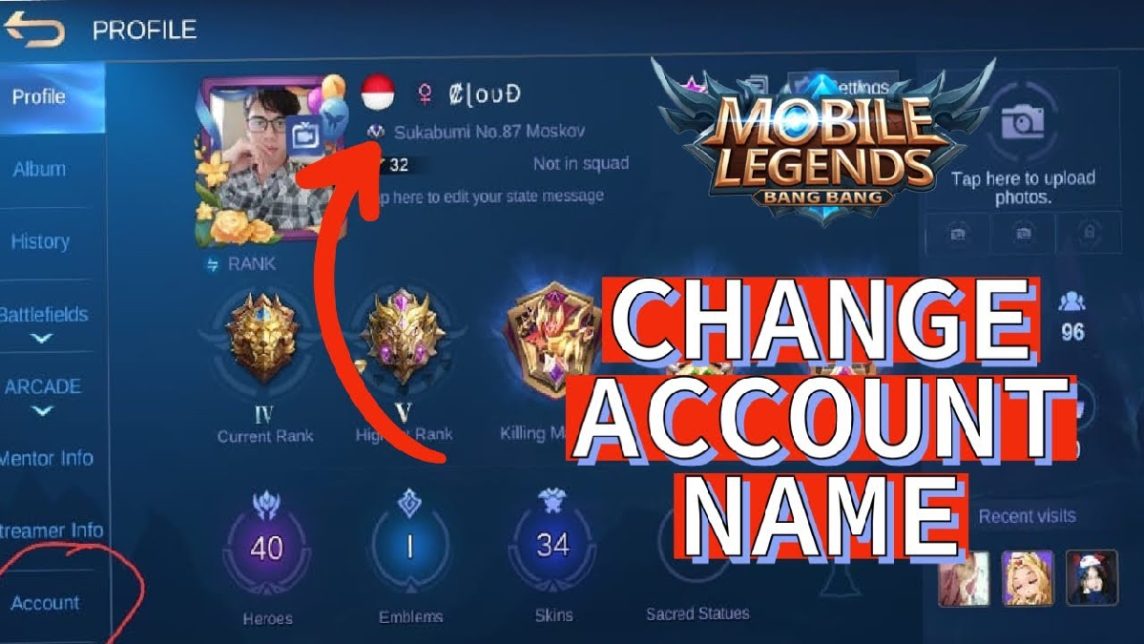
How to Customize ML Name
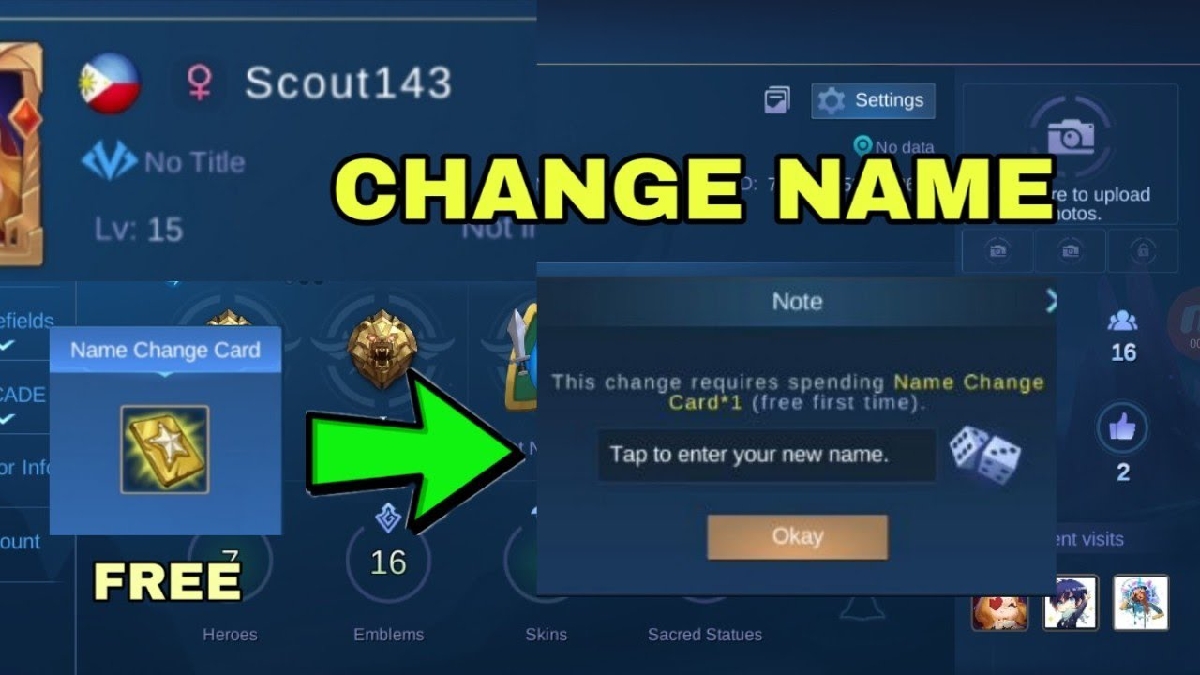
For those of you who are still confused or are changing your name for the first time, here are the correct steps for customizing your MLBB name:
- Enter the Mobile Legends game
Login to ML account you as usual. - Go to profile
Click on the avatar in the top left corner of the screen. - Select the pencil icon
Next to your ML name, there's a pencil icon. Click it. - Use Name Change Card
To change the name, you need Name Change Card. This item can be purchased in the Shop or obtained from certain events. - Enter new name
Type in your desired ML name. Make sure it doesn't violate Moonton's rules. - Confirmation
Once you're sure, click OK. Your ML name will immediately change.
Important note: changing your ML name cannot be done too often, so make sure you are sure about the name you choose.
100 Custom Mobile Legends Names
Here are 100 custom MLBB name ideas that you can use or modify:
- ShadowX
- Night Fury
- Dark Venom
- FrostKill
- Silent Blade
- SkyHunter
- Blood Crow
- LunarWolf
- PhantomX
- IronSoul
- SavageOne
- BlackNova
- DeathMark
- FlameRider
- StormBreaker
- VoidSlash
- CrimsonFox
- Ghost Reaper
- NeoDragon
- ThunderAce
- Toxic Ray
- AlphaZero
- DarkPulse
- FrostNova
- VenomStrike
- Shadow Lord
- CyberX
- RedPhantom
- NightStalker
- Blade Master
- EvilSmile
- Soul Eater
- MysticCrow
- InfernoX
- VoidKnight
- Silent Storm
- BlackRaven
- DeathWish
- Lunar Blade
- ArcaneX
- Rogue Hunter
- ChaosBorn
- DarkZen
- Phantom Kill
- FrostByte
- BloodMoon
- StormX
- Neon Slayer
- ShadowBurn
- Iron Claw
- Toxic Soul
- NightReign
- Dark Venus
- SkyReaper
- NovaStrike
- FatalEdge
- GhostX
- Black Fang
- LunarStrike
- CrimsonX
- VoidFury
- StormWolf
- Dark Aura
- Silent Crow
- VenomX
- Phantom Soul
- NightBlaze
- IronShade
- FrostClaw
- DeathStorm
- ShadowByte
- ChaosX
- DarkFlare
- BloodStrike
- NeonWolf
- VoidEdge
- Mystic Blade
- StormCrow
- Phantom Zone
- NightSlash
- CyberWolf
- Inferno Soul
- DarkKnightX
- FrostWing
- ShadowCore
- BloodFury
- VoidRider
- SilentX
- LunarFang
- StormShade
- Toxic Blade
- Phantom Lord
- DarkStormX
- GhostBlade
- IronNova
- NightPhantom
- FrostSoul
- Chaos Blade
- ShadowFury
- BlackStorm
Tips for Choosing a Cool Name

So that your ML name isn't commonplace and remains cool, follow these tips:
- Use short, easy-to-read names
Names that are too long make them hard to remember. - Avoid excessive symbols
Symbols are cool, but too many can make things complicated. - Customize with your favorite role
For example, assassins are suited to names with a shadow or death theme. - Check name availability
If the name is already in use, you can modify it with unique letters or combinations. - Don't use toxic words
Names that contain negative elements can result in your account being reported.
Customizing your Mobile Legends name isn't just about style, it's also about identity in the Land of Dawn. With the right name, you can appear more confident, be easily recognized in group games, and have your own unique personality in every match.

Also read:
- Recommendations for Unique ML Squad Names in 2026
- Top 10 Most Popular Female Mobile Legends Characters in M7
- 5 Best Counter Heroes for Popol and Kupa in Mobile Legends
So, before using the Name Change Card, make sure your chosen name truly reflects who you are as a player. That way, your nickname won't just be cool, but also memorable.
MLBB Product Recommendations


 BV2SHOPBV2SHOPBV2SHOP
 DEMPET STORE
 TopMur
 RudyStorezBV2SHOPTopMurBV2SHOPBV2SHOP


 News
News




