- Phone cloning move all data and settings to the new phone, including contacts, messages, photos, videos, and apps.
- Use application cloning or built-in features Smart Switch; ensure battery, stable connection, compatibility, storage, and Google account The same.
How to Clone a Cell Phone Easily and Quickly
Want to free yourself from the hassle of data transfer? This article will be your complete guide to cloning cellphone easily and efficiently.
You will find the answer to the question "what is cellphone cloning?", get to know various ways to do it, and get surefire tips for a smooth process without drama.
Let's dive into the world of phone cloning and make the transition to a new phone smooth and carefree!
Also read:
What is Phone Cloning?
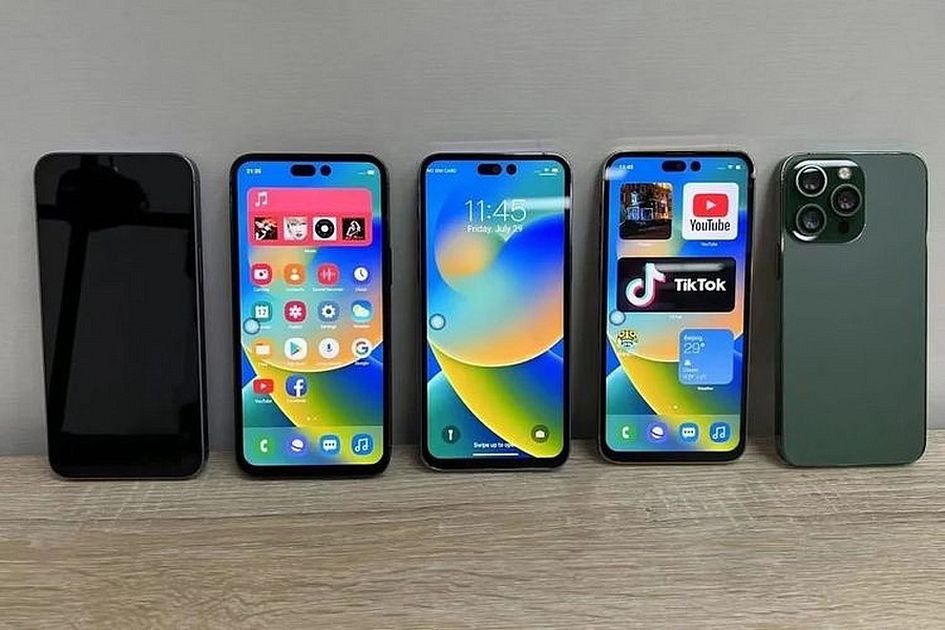
Cell phone cloning is the process of making a copy or duplicate of cell phone data and settings. This process can be carried out for various purposes, such as:
- Moving data from old cellphone to new HO.
- Have two accounts for the same application on one cellphone.
- Back up cellphone data.
In the context of moving data from an old cellphone to a new cellphone, cellphone cloning is the easiest and fastest way. In this way, you can move all data and settings from your old cellphone to your new cellphone, including contacts, messages, photos, videos, applications and system settings.
In the context of having two identical application accounts on one cellphone, cellphone cloning can be used to create a duplicate application. For example, you can use cellphone cloning to create a duplicate of the WhatsApp application so that you can use two WhatsApp accounts on one cellphone.
How to Clone a Cell Phone
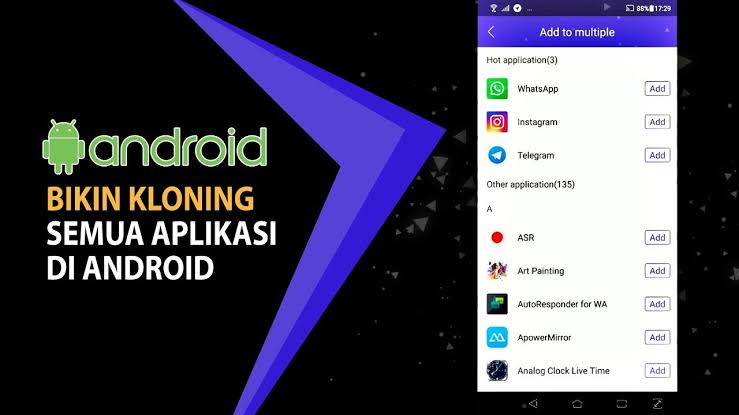
There are two ways to clone a cellphone, namely using a third-party application and using the built-in features if any.
Using the Application
The easiest and fastest way is to use the cellphone cloning application available on the Google Play Store for Android users. Some popular cell phone cloning applications include:
- CLONEit
- Clone App
- Dual Space
Here are the steps to clone a cellphone using the application:
- Download and install the phone cloning app on both phones.
- Open the app on both phones.
- Select the phone to clone.
- Select the data and settings you want to clone.
- Wait until the process is complete.
Using Built-in Features
Some Android phones have a built-in feature for phone cloning. Usually, this feature is known as Smart Switch.
Here are the steps to clone a phone using the built-in features:
- Turn on both phones.
- Connect both phones using a USB cable or WiFi.
- On the phone to be cloned, open the “Settings” application.
- Scroll down then select the “System” menu.
- Select the "Data transfer" or "Smart Switch" menu.
- Follow the instructions that appear on the screen.
On some cellphones, this process uses a built-in feature to start automatically after the two cellphones are connected.
Tips for Cloning Cell Phones
Cloning a cellphone is an easy and fast process to do. However, there are several tips you can follow to make this process easier and faster. Here are some tips.
Make sure both cellphones have sufficient batteries
This process can take quite a long time, especially if you want to clone a lot of data. Therefore, make sure both cellphones have sufficient batteries to meet the needs of this process.
Make sure both cellphones have a stable internet connection
If you use an application that requires an internet connection, make sure both phones have a stable internet connection. An unstable internet connection can cause this process to be delayed or even fail.
Not all apps are compatible with all phones. Therefore, make sure the application you choose is compatible with the two cellphones you are going to clone.
This process can also take up a lot of storage space. Therefore, make sure both cellphones have sufficient storage capacity to accommodate all the data and settings you want to clone.
Use the Same Google Account
Data stored in Google Drive, such as contacts, calendars and emails, will automatically sync to the new phone if both phones use the same Google account.

Also read:
That's how to clone a cellphone easily and quickly. By following the steps above, you can clone your cellphone easily and quickly.
Phone Cloning FAQ
Phone cloning is a way to move all data, photos, contacts, and applications from an old phone to a new phone.
App cloning is an official feature on Android to duplicate certain apps—such as WhatsApp—so you can use two different accounts on one phone.
Illegal cloning or SIM swap occurs when criminals duplicate your mobile number to steal the OTP code.
Main signs: Your cell phone signal suddenly disappears completely or you can't receive calls or SMS at all.
Other signs: A request appears restart device mysteriously or there is unknown account activity.
MLBB Product Recommendations


 BV2SHOP
 DEMPET STOREBV2SHOPBV2SHOP
 RudyStorez
 BANGJEFF
 TopMur
 AM08SHOPBV2SHOPBV2SHOP



 News