

- Enable Mobile Data Limit on Android via Settings > Network & Internet > Data Usage to stop automatically when it reaches the limit.
- Restrict background data for certain applications so that rarely used applications do not drain your quota.
- Disable Cellular Data per app in Settings > Cellular iPhone to prevent automatic updates and syncing.
- Use settings like turning off Wi-Fi Assist and monthly statistics reset to monitor and control quota consumption.
How to Limit Data Usage on Android & iPhone
Do you often feel like your internet quota is running out quickly even though you're not using it very intensively? This is a common problem for many smartphone users, especially because apps run in the background without you realizing it. Streaming, automatic updates, and data syncing can continue even when the phone screen is not in use.
Therefore, understanding how to limit data usage is an important step to ensure your data quota remains safe, more controlled, and can be used according to daily needs without worrying about running out midway.
Is There a Limit to Mobile Data?

Many smartphone users often ask, "Is there actually a limit for cellular data?" The answer is: yes, but it's optional and you can set it yourself. By default, cellular data on your phone will continue to run as long as the data feature is active, regardless of how much data has been used.
The problem is, data usage isn't just for browsing or social media. Automatic app updates, cloud syncing, streaming, and even in-app ads also silently drain your data. If left unchecked, your data can run out without you realizing it, even before your package's active period ends.
That's why the data restriction feature is a crucial solution. By limiting data usage, you can set a maximum usage limit, monitor data-hungry apps, and avoid wasting mobile data. This feature is already available on almost all Android phones and iPhones, so you don't need an additional app.
Also read:
- How to Reset a Samsung Phone Without Deleting Data, Guaranteed Simple!
- How to Reset Samsung Phone Without Deleting Data
- Your Phone Often Shuts Down Suddenly? Try These 5 Ways to Fix It!
How to Limit Data Usage (Android and iPhone)

If you often run out of data when browsing social media or watching movies on your phone, you need to know how to limit your data so you don't waste it.
How to Limit Data Usage on Android
On Android, the data restriction feature is quite comprehensive and flexible. The steps are usually as follows (menu names may vary slightly depending on phone brand):
- Open Settings
- Select Network & Internet or Connections
- Go to the Data Usage menu
- Enable Mobile Data Limit
- Set the maximum quota amount according to your package
Once enabled, Android will warn you when your data usage is approaching its limit. Data usage can even be automatically turned off once it exceeds your specified limit.
Additionally, you can also limit background data:
- Select a specific application
- Enable the Restrict background data usage option
This method is very effective for applications that you rarely use but secretly use up your data quota.
How to Limit Data Usage on iPhone
Meanwhile, on iOS devices, things are a little different, as there's no dedicated feature to automatically limit your internet quota. To control your internet data usage, use the following method:
- Open the Settings app
- Tap the Cellular option
- Scroll down the screen to see a list of apps and their usage.
- Disable Cellular Data for the apps you want to restrict.
In addition, you can also:
- Turn off Cellular Data for the App Store so that updates don't run automatically.
- Disable Wi-Fi Assist so that iPhone doesn't switch to cellular data when Wi-Fi is weak.
- Reset data usage statistics at the beginning of every month so it's easy to monitor
Although not as automatic as Android, this method is still effective in keeping your quota from running out quickly.
What Happens When You Limit Data?
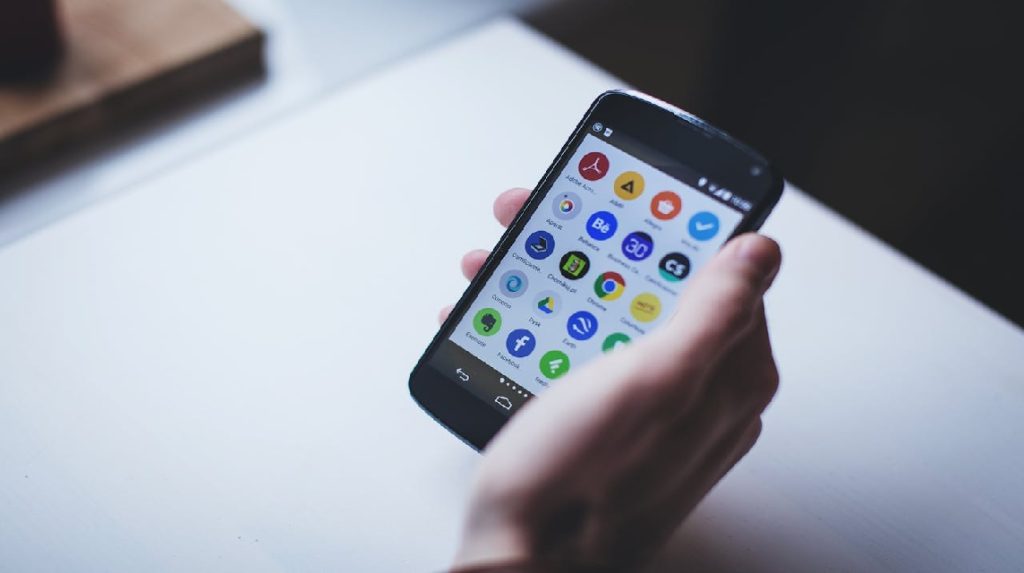
When you limit data usage, there are several impacts you should be aware of. These impacts aren't necessarily negative, but rather involve changes in system behavior.
First, certain apps may not update automatically. This is actually beneficial because it saves data. You can update manually when connected to Wi-Fi.

Second, notifications from some apps may be slightly delayed if they restrict background data. However, for essential apps like WhatsApp, they're usually safe as long as they aren't restricted completely.
Third, data usage becomes much more manageable. You can identify which apps are using up your data and adjust your daily internet usage habits accordingly.
Also read:
- How to Deactivate WhatsApp Without Turning Off Data, Take Note!
- Your Phone Suddenly Dies? Follow These Easy Steps to Fix It
- 6 Ways to Overcome Your Cell Phone Turning Off by Itself
In essence, limiting data doesn't reduce your phone's performance, but rather makes internet use more conscious and efficient. This is perfect for those who often run out of data before it's time.
MLBB Product Recommendations


 BV2SHOPBV2SHOPBV2SHOP
 BANGJEFF
 TopMur
 KING OF DIAMONDSKING OF DIAMONDSBV2SHOP
 RudyStorezTopMur


 News
News




