

- Use aesthetic Japanese names for a mysterious, minimalist, and cool impression; suitable for My otaku and Wibu.
- There is a list 200 aesthetic and unique Japanese names, divided into girl and guy, complete with meaning.
- Equipped with a guide to changing nicknames in popular games such as Mobile Legends, Free Fire, Roblox, and Valorant.
200 Aesthetic and Unique Japanese Names for Games
Currently, there are many gamers who use the name Japan so that it looks more aesthetic and unique in the game.
Using a name with a Japanese nuance can give a more mysterious, minimalist and cool impression than a regular name.
So, this name is very suitable for those of you who are Otaku and Wibu as a big fan of Japanese culture and entertainment.
For those of you who are looking for references to aesthetic Japanese names, you can get recommendations in this article!
Also read:
- 200 Romantic Japanese Couple Names for Games
- 200 Chinese Names for Games and Their Meanings
- 200 Cool Latin Names for Game Nicknames and Their Meanings
Aesthetic Japanese Names

Aesthteic Japanese name is nickname games as an identity inspired by Japanese words, terms, and writing that give a more beautiful, unique, stylish and characterful impression.
Usually this writing uses Romaji, Katakana, Hiragana or Kanji script so that your name looks more unique.
Players can choose words from natural elements, light, moon, shadows or spiritual things in Japan that can build certain vibes.
By using this aesthetic Japanese name to build a player's personal branding in the game that appears on the profile or while playing.
However, there are also those displayed in the lobby, leaderboard, chat, kill feeds, friendlist, profile or match results.
The advantage is that it is very minimalist, you can use characters or combine words related to unique things in Japan.
List of Aesthetic Japanese Names

Below are some aesthetic and unique Japanese names that can be used for games:

Girl
- Akari: Light
- Amane: Heavenly Voice
- Anzu: Apricot fruit
- Asagi: Pale Blue
- Ayame: Iris
- Azusa: Catalpa Tree
- Chiyo: 1000 Generations
- Chouko: Butterfly Child
- Emue: Sweet smile
- Erika: Heather Flowers
- Fuki: Fragrant Stalk
- Fumi: Beautiful Writing
- Fuyu: Winter
- Ginkgo: Silver Tree
- Hanae: Blooming flower
- Hanako: Flower Child
- Haruka: Far
- Hikari: Light
- Hinata: Place of the Sun
- Honoka: Soft Harmony
- Hotaru: Fireflies
- Ibuki: Fresh Breath
- Ichika: 1000 Flowers
- Ikue: 1000 Blessings
- Irisu: Iris
- Itsuki: Wood Tree
- Izumi: Water springs
- Junko: Pure Child
- Kaede: Maple Tree
- Kagura: Dance of the Gods
- Kaho: Flower Aroma
- Kaori: Fragrant fragrance
- Karen: Beautiful Flowers
- Katsura: Fragrant Tree
- Kayo: Beautiful Generation
- Kazumi: Harmonious Beauty
- Kiara: Shining brightly
- Kikuyo: Eternal Chrysanthemum
- Kimi: Nobleman
- Kinuyo: Silk Generation
- Kiyo: Pure Clean
- Hokaru: Spring
- Kotoko: Koto Children
- Kumiko: Eternal Child
- Kyoka: The Fragrant Capital
- Madoka: Circle of Calm
- Maiyo: Dance Night
- Maki: The True Tree
- Mom: True Beauty
- Manami: Love
- Mardhi: Gentle Breeze
- Marine: Blue Sailor
- Mayu: Cocoon
- Meiho: Bright Gem
- Mica: Beautiful Voice
- Mickey: Beautiful Stalk
- Mina: Southern Child
- Misaki: Beautiful Cape
- Mitsue: Bright Blessings
- Miu: Beautiful Feathers
- Miwa: Harmony of Three
- Miya: Holy Temple
- Miyako: Beautiful Capital City
- Mizue: Water Bay
- Moe: Growing Shoots
- Moko: Cloud Child
- Momoka: 1000 Peaches
- Mona: Cool and Calm
- Mutsumi: Harmonious Rukun
- Nadia: Hope
- Nami: Ocean Waves
- Nanako: Vegetable Child
- Nanami: 7 Oceans
- Natsuki: Summer Month
- Natsumi: The Beauty of Summer
- Nayu: Soft Night
- Nene: Soothing Sounds
- Nijiko: Rainbow Children
- Nika: 2 Fragrances
- Nina: Little Deer
- Nire: Elm Tree
- Nobu: Trust
- Noel: Day of birth
- Noriko: Model Child
- Nozomi: Future Hope
- Mosquito: Funny cat
- Ochika: Near Flowers
- Okan: Holy Crown
- Omi: Great Sea
- Ran: Orchid flower
- Reiko: Beautiful Child
- Ren: Lotus flower
- Rika: True Fragrance
- Rina: White Jasmine
- Rino: Pear
- Risa: Village Smile
- Ritsu: Natural law
- Ruka: Bright Stream
- Rumi: Layered Beauty
- Ryoka: Dragon Fragrance
Guy
- Akhito: Bright Prince
- Amashi: Destination Sky
- Arata: Fresh and New
- Asato: Dawn People
- Ayumu: Dream Steps
- Azuma: Far Mouse
- Chikao: Wise and Smart
- Daito: The Great Tower
- Emiru: Great Smile
- Fukiya: Wind Arrow
- Fumito: Literary People
- Fuyoki: Winter Tree
- Genji: Origin of Source
- Genta: Thick Child
- Goki: Strong Spirit
- Gyoku: Jade Gems
- Hachiro: 8th Son
- Hajime: The beginning
- Hakaru: Fair Weigher
- Haruomi: Spring Scenery
- Hayate: Windstorm
- Hibiki: Echo of Sound
- Hideki: Great Opportunity
- Hikaru: Light
- Hinata: Place of the Sun
- Hiroto: Fly Wide
- Hitoshi: Fair Rate
- Hotaka: High Mountain
- Ibuki: Strong Breath
- Ichiro: First Son
- Isamu: Courage
- Itsuki: Sacred Tree
- Jiro: Second Son
- Jubei: Weapon Protection
- Junpei: Pure Pure
- Juro: 10th son
- Kaito: Flying Sea
- Kaname: Important Axis
- Kaoru: Fragrant Aroma
- Katsu: Victory
- Kazuki: Harmonious Hope
- Kenji: Healthy Children
- Kento: Wise Ruler
- Kenti: Flying high
- Kiichi: The Beginning of Blessings
- Kisato: Silk City
- Kojiro: Second Little Son
- Kosuke: Sunrise
- Kyosuke: Pure Help
- Makoto: Faithfulness
- Masato: Righteous People
- Michio: Wise Man
- Minoru: Fertile Fruit
- Naoki: Straight Tree
- Naoto: Honest People
- Natsuno: Summer Man
- Noboru: Rise High
- Norio: Law of Justice
- Raiden: Thunder Lightning
- Raiga: Lightning Fang
- Raito: Lightning
- Ren: Iron Lotus
- Renzo: 3 Relationships
- Riku: Mainland
- Rintaro: Forest Child
- Ryoma: Diamond Dragon
- Ryuichi: The First Dragon
- Ryunosuke: Dragon's Help
- Satoru: Enlightenment
- Satoshi: Wise
- Seiji: Just Government
- Senji: 1000 Rulers
- Shigeru: Thick and Fertile
- Shin: True Belief
- Shingen: True Origin
- Shinya: New Night
- Shiro: 4th son
- Sho: Soaring
- Shogo: Grand Advisor
- Shota: Big Jump
- Shun: Fast and Agile
- Sosuke: Flash Assistance
- Subaru: Star Cluster
- Tai Chi: First Big
- Taiga: Big River
- Taiyo: Big Sun
- Takahiro: Wide Glory
- Takashi: Full of Devotion
- Takato: High Noble
- Takumi: Expert Craftsman
- Taro: Firstborn child
- Tatsuo: Dragon Man
- Tatsuya: Dragon Dragon
- Teruaki: Shining brightly
- Toshio: Smart Child
- Tsuyoshi: Strong and Mighty
- Wataru: Crossing the Sea
- Yamato: Great Harmony
- Yasuo: Calm Man
- Yuki: Cold Snow
How to Change Name in Popular Games

Below are ways to change nicknames in several popular games:
Mobile Legends: Bang Bang
- open the game “Mobile Legends: Bang Bang”;
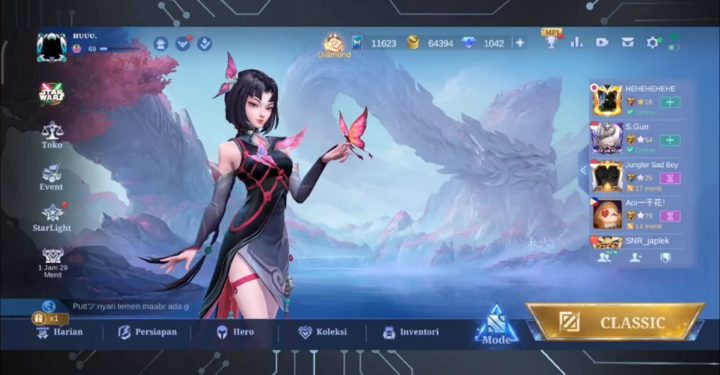
- Once in the Lobby, click on the “Name/Nickname” section;
- Enter your “Name/Nickname” in the column provided;
- Click “Ok”;
- Later, a pop-up will appear if you don't have a 'Name Change Card', then you will be directed to the shop to purchase;
- Click “Ok”;
- Definitely have 239 Diamonds to purchase a 'Name Change Card';
- Next, click “Ok” to purchase the 'Name Change Card';
- Later you will be directed to the Mobile Legends Name/Nickname rename column;
- Use “Name Change Card”;
- Finally, click “Ok”;
- Done.
Honor of Kings
- Open the game “Honor of Kings”;
- Click the “Profile” icon in the top left corner;
- Then, click “Settings” in the top right corner;
- Click the “Info” option;
- Next, click on the “Pencil” icon next to the Honor of Kings name;
- Input nickname Honor of Kings;
- Click “Finish”;
Free Fire
- Open the game “Free Fire”;
- Prepare 390 Diamonds to change the name of Free Fire;
- Once in the Free Fire Lobby, click on your Free Fire account “Profile”;
- Click the “Pencil” icon next to the Free Fire name;
- Enter your Free Fire name in the column;
- Select the option to use '390 Diamond' or 'Change Name Card' to change the Free Fire name;
- 'Diamond 390' icon: Use 390 Diamonds to change your Free Fire nickname
- 'Change Card' icon: Use the Exchange Item 'Name Change Card' which must be purchased for 390 Diamonds, click ‘Confirm’;
- Done.
Roblox
Display Name
- Login to your “Roblox” account;
- Open “Account Settings”;
- Browsers: Click the “Gear” icon in the top right corner:
- Application: Click the “Three Lines” icon:
- Click “Account Info”;
- Next, click the “Pencil and Paper” icon in the 'Display Name' section to change the Display Name in Roblox;
- Input Display Name in Roblox;
- Click “Ok”;
- Done.
usernames
- Login to your “Roblox” account;
- Open “Account Settings”;
- Browsers: Click the “Gear” icon in the top right corner:
- Application: Click the “Three Lines” icon:
- Select “Account Info”;
- click the “Pencil and Paper” icon in the 'Username' section to change the Address Name (Username) in Roblox;
- Must have 1000 Robux to change Roblox Username;
- Enter your Roblox Username in the “Desired Name” section;
- Then, enter your Roblox Password in the “Account Password” section;
- Click “Buy”;
- Finally, click “Ok”;
- Done.
Call of Duty: Mobile
- Open the game “Call of Duty: Mobile”;
- Click “Player Profile”;
- Next, click “Edit” in the corner of the name;
- Input your Call of Duty: Mobile name;
- Done.
PUBG Mobile
- Open the game “PUBG Mobile”;
- Go to “Shop” to purchase a 'Change Rename Card';
- Click “Treasure”;
- Scroll and find “Change Rename Card”;
- Then click “Purchase”;
- If successful, it will return to the game Lobby;
- Go to “Inventory”;
- Then select the “Box” icon which is on the right side and at the very bottom;
- Search for “Change Rename Card”;
- Click “User”;
- After that, enter your PUBG Mobile name;
- Then click “Ok”;
- Then click “Ok” again;
- Finally click “Use” on the 'Use Rename Card' Pop-Up;
- Done.
Valorant
- Open browsers on your devices such as Google Chrome, Mozilla Firefox, Opera, Microsoft Edge, Safari (iOS only) and others;
- Search for “Riot Account Management” or type “authenticate.riotgames.com”;
- Enter “Username” and “Password”;
- Then, click the “Arrow to the Right” icon;
- After that, enter the verification code that has been sent to your email;
- Then, click the “Arrow to the Right” icon;
- After that, change the name on the page;
- Next, click on the “In-Game Name” column to change the Valorant name;
- Change the “Tagline” in the column next to it;
- Finally click “Save Changes”;
- Done.
Clash of Clans
- Open the game “Clash of Clans”;
- Next, click the “Gear” icon to open the game Settings on the right;
- Click “After Others”;
- Select “Change Name”;
- Wait for the Pop-Up to appear and click the “500” Gems icon to change the name;
- Enter your Clash of Clans name in the column;
- Click “Continue”;
- Done.
DOTA 2
DOTA 2 Client:
- If you are in the game client, click the “Shift + Tab” keys to display the Steam page;
- Then click “Friends” at the bottom of the screen;
- Click the “Arrow” icon next to the name;
- Click “Edit Profile Name”;
- After that, enter the DOTA 2 “Username”;
- Click “Confirm”;
- Done.
Steam Profile:
- Open the game “DOTA 2” on PC;
- Next, open the “Profile Settings” section by clicking on the name in the top right corner;
- After that, click on the “Change Name” option;
- Enter “DOTA 2 Name”;
- Click “Accept” and “Save”;
- Logout of the game and log back into DOTA 2;
- Done.
Apex Legends
Xbox
- First, click on the “Xbox” icon;
- After that, click “Profile and System”;
- Click “Gametag”;
- Then click “My Profile”;
- Then select “Customize Profile”;
- Change the name in the provided field or Gamertag city;
- Finally, click “Change Gamertag”;
- Done.
Steam
- Open “Steam”;
- Next, click the “Arrow” icon next to the profile name;
- Then click “View My Profile”;
- Click “Edit Profile”;
- Enter your Apex Legends name in the “General” section;
- Click “Confirm”;
- Done.
origin
- Open “Origin”;
- Then click the “Arrow” icon next to the 'Profile' icon;
- Click “Settings”;
- After that, click “Manage” which is next to the account name in the 'My Profile' section;
- Next, click “Edit” which is next to 'Basic Information';
- Input “Apex Legends Name”;
- Click “Save”;
- Done.
PlayStation
- First click “Settings” in the main menu;
- Select “User and Accounts”;
- Next, click “Profile” in the 'Account' section;
- Then click “Online ID”;
- Enter your Apex Legends name in the field provided;
- Done.
Nintendo Switch
- Go to “Main Menu”;
- After that, click the “Profile” icon;
- Then, click the “Pencil” icon;
- Next, enter your “Apex Legends Name”;
- Click “Confirm”;
- Done.
Also read:
- List of Aesthetic and Unique Game Nicknames
- 150 Cute Couple Names for Games
- 200 Beautiful Game Nicknames for Girls
Those are some recommendations for aesthetic and unique Japanese names that can be used in popular games. So, which one are you interested in using?
MLBB Product Recommendations


 BV2SHOPBV2SHOP
 DEMPET STOREBV2SHOP
 TopMur
 RudyStorezBV2SHOPBV2SHOPTopMurBV2SHOP


 News
News




