

- Roblox Username Generator Create a cool and aesthetic random username; enter your preferences, get lots of options in seconds.
- Open a website like SpinXO, NameGeneratorPro, or CoolGenerator, enter keywords, click Generate, select favorite.
- Always check availability at Roblox via the menu Sign Up or Change Username; generator does not guarantee uniqueness.
- Changing the primary paid username using Robux (eg 1,000 Robux); Display Name can be replaced for free.
Roblox Username Generator: How to Create, Robux Cost, Unique Tips
If you are confused about finding an interesting username for Roblox account, you can try using Username Generator.
With Username Generator Roblox, you can create a name that is cool, stylish, and of course aesthetic.
So, so you don't get more curious about how to make it, let's take a look at the following brief explanation!
Also read:
- How to Delete Roblox Account Easily
- How to Update Roblox on Windows and Mac
- Learn About Roblox Mugen Codes and How to Redeem Them
What is Roblox Username Generator?

Roblox Username Generator is a tool that you can use to generate random usernames.
It's really easy, you just need to enter some preferences, such as favorite words, numbers, or certain themes, then this tool will give you several username options to choose from.
Additionally, the Roblox Username Generator can also provide username ideas that suit your character or playing style.
Here are some reasons why you should use Username Generator:
You Don't Want the Hassle of Thinking About a Name
With this tool, you don't have to think twice. Just click, and a cool username is ready.
Unique and Creative Username
This tool will give you unusual username options.
Suitable for beginners or those who want to change their username
For those of you who are just starting out play Roblox or want to change your username to make it cooler, this tool can be a practical solution.
Saving time
Instead of worrying about coming up with a cool name, just generate one. You can get tons of username options in seconds.
How to Create a Username in the Roblox Generator

Following are the steps to generate names in this tool:
Open the Roblox Username Generator Website
Some popular websites you can try include:
- SpinXO
- NameGeneratorPro
- CoolGenerator
Enter Keywords or Favorite Themes
After entering the website, you will be asked to enter keywords or themes that you like.
Select the number of usernames you want to generate
Typically, these tools will provide the option to choose how many usernames you want to generate.
You can choose any number, for example, 5, 10, or 20 usernames at once. The more options you choose, the greater your chances of finding the right one.
Click the “Generate” button
Once you've entered all your preferences, simply click the "Generate" or "Create Username" button. Within seconds, this tool will provide you with several username options.
Choose Your Favorite Username
From all the options that appear, choose the username you like best. If none of them suit you, you can re-generate until you find one that suits you.
Check Username Availability on Roblox
Once you've found a good username, don't forget to check its availability on Roblox.
The method:
- Open the Roblox website or app;
- Go to the Sign Up menu (create a new account) or Change Username (change username);
- Enter your chosen username;
- If a username is already in use, Roblox will notify you.
The method above also includes changing your username in Roblox. Easy, right?
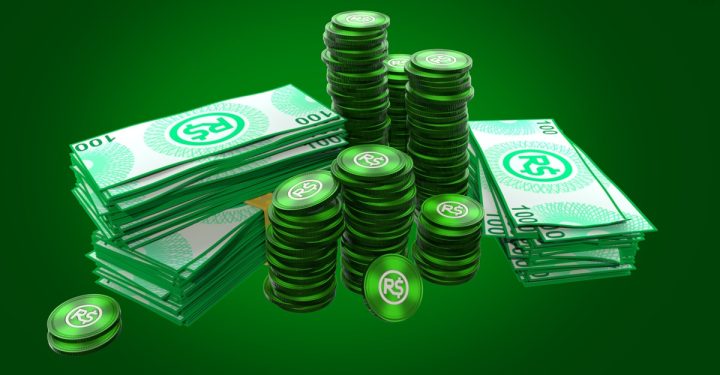
Come on change Roblox username to Robux now for just 1,000 Robux!
Also read:
- Delta Executor Roblox: How to Download and Use It
- How to Top Up Robux Roblox 5 Days
- Know the Roblox BloxStrike Code and How to Redeem
That's our discussion this time. Hopefully it's useful!
FAQ About Roblox Username Generator
This tool is a web-based tool or application that designs random combinations of words, numbers, or symbols to create cool and aesthetic Roblox account names.
Yes, most generators are safe to use as they only provide plain text name ideas. However, you should still be careful and never share your password (password) your Roblox account to any generator site.
Not always. Some advanced tools attempt to match against official databases or APIs, but you should still verify availability directly when registering or changing your name in the Roblox app, as availability can change quickly.
Name length between 3 to 20 characters.
Can only contain letters, numbers and underscores (underscore).
Do not use spaces or other special symbols.
It cannot begin, end, or have consecutive double underscores.
Must adhere to the rules of politeness and family friendliness (family-friendly).
No, changing your primary username on Roblox costs Robux. However, changing your primary username Display Name (the display name that appears in the game) can be done for free and at any time via the account settings menu.
 News
News




